12
EN
OPERATION INSTRUCTIONS
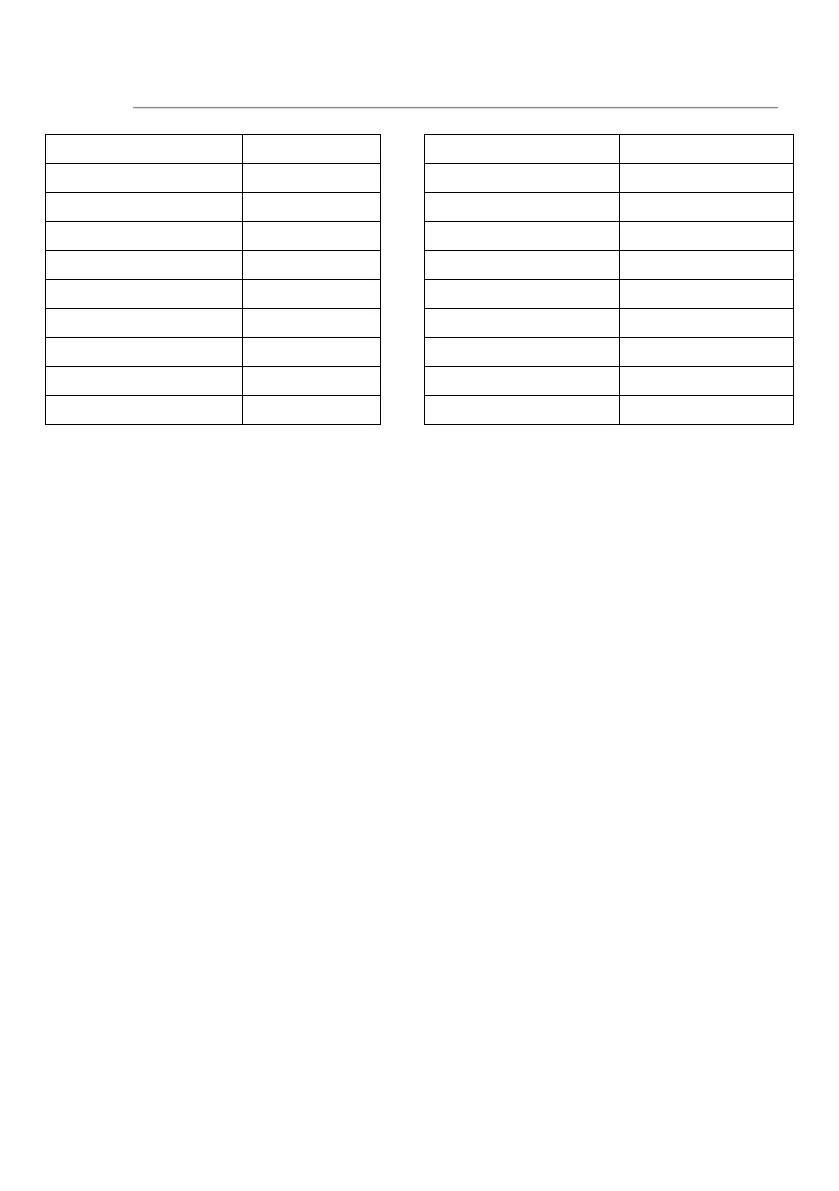
Converting fractions of a pound to ounces:
Fractions of a pound Ounces Fractions of a pound Ounces
Less than .03 0 .54 to .59 9
.03 to .09 1 .60 to .65 10
.10 to .15 2 .66 to .71 11
.16 to .21 3 .72 to .78 12
.22 to .27 4 .79 to .84 13
.28 to .34 5 .85 to .90 14
.35 to .40 6 .91 to .97 15
.41 to .46 7 above .97 go to next even
.47 to .53 8
MULTI-STAGE STAGE COOKING
Your oven can be programmed up to 2 automatic cooking sequences.
Suppose you want to set the following cooking program.
Microwave cooking
↓
Microwave cooking (with lower power level)
1. Input the first microwave cooking program. Do not press START/+30 SEC. button.
2. Input second microwave cooking program.
3. Press START/+30 SEC. button to start.
NOTE: Only microwave cooking program can be set in multistage cooking program.
CHILD LOCK
The lock prevents unsupervised operation by children.
To set: In standby mode, press and hold STOP/CANCEL button for 3 seconds, then a
beep will sound, the oven will auto enter child lock mode the display will show "Loc"
for 3 seconds. Press any button, the display will show "Loc" for 3 seconds.
To cancel: Press and hold STOP/CANCEL button for 3 seconds, then a beep will
sound, and the "Loc" will disappear.
BUTTON ADHESION PROTECTION
In any state, if any button on the control panel is adhesion for 1 minute, the program
stops working immediately, the display shows "FAIL" and the system will sound beep.
If the button is adhesion all the time, beep will sound every one minute. Any button is
invalid at this time. After troubleshooting, press STOP/CANCEL button to return to
standby mode.



 To Next Page