Replacing LED Lights (selectmode=s)
The fresh food compartments of your refrigerator may have
LED lights. Always use Frigidaire parts for replacement.
To replace LED Lights:
1 Unplug your refrigerator's power cord.
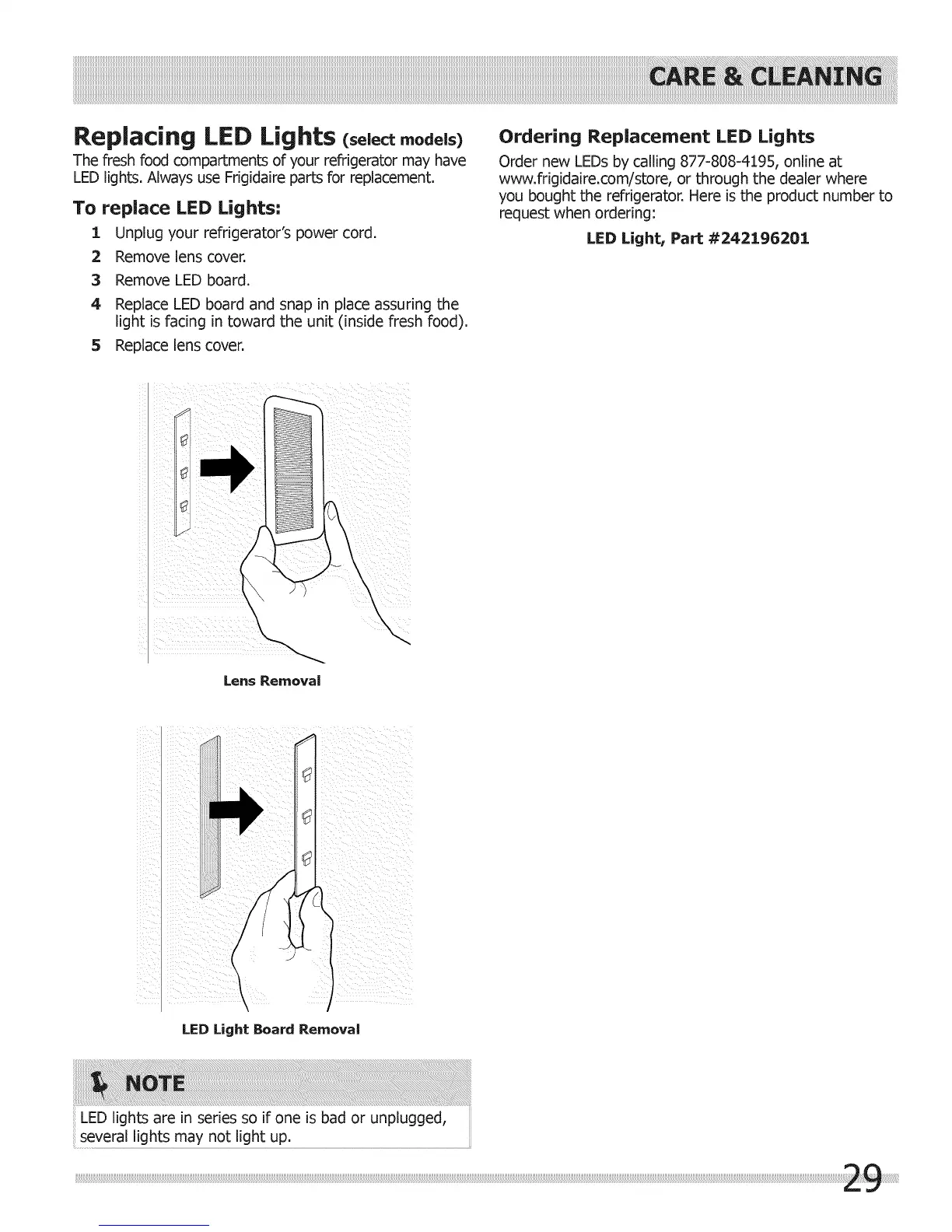
2 Remove lens cover.
3 Remove LED board.
4 Replace LED board and snap in place assuring the
light is facing in toward the unit (inside fresh food).
5 Replace lens cover.
Ordering Replacement LED Lights
Order new LEDs by calling 877-808-4195, online at
www.frigidaire.com/store, or through the dealer where
you bought the refrigerator. Here is the product number to
request when ordering:
LED Light1 Part #242196201
Lens Removal
(
\
\
\
LED Light Board Removal
LED lights are in series so if one is bad or unplugged,
several lights may not light up.




 To Next Page