Replacing LED Lights (select models)
The fresh food compartments of your refrigerator
may have LED lights. Always use Frigidaire parts
for replacement.
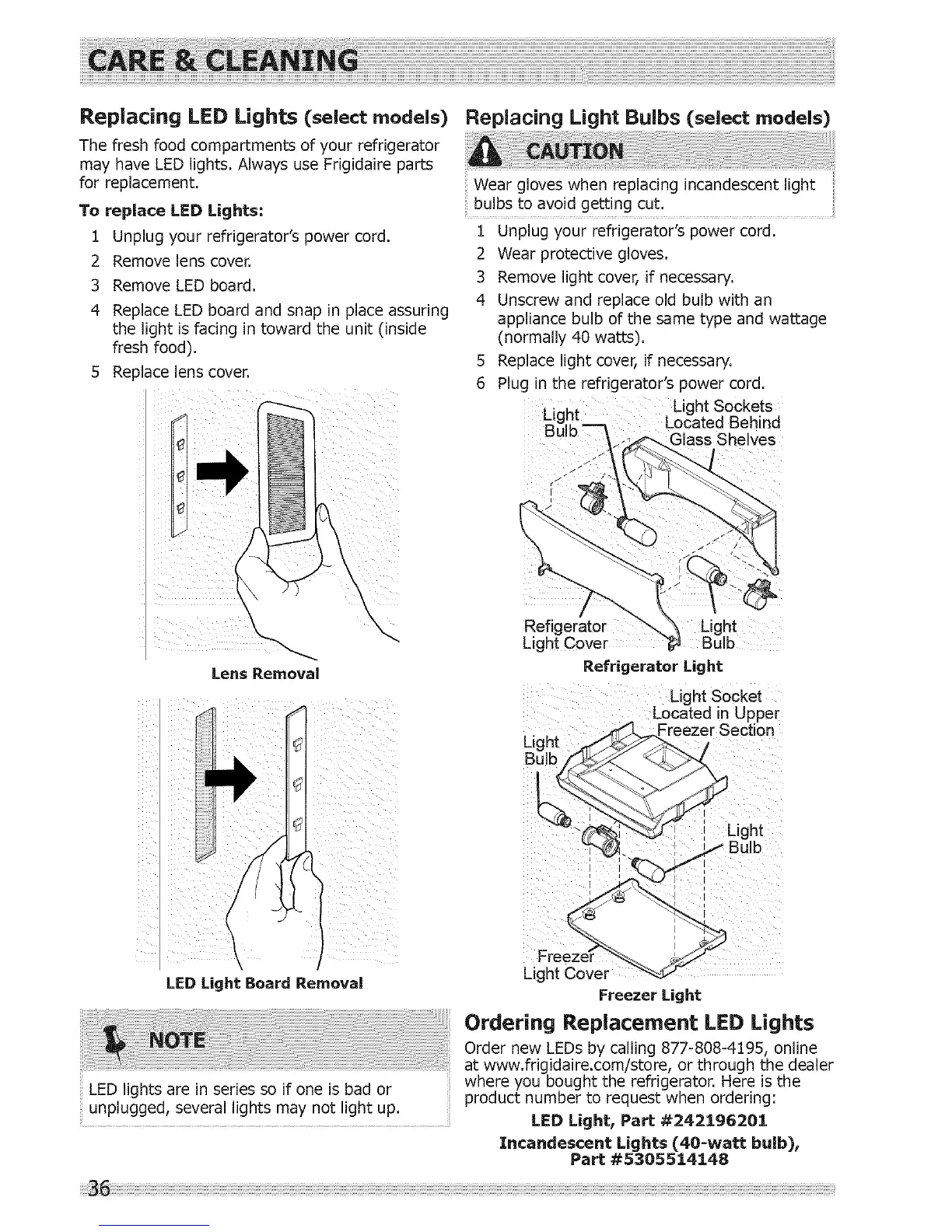
To replace LED Lights:
1 Unplug your refrigerator's power cord.
2 Remove lens cover.
3 Remove LED board.
4 Replace LED board and snap in place assuring
the light is facing in toward the unit (inside
fresh food).
5 Replace lens cover.
Replacing Light Bulbs (select models)
Wear gloves when replacing incandescent light
bulbs to avoid getting cut.
1 Unplug your refrigerator's power cord.
2 Wear protective gloves.
3 Remove light cover, if necessary.
4 Unscrew and replace old bulb with an
appliance bulb of the same type and wattage
(normally 40 watts).
5 Replace light cover, if necessary.
6 Plug in the refrigerator's power cord.
Light Sockets
Lic ht Located Behind
;helves
Lens Removal
LED Light Board Removal
LED lights are in series so if one is bad or
unplugged,severallightsmaynotlightup.
/
Refigerator Light
Light Cover
Refrigerator Light
Light Socket
Located in Upper
_l _Freezer Section
Light J_:_... /
_'L ht
_ -d?_"--.W_ I g
_. _ Bulb
' i
Fre
Light Cover _
Freezer Light
Ordering Replacement LED Lights
Order new LEDs by calling 877-808-4195, online
at www.frigidaire.com/store, or through the dealer
where you bought the refrigerator. Here is the
product number to request when ordering:
LED Light, Part #242196201
Incandescent Lights (40-watt bulb),
Part #53055::[4148




 To Next Page