OR7NEWModelEN-4.indd19OR7NEWModelEN-4.indd19 09.4.2811:46:24AM09.4.2811:46:24AM
1.
2.
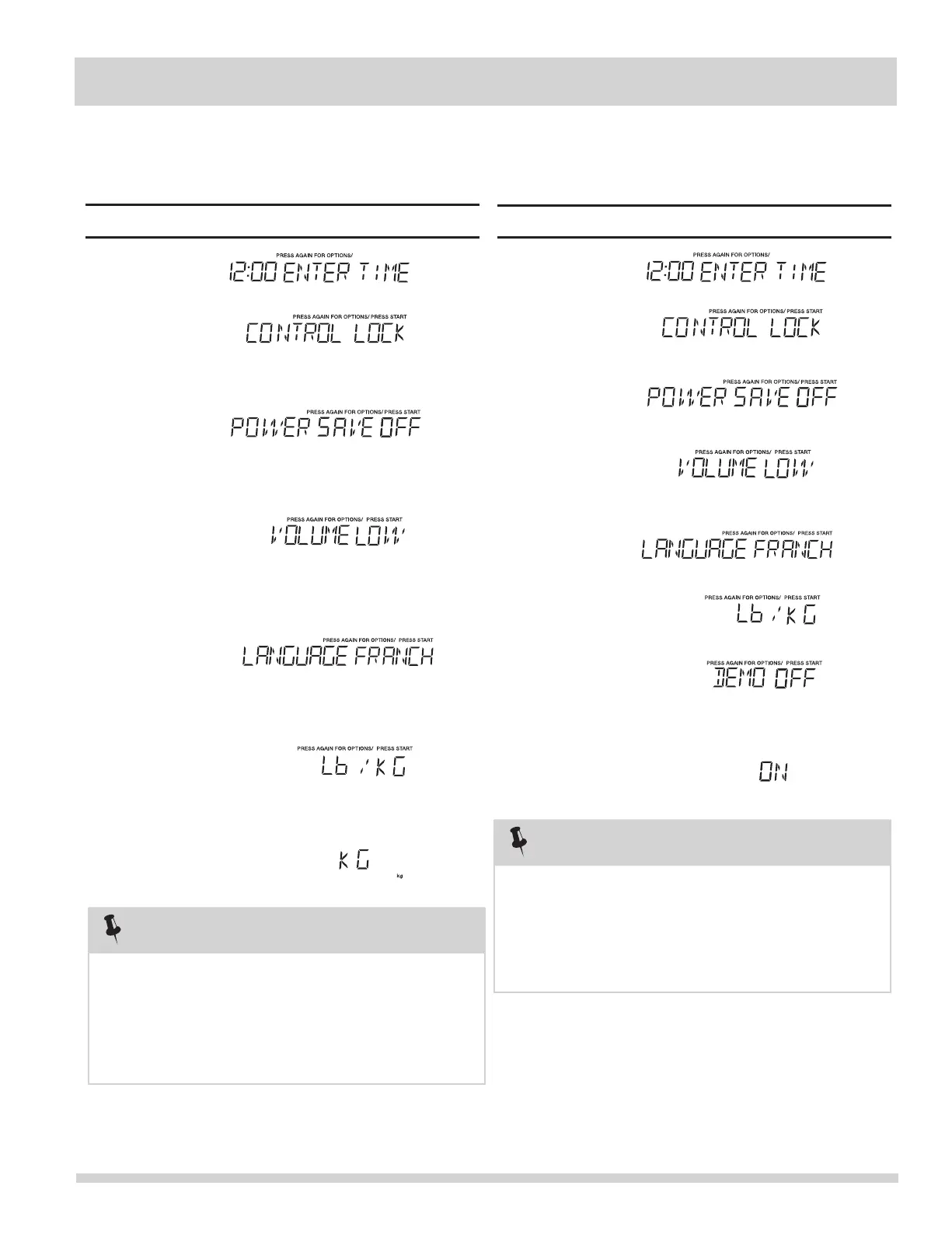
When is pressed and the previous setting was
OFF then it will be set to ON. If you want to turn the
demo mode back OFF you will have to again press
(7).Setting Demo Mode On/Of
CONVENIENT FEATURES
NOTE
• Suppose you want to enter Demo mode. When Demo
Touch: Display Shows:
seven times and then
1.
2.
If the display shows kg, pressing the
button will reset the oven controls to lbs. To return
to kg, you will have to again press six
times and then
(6).S
NOTE
• Suppose you want to toggle weight between
pounds & kilograms.
etting Weight Lb/Kg
J
Touch: Display Shows:
3.
Clock &
Settings
4.
Clock &
Settings
Clock &
Settings
Clock &
Settings
Clock &
Settings
5.
6.
7.
Clock &
Settings
START
+30 Sec
START
+30 Sec
START
+30 Sec
press
.
Clock &
Settings
4.
3.
Clock &
Settings
Clock &
Settings
5.
6.
7.
START
+30 Sec
8.
Clock &
Settings
Clock &
Settings
Clock &
Settings
Clock &
Settings
Clock &
Settings
START
+30 Sec
START
+30 Sec
press
.
Clock &
Settings
mode is ON programming functions will work in a rapid
countdown mode with no cooking power.




 To Next Page