6 7
BREWING YOUR FIRST POT OF COFFEE
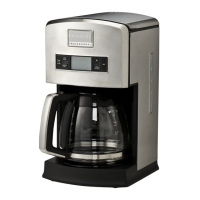
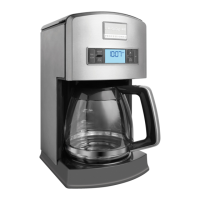
REPLACEMENT PARTS
1 Thoroughly wash the Filter Basket, the Permanent
Gold-Tone Filter, the Water Filter Holder, and the carafe
in hot soapy water. Rinse with clean water and dry.
Do not use abrasive cleansers or scouring pads. Do
not submerge the Coffee Maker in water or any other
liquid, or permanent damage to the Coffee Maker will
result!
2 Lift the reservoir lid on top of the Coffee Maker,
and pour the desired amount of cool water into the
reservoir. Be sure to pour the water into the reservoir,
and not into the Filter Basket.
3 With the Filter Basket in place, insert the Permanent
Gold-ToneFilter,ora#4paperconelterintotheFilter
Basket – but not both!
4 Add the desired amount of ground coffee into the
lter.Itisrecommendedthatyoustartoutusingone
tablespoon of ground coffee for every cup of water in
the reservoir. However, you may adjust the amount of
coffee to water ratio to suit your personal taste.
5 Press the On-Off button once to start the brewing
process. Prior to pushing the On-Off button to begin
brewing, you may want to adjust the strength setting
by pressing the Coffee Strength button on the control
panel. You may choose from Regular or Strong.
6 Once the brewing cycle has ended, 3 alert tones will
sound.
Frigidaire Accessories / Accesorios de Frigidaire / Accessoires de Frigidaire
Part No.
Nº De Parte / Nº De Piéce
16158
16221
16159
16164
FPDC06WFMW
16181-1
Thermal Carafe
Térmico Cafetera
Thermal Carafe Lid
Tapa Térmico Cafetera
Filter Basket Holder
Goldtone Coffee Filter
Filtro Dorado Para Cafetera
Water Filter Holder
6 - Pack Coffee Water Filters
Filtro de agua, paquete de 6
Replacement Rubber Feet (4-Pack)
Pies de Goma de Reemplazo (Conjunto de 4)
Thermo Verseuse
Couvercle de la Carafe Thermique
Porte-Panier Filtre
Filtre à Café Doré
Porte-Filtre à Eau
Paquet De 6 Filtres à Eau
Pieds en Caoutchouc de Remplacement (Paquet de 4)
To order replacement parts in the U.S.A and
Mexico, visit us online at
www.frigidaire.com/professional
To order replacement parts in Canada, visit us
online at www.frigidaire.ca
Or call us at 1-888-845-7330
Hours
CAll Monday-Friday, 9 am-8:30 pm EST; Saturday and
Sunday, 11am-7.30 pm EST.
(Please call the same number for answers to problems or
questions.)
For pricing, see our website www.frigidaire.com/
professional or call 1-888-845-7330
INSTALLING THE WATER FILTER HOLDER AND CARBON FILTER
Thesuppliedlterreducesmanyofthecontaminantsthat
cannegativelyaffecttheavorofthecoffee.Although
the Coffee Maker will function normally without it, use of
thelterishighlyrecommended.
1ThelterassemblyconsistsofaWaterFilterHolder,
andanactivecarbonltercartridge.Priortoinserting
thecartridgeintotheholder,placethecarbonlter
cartridge into a container of clean cool water, and let
soak. After 10 minutes, remove the cartridge from the
container and thoroughly rinse under running tap water
for 10 to 15 seconds. This will remove any carbon
dustparticlesthatcouldmaketheirwayintoyourrst
brew.Thisstepisonlynecessaryfornewcarbonlters.
Repeatthisprocedureeachtimeyoureplacethelter.
Itisrecommendedthatthecarbonlterbereplaced
after each 60 brew cycles. A reminder on the LCD panel
will alert you once you have reached the 60th brew
cycle. To clear the reminder, simply press and hold the
Set button until the alert disappears.
2Toinstallthelter,placethecarboncartridgeintothe
Water Filter Holder cage, and snap the cage closed,
locking the cartridge into the holder.
3LowertheWaterFilterHolder,lterendrst,downinto
the bottom of the water reservoir and insert the holder
into the pocket located at the bottom of the reservoir.
4 Plug the Coffee Maker into a grounded outlet. You
should hear a short alert tone. Fill the reservoir with
clean, cool water. Do not exceed 10 cups of water, as
theoverowslotsinthebackofthereservoirwillcause
the excess water to run out the back of the unit and on
to the counter top.
If you are using a container other than the carafe to
llthereservoir,usethewaterlevelindicatorwindow
on the right side of the Coffee Maker to measure the
desired amount of water.
5 Place the Filter Basket into position and lower the
PermanentGold-Tonelterintothebasket-Donot
add coffee at this time! Place the empty carafe onto
the warming plate and press the On-Off button once
to start the brewing process. Allow the Coffee Maker
tocyclewithwater-onlyfortherstuse.Theunitwill
sound three alert tones once the brewing process has
completed. Discard the water from the break-in cycle.
NOTE
Repeat these steps each time you replace the carbon
lterelement.
16220



 To Next Page
 Loading...