6
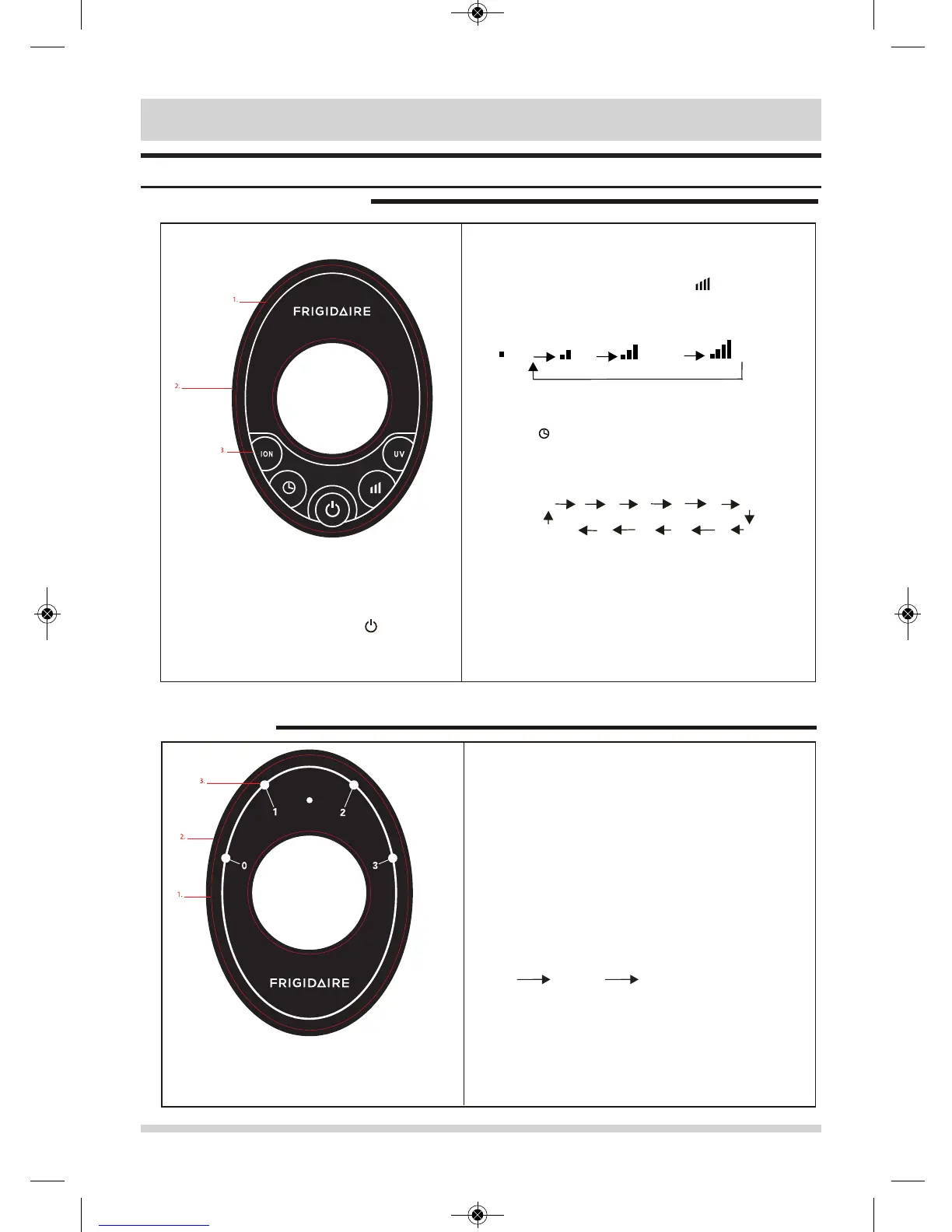
Control Panel
FRAP22D7OB
FRAP18K5OB
1h
2h
3h 4h 5h 6h 7h
Timer off 12h 11h 10h 9h 8h
Quiet Low
Medium
High
1.
Plug the unit into an electric outlet, the
unit will be ready to run. Press the key
to start running, press it again to stop.
While the fan is running, press the3.
key to the desired run time
(hours). The preset time will cycle each
time the key is pressed as shown
below.
4.
Press the ION key to turn on the ionizer
while the fan is running, press it again to
turn off the ionizer.
5.
When the unit is in operation, press UV
button to turn on the UV lamp and press
again to turn off the UV lamp.
2.
When the air purifier is turned on, the fan will
run at speed 2 (low). Pressing the key willl
cause the fan speed to cycle as shown
below.
1. Plug the unit into an electric outlet; the unit will
be ready to run.
2.
SPEED CONTROL
There are three speed settings controlled by the
mechanical knob. When you turn the SPEED knob to
the different settings, the rotate speed of the motor is
also different. The different speed positions are
corresponding with diferent running modes: position 1
(low), position 2 (medium), position 3 (high).
Low Medium
High



 To Next Page