EasyManua.ls Logo

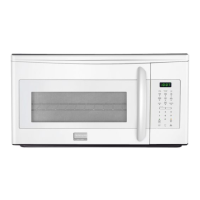
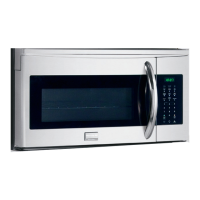
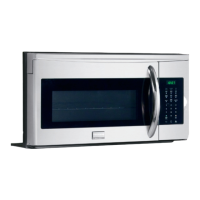
Frigidaire Gallery FGBM19WNVD - User Manual

Frigidaire Gallery FGBM19WNVD
23 pages
Print Icon
To Next Page IconTo Next Page
Loading...
TABLE OF CONTENTS
www.frigidaire.com USA 1-800-3 7 4-4432 www.frigidaire.ca Canada 1-800-265-8352
All about the
Use & Care
of your
Microwave Oven
WELCOME & CONGRATULATIONS...........................2
IMPORTANT SAFETY INSTRUCTIONS ......................2
PART NAMES ........................................................8
BEFORE OPERATING ...........................................10
MANUAL COOKING ..............................................10
SENSOR COOKING .............................................11
OR7NEWModel2ndEN.indd1OR7NEWModel2ndEN.indd1 10.10.52:16:34PM10.10.52:16:34PM
CONTROL PANEL ..................................................9
WARRANTY .........................................................
ONE TOUCH COOK .............................................13
A06823414 (January 20
AUTO DEFROST .................................................15
SERVICE CALL CHECK .........................................22
MICROWAVE SETTING.........................................16
SPECIFICATIONS.................................................22
CLEANING AND CARE ..........................................18
23
20)
Question and Answer IconNeed help?

Do you have a question about the Frigidaire Gallery FGBM19WNVD and is the answer not in the manual?

Summary

Important Safety Instructions

Precautions to Avoid Excessive Microwave Energy

Essential safety measures for preventing excessive microwave energy exposure.

Manual Cooking

Microwave Cooking

Step-by-step guide for performing microwave cooking.

Sensor Cooking

Using Sensor Settings

Guidelines for using sensor settings for optimal cooking results.

Covering Foods

Recommendations for covering foods during sensor cooking.

Sensor Reheat

Instructions for reheating various food items using sensor reheat function.

Popcorn

Guide for popping microwave popcorn using the dedicated quick touch pad.

One Touch Cook

Veggies

Options for cooking fresh and frozen vegetables using one-touch settings.

Potato

Instructions for cooking baked potatoes using the one-touch potato setting.

Melt;Soften

How to use the melt/soften function for butter, chocolate, ice cream, and cheese.

Auto Defrost

Using Auto Defrost

Detailed instructions and levels for the auto defrost feature.

Operating Tips

Best practices for achieving optimal defrosting results.

Microwave Settings

Using Vent Fan

How to adjust vent fan speed for different cooking modes.

Setting Volume

Adjusting audio feedback volume for oven operations.

Setting Language

How to change the display language for oven settings.

Convenient Features

Bottom Light

Information about the oven's bottom interior light.

Using Add 30 Sec.

How to quickly add 30-second cooking intervals.

Multi Stage Cooking

Guide for setting up multi-stage cooking programs.

Lock-out Function for Children

How to activate and deactivate the child lock feature.

Cleaning and Care

Exterior Cleaning

How to clean the outside surfaces of the microwave oven.

Door and Window Cleaning

Instructions for cleaning the microwave oven door and window.

Interior Cleaning

Proper methods for cleaning the inside of the microwave oven.

Odor Removal

Techniques to eliminate lingering odors from the microwave oven.

Turntable and Support Cleaning

How to clean the removable turntable and its support.

Exhaust Filter Cleaning

Steps for removing and cleaning the oven's ventilation exhaust filters.

Surface Light Replacement

Guide for replacing the microwave's surface LED lights.

Charcoal Filter Replacement

Instructions for replacing the charcoal filter for recirculated installations.

Oven Light Replacement

Step-by-step guide for replacing the internal oven light bulb.

Service Call Check

Specifications

Major Appliance Warranty Information

Warranty Exclusions

List of conditions not covered by the appliance's limited warranty.

Getting Service

Procedures and contact information for obtaining warranty service.

Summary

Important Safety Instructions

Precautions to Avoid Excessive Microwave Energy

Essential safety measures for preventing excessive microwave energy exposure.

Manual Cooking

Microwave Cooking

Step-by-step guide for performing microwave cooking.

Sensor Cooking

Using Sensor Settings

Guidelines for using sensor settings for optimal cooking results.

Covering Foods

Recommendations for covering foods during sensor cooking.

Sensor Reheat

Instructions for reheating various food items using sensor reheat function.

Popcorn

Guide for popping microwave popcorn using the dedicated quick touch pad.

One Touch Cook

Veggies

Options for cooking fresh and frozen vegetables using one-touch settings.

Potato

Instructions for cooking baked potatoes using the one-touch potato setting.

Melt;Soften

How to use the melt/soften function for butter, chocolate, ice cream, and cheese.

Auto Defrost

Using Auto Defrost

Detailed instructions and levels for the auto defrost feature.

Operating Tips

Best practices for achieving optimal defrosting results.

Microwave Settings

Using Vent Fan

How to adjust vent fan speed for different cooking modes.

Setting Volume

Adjusting audio feedback volume for oven operations.

Setting Language

How to change the display language for oven settings.

Convenient Features

Bottom Light

Information about the oven's bottom interior light.

Using Add 30 Sec.

How to quickly add 30-second cooking intervals.

Multi Stage Cooking

Guide for setting up multi-stage cooking programs.

Lock-out Function for Children

How to activate and deactivate the child lock feature.

Cleaning and Care

Exterior Cleaning

How to clean the outside surfaces of the microwave oven.

Door and Window Cleaning

Instructions for cleaning the microwave oven door and window.

Interior Cleaning

Proper methods for cleaning the inside of the microwave oven.

Odor Removal

Techniques to eliminate lingering odors from the microwave oven.

Turntable and Support Cleaning

How to clean the removable turntable and its support.

Exhaust Filter Cleaning

Steps for removing and cleaning the oven's ventilation exhaust filters.

Surface Light Replacement

Guide for replacing the microwave's surface LED lights.

Charcoal Filter Replacement

Instructions for replacing the charcoal filter for recirculated installations.

Oven Light Replacement

Step-by-step guide for replacing the internal oven light bulb.

Service Call Check

Specifications

Major Appliance Warranty Information

Warranty Exclusions

List of conditions not covered by the appliance's limited warranty.

Getting Service

Procedures and contact information for obtaining warranty service.

Overview

This document is a Use & Care Manual for a Frigidaire Microwave Oven, providing comprehensive instructions for its operation, maintenance, and safety.

Function Description:

The Frigidaire Microwave Oven is designed for heating, cooking, and drying food using microwave energy. It features a 7-digit interactive display that guides users through operating steps and provides cooking hints. The oven offers various cooking modes including manual cooking, sensor cooking, one-touch cook functions, auto defrost, and multi-stage cooking. It is equipped with a turntable that rotates clockwise or counter-clockwise for even cooking. The appliance also includes ventilation openings, a charcoal filter, and a bottom light for convenience. Safety features include door hinges and latches that prevent operation when the door is not securely closed, and a child lock function.

Usage Features:

  • Setting the Clock and Timer: Users can easily set the time of day and a countdown timer using numeric keys and the START button. The timer can be set for up to 99 minutes and 99 seconds.
  • Manual Cooking: This mode allows users to set specific cook times and power levels. The microwave offers 10 power levels, ranging from 100% (High) down to 10% (Low), with a 0% option for no microwave energy.
  • Sensor Cooking: This advanced feature uses an electronic sensor to detect vapor (moisture and humidity) emitted from food as it heats. The sensor automatically adjusts cooking times and power levels for various foods and quantities. Food names appear in the display during the initial phase, and remaining cooking time is shown once vapor is detected. The sensor cook function includes options for Sensor Reheat (Soup/Sauce, Pizza, Dinner Plate, Casserole/Lasagna, Roll/Muffin) and Sensor Cook (Bacon, Frozen Dinner, Rice, Frozen Breakfast, Veggies, Potato).
  • One-Touch Cook: This provides quick access to popular cooking functions such as Popcorn, Melt/Soften, Veggies (Fresh and Frozen), and Potato. For Popcorn, users can select bag sizes (3.30 oz, 3.00 oz, 1.75 oz). Melt/Soften offers options for Butter, Chocolate, Ice Cream, and Cream Cheese, with specific amounts and directions provided.
  • Auto Defrost: This feature offers three defrosting levels: Meat, Poultry, and Fish. Users input the weight in pounds and tenths of a pound (with a conversion table provided for ounces). The oven beeps during the defrost cycle to remind users to check, turn over, separate, or rearrange food, and to remove thawed portions.
  • Multi-Stage Cooking: This allows users to program up to two consecutive cooking stages with different cook times and power levels.
  • Add 30 Sec: A quick touch pad to add 30 seconds to the cooking time.
  • Control Panel Settings: The control panel allows customization of various settings:
    • Vent Fan: Users can select High, Medium, Low, or Off speeds for the ventilation fan.
    • Volume: Adjusts the sound level of the oven's beeps and alerts (Low, Medium, High, Off).
    • Language: Changes the display language between French and English.
    • Turntable ON/OFF: Allows users to turn the turntable on or off for a single function cycle.
    • Weight Lb/KG: Toggles between pounds (lb) and kilograms (kg) for weight input.
    • Clock Display: Turns the clock display on or off.
    • DEMO Mode: A demonstration mode that can be activated or deactivated.
  • Bottom Light: Controls the intensity of the bottom light (High, Low, Off).
  • Lock-out function for children: A safety feature that locks the control panel to prevent unintended operation.

Maintenance Features:

  • Exterior Cleaning: The precoated steel and plastic exterior should be cleaned with mild soap and water, then rinsed and dried with a soft cloth. Abrasive cleaners should be avoided.
  • Door Cleaning: The window and metal parts of the door should be wiped frequently with a soft cloth. Harsh cleaners that may stain or dull the surface should be avoided.
  • Stainless Steel Finishes: For Easy Care™ Stainless Steel, Smudge-Proof™ Stainless Steel, or Black Stainless Steel finishes, clean with warm soapy water and a soft cloth, then rinse and dry. Abrasive cleaners or those containing chlorides, chlorines, or ammonia should not be used. A 50/50 solution of water and vinegar is recommended.
  • Touch Control Panel: Clean with a cloth dampened slightly with water only, then dry with a soft cloth. Scrubbing or chemical cleaners should not be used.
  • Interior Cleaning: The interior surfaces are easy to clean with a soft cloth and warm water. For heavier soil, baking soda or a mild soap can be used. Abrasive or harsh cleaners and scouring pads should not be used. The round wire rack and shelf can be cleaned with hot soapy water.
  • Waveguide Cover: Located on the right side of the oven cavity, this mica cover requires careful cleaning. Food splatters should be wiped immediately with a damp cloth to prevent overheating, smoke, or fire. The waveguide cover should NOT be removed.
  • Odor Removal: To remove cooking odors, boil a mixture of 1 cup water, grated peel, and juice of 1 lemon in a 2-cup glass measuring cup for several minutes at 100% power. Allow to cool in the oven, then wipe the interior with a soft cloth.
  • Turntable and Turntable Support: These components can be removed for easy cleaning and are dishwasher-proof. Mild, sudsy water or a mild cleanser and non-abrasive scouring sponge can be used for stubborn stains.
  • Exhaust Filters: The oven ventilation exhaust filters should be removed and cleaned monthly. They can be soaked in hot water with a mild detergent, rinsed, and air-dried, or washed in a dishwasher. Ammonia should not be used as it can corrode aluminum.
  • Surface Light Replacement: Instructions are provided for safely replacing the LED surface lights located under the microwave.
  • Charcoal Filter Replacement: For non-vented, recirculated installations, the charcoal filter should be changed every 6 to 12 months. Instructions detail how to remove the vent grill and replace the filter.
  • Oven Light Replacement: Instructions are provided for replacing the internal oven light, accessed by removing the carbon filter and light cover.

The manual emphasizes important safety instructions, including precautions to avoid excessive microwave energy exposure, proper grounding, and guidelines for safe food preparation and utensil use. It also provides a "Service Call Check" section to help users troubleshoot common issues before contacting service personnel.

Frigidaire Gallery FGBM19WNVD Specifications

General IconGeneral
Capacity1.9 cu. ft.
Power1000 Watts
Depth15.5 inches
ColorStainless Steel
Preset Cooking ProgramsYes
Child LockYes
Power Levels10
Sensor CookingYes
Defrost FunctionYes
Keep Warm FunctionYes
Display TypeLED
Voltage120V
Frequency60Hz
Control TypeElectronic
Door StylePull
TypeOver-the-Range Microwave

Related product manuals