Setting Bake
The BAKE _.B_e)pad controls normal baking. If preheating is necessary, refer to the _.H_t_Preheat Feature for instructions.
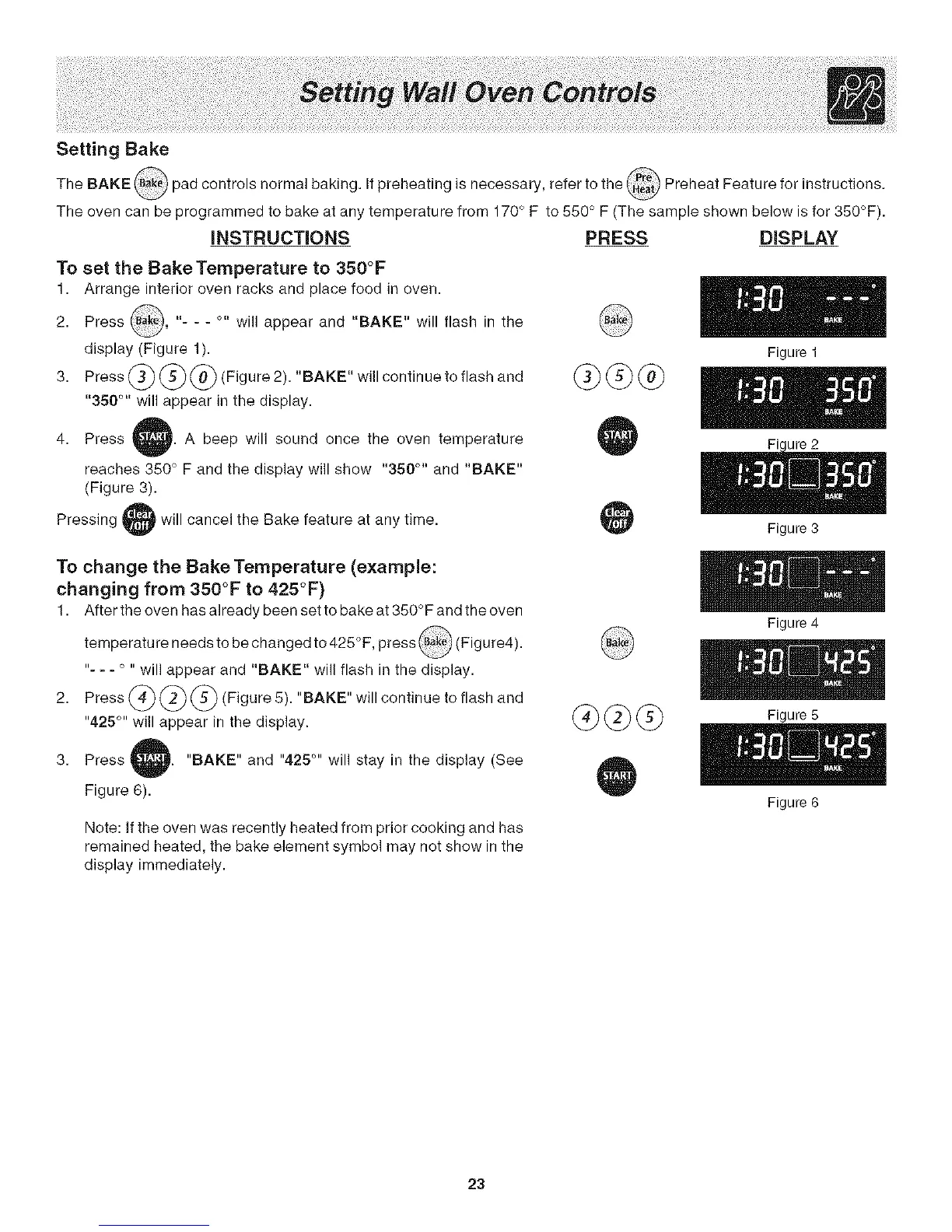
The oven can be programmed to bake at any temperature from 170° F to 550 ° F (The sample shown below is for 350°F).
iNSTRUCTiONS PRESS DISPLAY
To set the BakeTemperature to 350°F
1. Arrange interior oven racks and place food in oven.
2. Press _ak_, "- - - o- will appear and "BAKE" will flash in the
display (Figure 1).
3. Press _ _ _ (Figure 2). "BAKE" will continue to flash and
"350 TM will appear in the display.
4. Press A beep will sound once the oven temperature
reaches 350 ° F and the display will show "350 °" and "BAKE"
(Figure 3).
Pressing will cancel the Bake feature at any time.
@@@
Figure 1
Figure 3
To change the Bake Temperature (example:
changing from 350°F to 425°F)
1. After the oven has already been set to bake at 350° F and the oven
temperature needs to be changed to 425°F, press _Bak_(Figure4).
"- =- ° " will appear and "BAKE" will flash in the display.
2. Press
)(Figure 5). "BAKE" will continue to flash and
"425 °'' will appear in the display.
GC @
Figure4
Figure 5
3. Press
Figure 6).
"BAKE" and "425 °'' will stay in the display (See
Note: If the oven was recently heated from prior cooking and has
remained heated, the bake element symbol may not show in the
display immediately.
23
Figure 6




 To Next Page