Setting Oven Controls (oont nued)
Setting Convection Convert feature
The CONV CONVERT pad is used to automatically convert a standard baking recipe for convection baking. When
set properly, this feature is designed to display the actual converted (reduced) temperature in display.
Convection Convert may ONLY be used with a Bake, Timed Bake or a Delay Start (Delayed Timed Bake) setting.
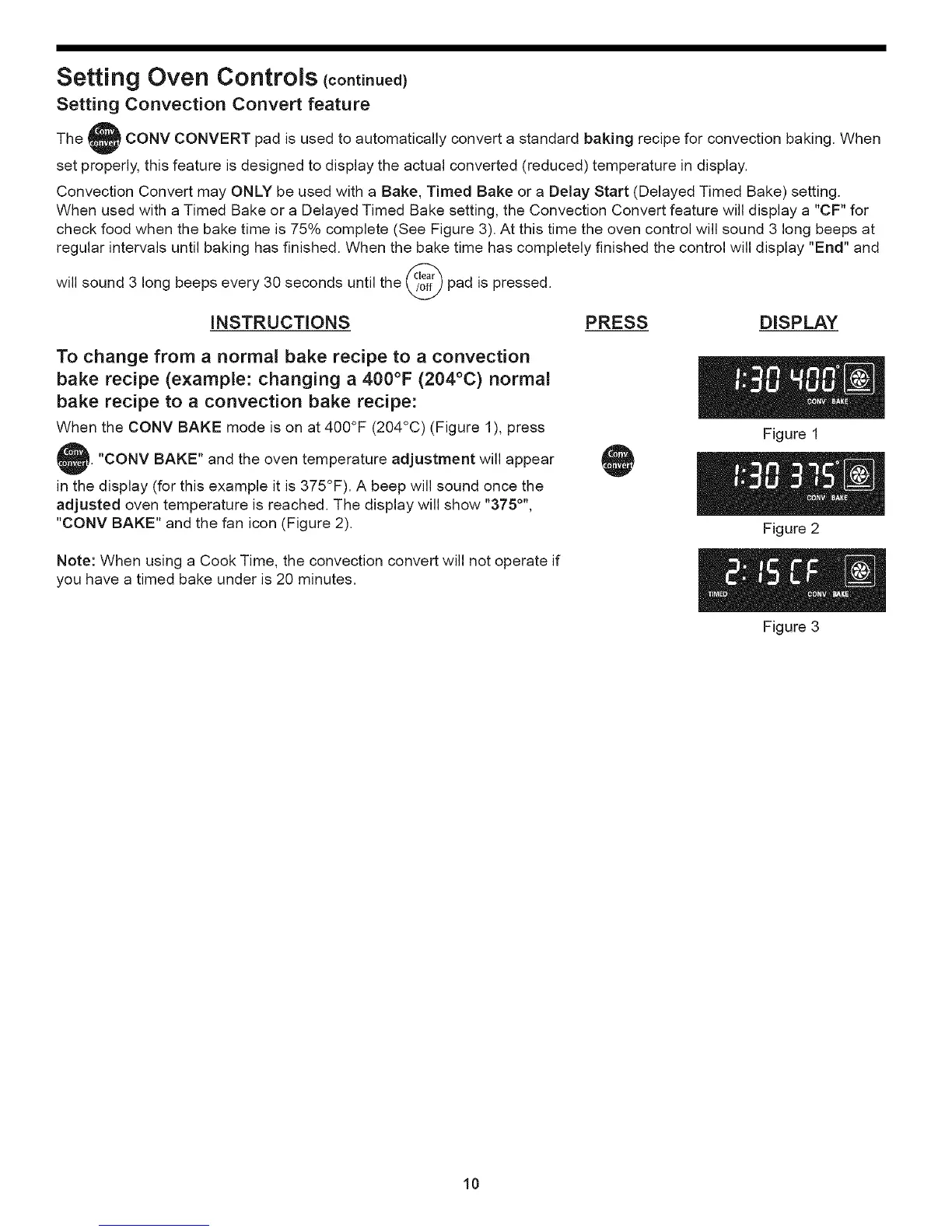
When used with a Timed Bake or a Delayed Timed Bake setting, the Convection Convert feature will display a "CF" for
check food when the bake time is 75% complete (See Figure 3). At this time the oven control will sound 3 long beeps at
regular intervals until baking has finished. When the bake time has completely finished the control will display "End" and
will sound 3 long beeps every 30 seconds until the (_f_ pad is pressed.
iNSTRUCTiONS PRESS DISPLAY
To change from a normal bake recipe to a convection
bake recipe (e×ample: changing a 400°F (204°C) normal
bake recipe to a convection bake recipe:
When the CONV BAKE mode is on at 400°F (204°C) (Figure 1), press
"CONV BAKE" and the over] temperature adjustment will appear
in the display (for this example it is 375°F). A beep will sound once the
adjusted oven temperature is reached. The display will show "375 °",
"CONV BAKE" and the fan icon (Figure 2).
Note: When using a Cook Time, the convection convert will not operate if
you have a timed bake under is 20 minutes.
Figure 1
Figure 2
Figure 3
10






 To Next Page