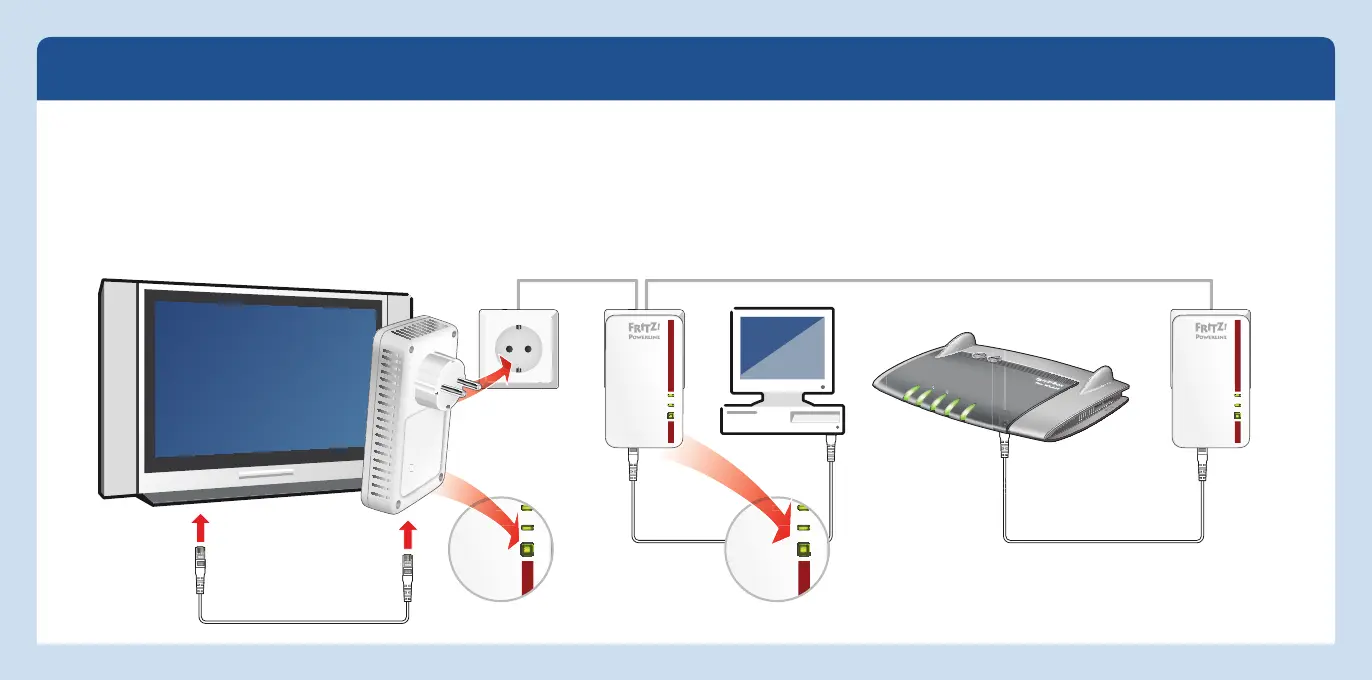
Conexión de otros
dispositivos powerline
Power
LAN
Powerline t Security
Power/DSL
Internet
Festnetz
WLAN
Info
Red Powerline network con el kit FRITZ!Powerline 1000E Set
Power
LAN
Powerline t Security
Power
LAN
Powerline t Security
Power
LAN
Powerline t Security
Ampliar la red Powerline del FRITZ!Powerline 1000E Set
1. Conecte el dispositivo Powerline, a través del que
desea ampliar la red, a una toma de corriente.
Tenga en cuenta que sólo se podrá alcanzar t
odo el
potencial con otro FRITZ!Powerline 1000E o son otros
dispositivos Powerline de clase Gigabit.
2. Para establecer una nueva conex
ión presione durante
un segundo el botón “Security”.
3. Presione dentro de los siguientes 2 minutos por un
segundo el botón “Security” de un dispositivo
FRITZ!Powerline que se encuentre ya en la red Power-
line.
36 37
Español
Español



 To Next Page