6
Connecting the FRITZ!Repeater to the Wireless
Router at the Touch of a Button (WPS)
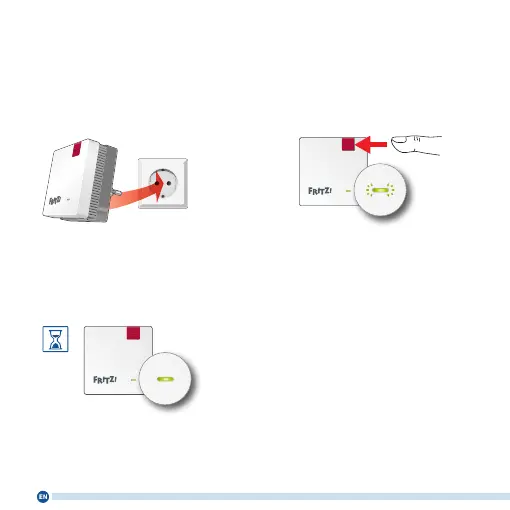
1. Plug the FRITZ!Repeater into an
outlet near your FRITZ!Box. The
FRITZ!Repeater starts operation.
2. Wait until the LED starts slowly
ashing green. As soon as the
LED slowly ashes green, the
FRITZ!Repeater is ready for a
connection.
3. Press the “Connect” button. The
LED ashes green more rapidly.
4. Within 2 minutes, start WPS on
your FRITZ!Box:
• FRITZ!Box with “WPS” or “Con-
nect/WPS” button: Press button
briey
• FRITZ!Boxes with “WLAN” or
“WLAN/WPS” button: Press
button for about 6 seconds until
the “WLAN” LED ashes.
• When the LED on the FRITZ!Re-
peater lights up permanently,
the Wi-Fi connection has been
established.















 To Next Page