5
Access Modes
The FRITZ!Repeater 1200 can work in two dierent access modes:
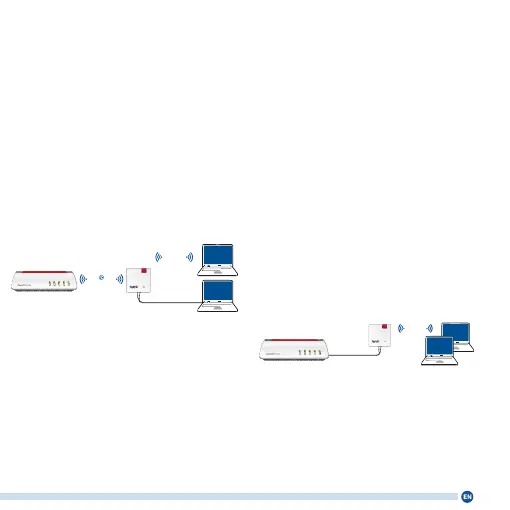
Wireless Bridge (preset)
In “wireless bridge” access mode, the
FRITZ!Repeater and your FRITZ!Box
(router) are connected via Wi-Fi. The
FRITZ!Repeater can expand the
network by oering connections to
computers and other network devices
via Wi-Fi or LAN cable. Continue read-
ing on page 6.
LAN
Wi-Fi
Wi-Fi
Power/DSL
WLAN
Fon/DECT
Connect/WPS
Info
LAN Bridge
In “LAN bridge” access mode, the
FRITZ!Repeater and your FRITZ!Box
(router) are connected by LAN cable.
The FRITZ!Repeater can expand the
network by oering Wi-Fi connections
to computers and other network
devices.
If you would like to connect the
repeater with your FRITZ!Box by cable,
congure “LAN bridge” access mode in
the user interface of the FRITZ!Repeat-
er. Continue reading on page 10.
LAN
Wi-Fi
Power/DSL
WLAN
Fon/DECT
Connect/WPS
Info















 To Next Page