
 Need help?
Do you have a question about the FROGBRO LD006A and is the answer not in the manual?
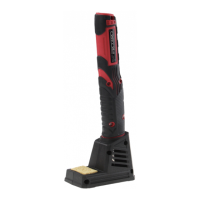
This document describes the Cordless Rechargeable Soldering Iron, an 8-watt tool designed for various soldering tasks.
The device is a cordless, rechargeable soldering iron, providing portability and ease of use without being tethered to a power outlet. It is equipped with a replaceable soldering tip (A) and features a power button (B) for activation. A battery indicator (C) keeps the user informed about the remaining power. The touch sensor (D) is crucial for activating and deactivating the device, as well as for initiating the heating process. Temperature indicator LEDs (E) provide visual feedback on the iron's heating status, while work lights (F) illuminate the work area. The device charges via a USB charging port (G) and comes with a stand (H) for safe storage when not in use. A tip cleaning sponge (I) is included for maintenance, and a USB charging connector lead (J) facilitates recharging.
First Use and Activation: Before first use, the touch sensor (D) must be activated by pressing it 3 times (Fig 1). This prepares the device for operation.
Turning On: To turn the soldering iron ON, press the power button (B) for 3 seconds (Fig 2). The device will then be ready to begin the warming-up process.
Warming Up and Ready for Use: Once turned ON, the device will begin warming up. This process takes approximately 15 seconds. During warming up, the temperature indicator LEDs (E) will show the progress. Once the LEDs indicate that the device is ready for use, it has reached its optimal soldering temperature (Fig 3).
Heating and Heat Off: To initiate heating, press the touch sensor (D). The temperature indicator LEDs (E) will illuminate, indicating that the tip is heating up. To turn the heat OFF, press the touch sensor (D) again. The LEDs will turn off, and the tip will begin to cool down.
Turning Off: To turn the soldering iron OFF completely, press the power button (B) (Fig 4).
Charging: The device is charged via the USB charging port (G) using the provided USB charging connector lead (J). Connect the lead to a USB power source such as a PC, laptop, or USB mains adaptor (Fig 5).
Battery Indicator: The battery indicator (C) provides visual feedback on the remaining power:
Storage: For storage, the touch sensor (D) needs to be deactivated by pressing it 8 times (Fig 7). This prevents accidental activation and conserves battery life.
Changing the Soldering Tip: The soldering tip (A) is replaceable. To change it, unscrew the existing tip from the device and screw in the new tip (Fig 8).
Waste electronic products should not be disposed of together with household garbage. Please recycle where there are facilities. Consult your local authority or retailer for recycling recommendations.
 General
| Brand | FROGBRO |
|---|---|
| Model | LD006A |
| Category | Power Tool |
| Language | English |

 To Next Page