FROMM
FROMMFROMM
FROMM
FS4.1893-Manual-30.18XX.02-EN-Version02_R1
It is forbidden to duplicate this manual or parts of it in any way or any form without written permission of the author © 2013
www.fromm-stretch.com
44
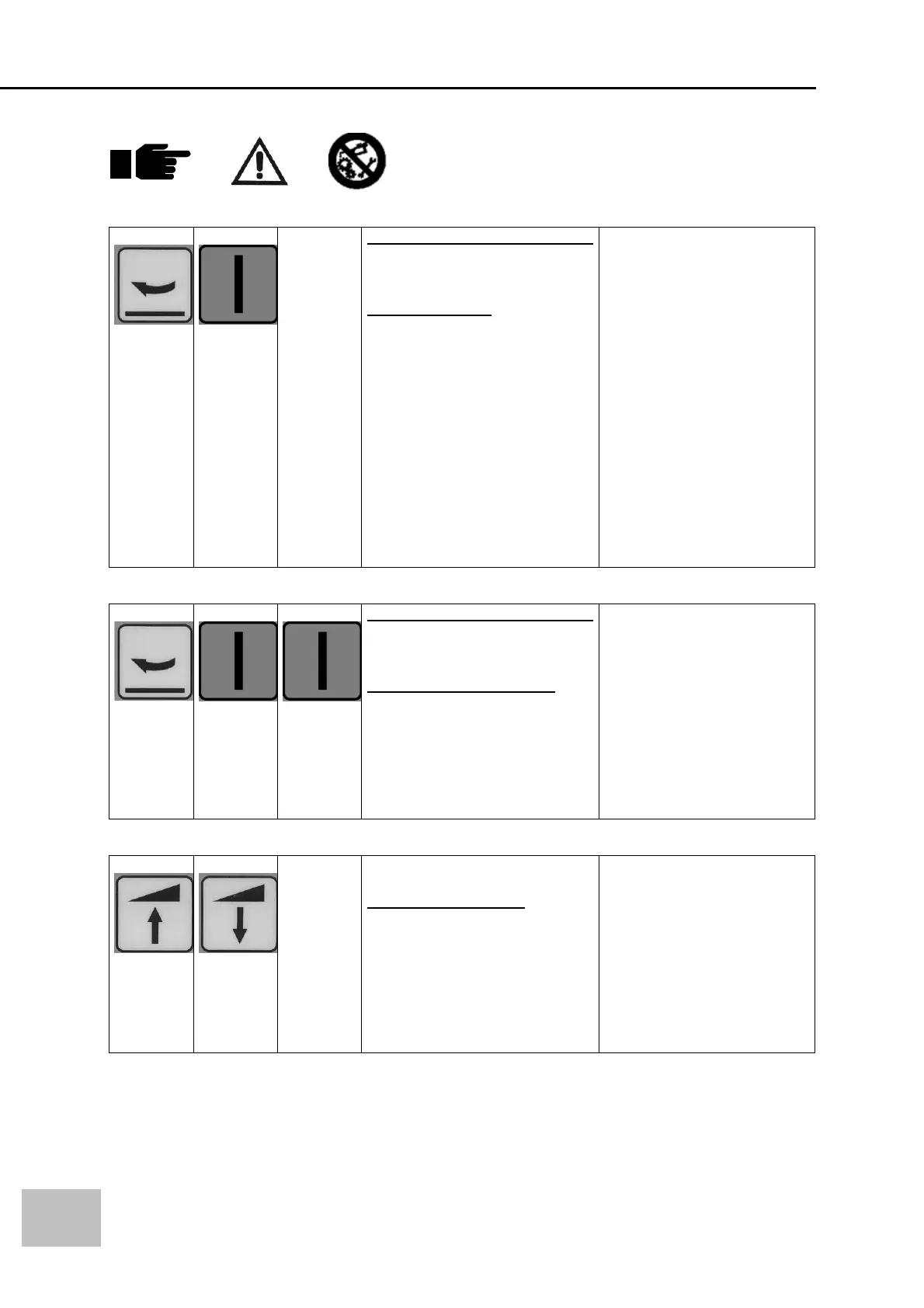
COMBINATION BUTTONS:
Function 8
Within 2 seconds for each button
Press button 1 than press button
2,
Banderol program.
The value selected will create a
step for the carriage.
First bottom wraps than ascend
carriage for example 20cm.
Pre selected wraps in function 9
Ascend 20cm
Pre selected wraps in function 9
Repeat until the photocell
detects the max height of the
pallet
Different parameters selectable
per program.
BANDEROLPROGRAM
XXcm
Function 9
Within 2 seconds for each button
Press button 1 than press button
2,
Amount of wraps function 8
Increase this value an the
machine will make more turns in
combination with function 8.
Banderol program. Settings 1-9
Different parameters selectable
per program.
EXTRA WRAPS
XX
Function 10
Press button 1 together with
button 2 for 5 seconds,
Double stroke program
Increase this value an the
machine will restart
automatically the selected
program. Max 9 times selectable
Different parameters selectable
per program.
REPEAT ACTIVE PROG
XX


 To Next Page