11
BODY FAT SCALE – INSTRUCTION MANUAL
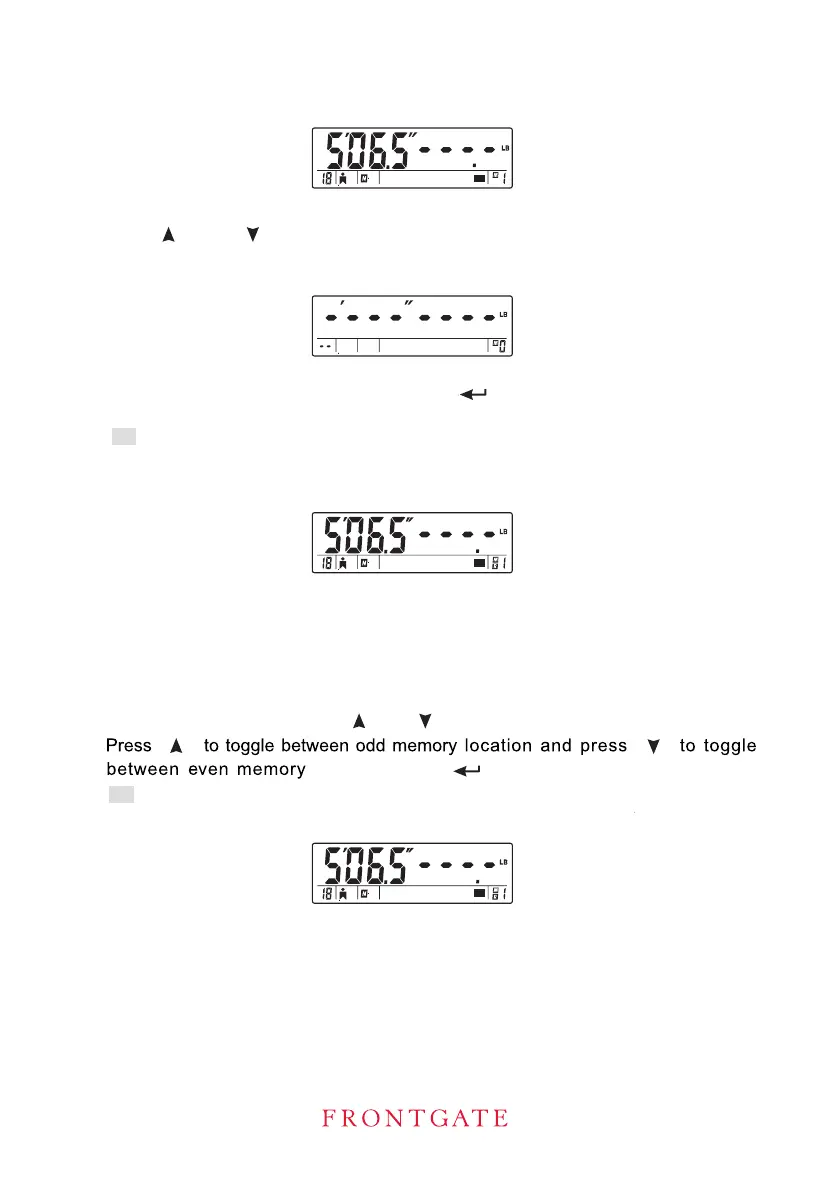
C. To Fast-Recall Settings from Memory
1 While the power is off, press to toggle between memory locations.
Press to confirm selected location.
gender and normal/athlete selection on the screen.
WATER ESTIMATING OPERATION.
2. Press to select the desired memory.
3. If the selected memory is free, no data will be displayed.
4. If the selected memory is occupied, press button to con¿rm your memory
selection.
and normal/athlete selection on the screen .
ESTIMATING OPERATION
[ ]
[ ]
[ ] or [ ]
[ ]
[ ]
[ ] and [ ]
location.
5. Repeat steps in the section of BODY FAT AND TOTAL BODY WATER
-
5
7
3. Then repeat operations
-
5
7
R icon is displayed on the screen. The screen then display height, age, gender
s
in the section of BODY FAT AND TOTAL BODY
2. R icon will be displayed on the screen. The screen then display height, age,
s


 To Next Page