10
BODY FAT SCALE – INSTRUCTION MANUAL
The scale features 10 personal memory settings. This allows users to store and recall
their own height, age, gender and normal/athlete mode selection.
A. To Store Settings into Memory
ESTIMATING OPERATION.
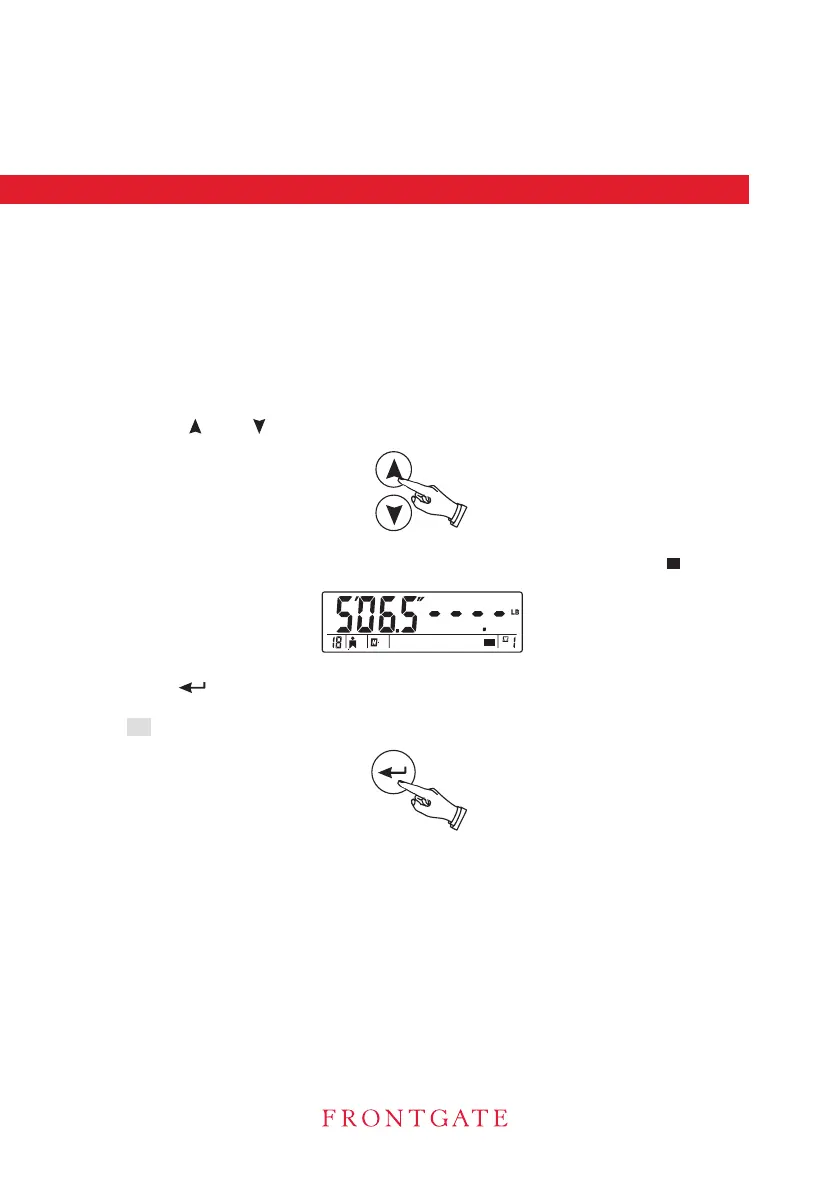
2. Select Memory Location
Press to toggle between memory locations. The memory location
blinks.
number.
4. Press [ ] to store the settings to the desired and available memory location. A
long “beep” sounds when the setting is completed.
Your data is memorized
ESTIMATING OPERATION.
B. To Recall Settings From Memory
BODY FAT AND TOTAL BODY WATER ESTIMATING OPERATION WITH USER MEMORY
3. If the selected memory location is already occupied, it will display “ ” on the left of
the
R icon will be shown on the screen.
The scale turns off automatically after the weight percentage body fat and percentage
7. .
or [ ][ ]
total body water finishing displayed or after stepping off the scale.
5. Then repeat steps - in the section of BODY FAT AND TOTAL BODY WATER
5
7
,
1. Follow steps 1-4 in the section of BODY FAT AND TOTAL BODY WATER
with memoriz
ed
memory recall
1. Press and hold [ ON ] button for 2 seconds when the scale is off. This activates the
(Recall Mode). In the Recall Mode, the screen displays the memory
location
the screen.
height, age, gender and normal/athlete selection on


 To Next Page