1-12
1.8 Operating Instructions (cont.)
3
4
5
6
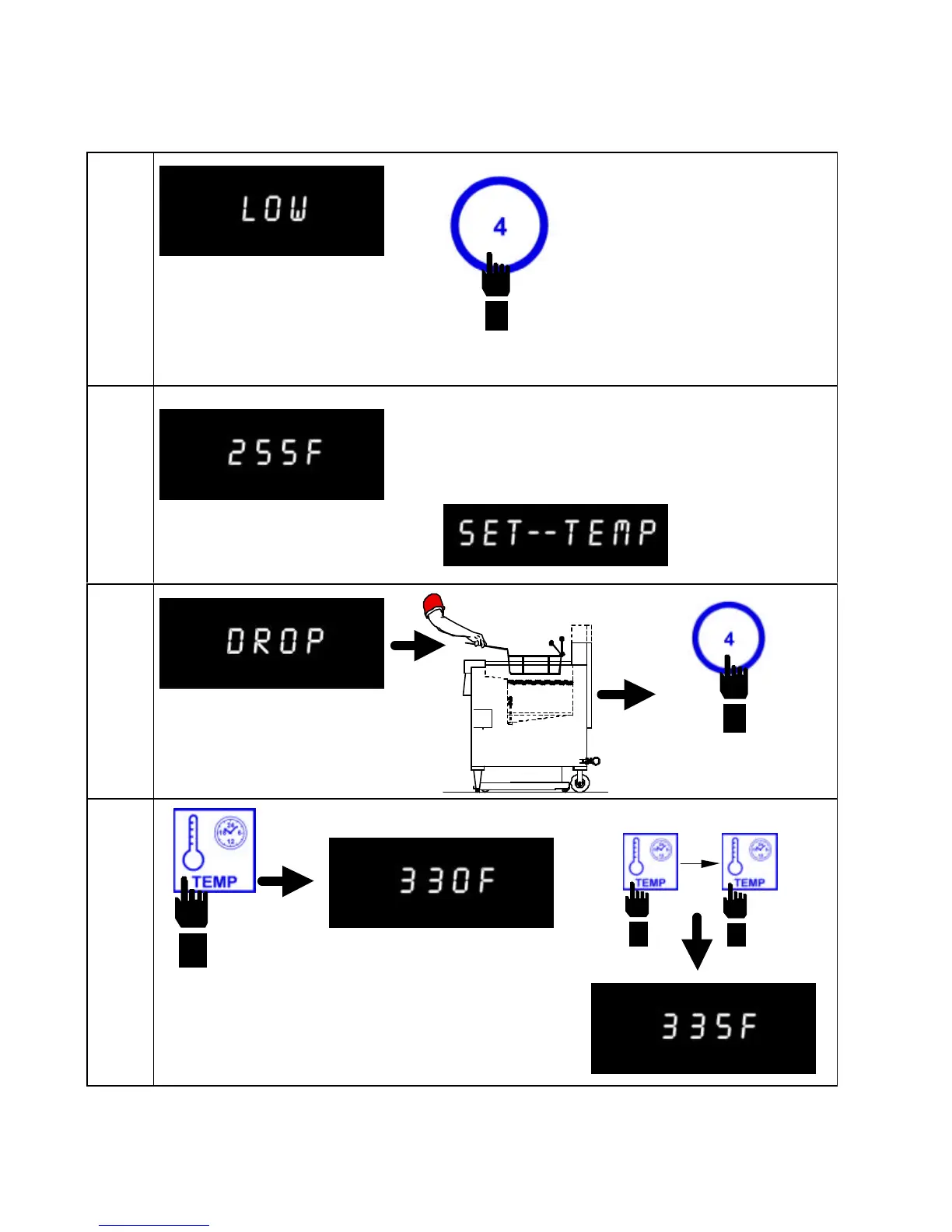
Computer displays LOW.
Select a product, i.e. product
4. Fryer heats to preset
temperature.
Oil temperature at 255 °F (124 °C). Actual
oil temperature will be displayed until oil
temperature is within ±2 °F (±1 °C) of
setpoint temperature (SET--TEMP).
Computer displays DROP. Drop
product into frypot. The
oil/shortening has reached
setpoint temperature.
Press the TEMP button during the cook cycle countdown to
check actual cooking temperature (if desired). Pressing the
TEMP button twice will display set temperature for the selected
product.
Note: If the wrong product
button was selected, press
and hold button for three
seconds to cancel product
selection.
Press product button to start
timer.


 To Next Page