1-14
1.8 Operating Instructions (cont.)
10
11
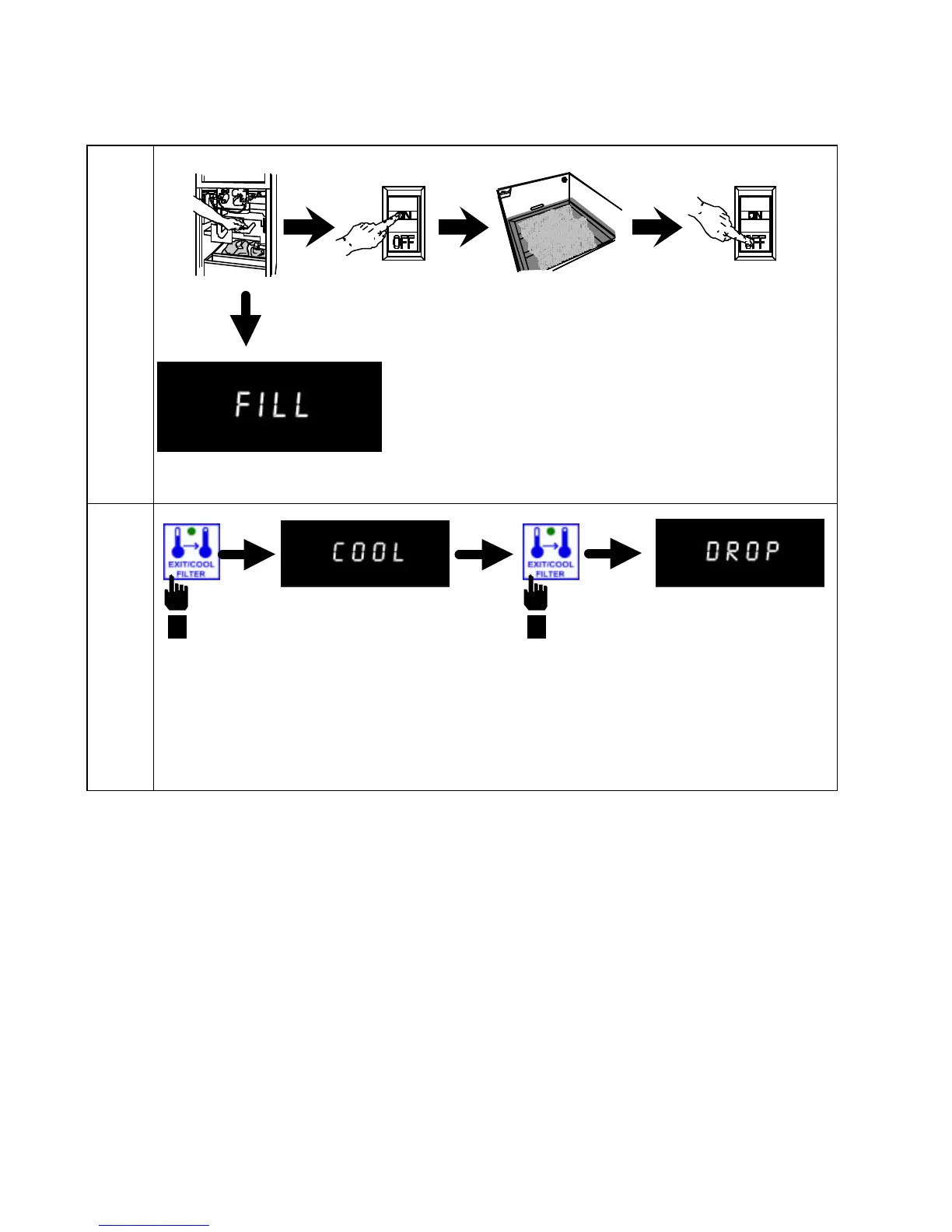
To begin the filtering cycle, close drain valve.
Computer will display FILL. Turn filter pump on
and allow frypot to refill. After bubbles appear in
frypot for 15 seconds, close return valve and turn
filter pump OFF.
Press EXIT/COOL FILTER button to clear lockout and FILL message. Computer will display
COOL, indicating fryer has returned to cool standby mode. Press EXIT/COOL FILTER button
again to return fryer to previous setpoint temperature.


 To Next Page