2-4
2.2.1 Programming for Extra Tasty Crispy Chicken (cont.)
9
10
11
12
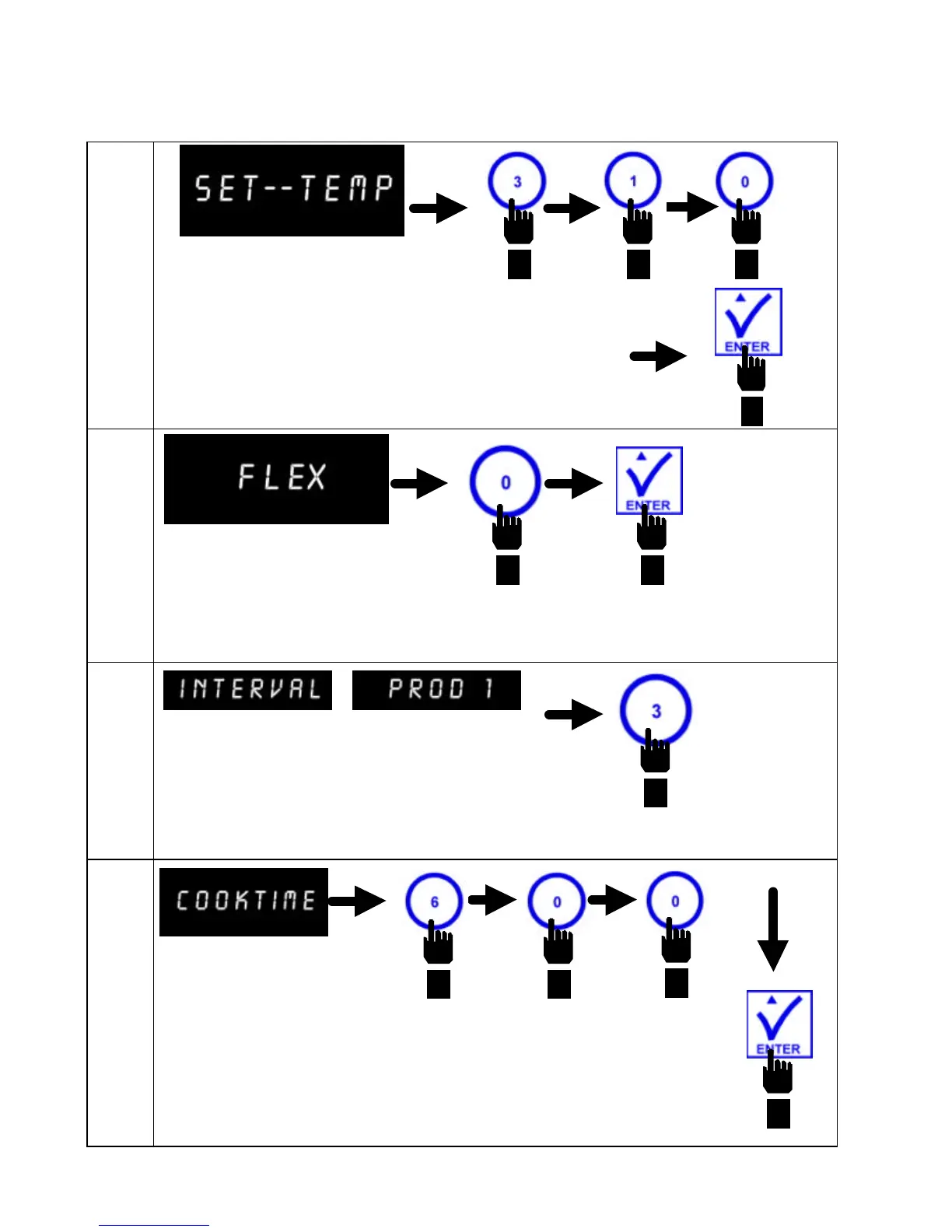
Computer displays SET--TEMP.
Enter 3 1 0, in that sequence. Press
ENTER to save 310 °F (154 °C) as set--
temp for interval #2.
Computer displays FLEX.
Press button #0 to set straight time
cooking mode. Press ENTER to lock in
setting.
Computer displays INTERVAL in the left display
and PROD 1 in the right display.
Press button #3 to set Product 1 Interval
#3.
Computer displays
COOKTIME.
Enter 6 0 0, in that sequence. Press
ENTER to program cook time of 6
minutes for interval #3.


 To Next Page