2-6
2.2.1 Programming for Extra Tasty Crispy Chicken (cont.)
17
18
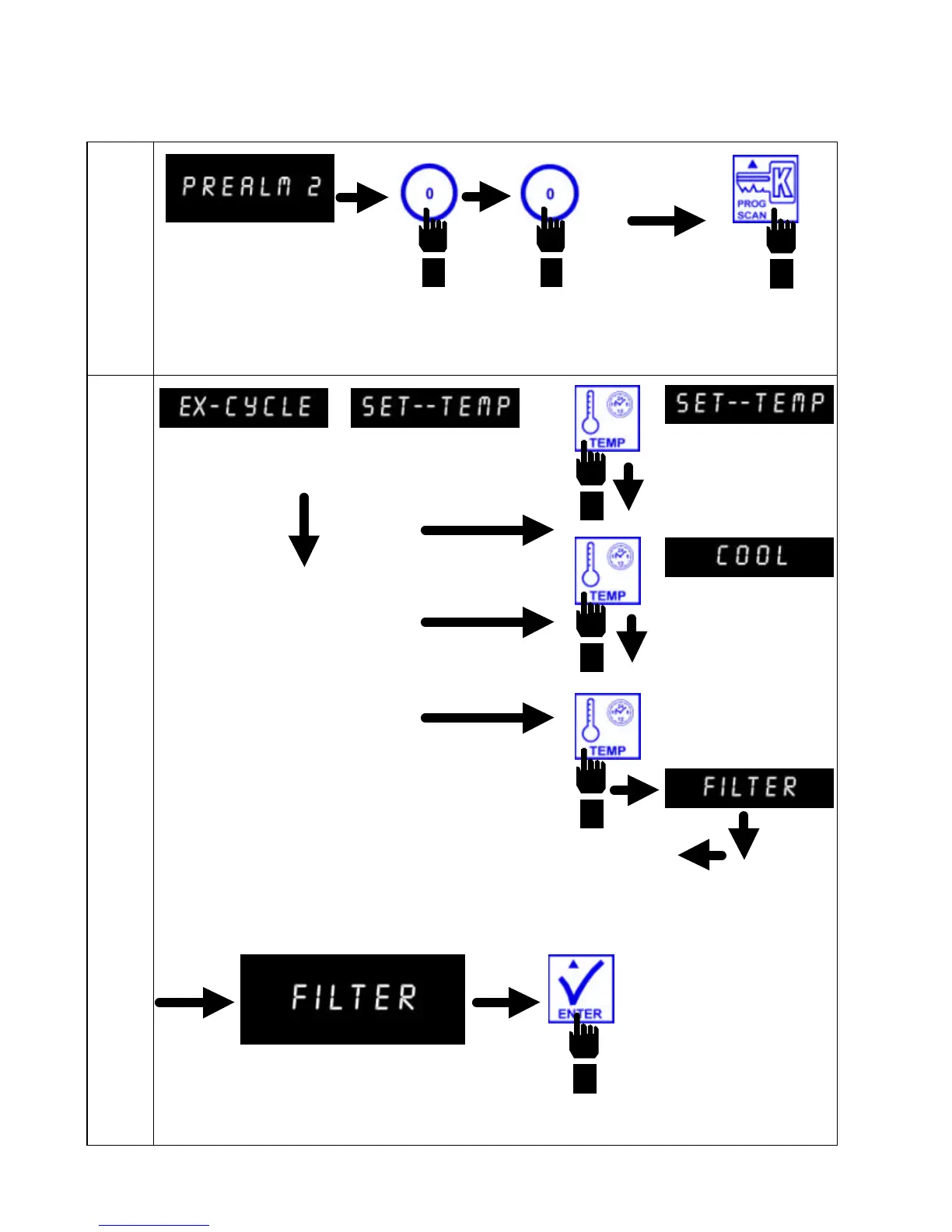
Computer displays
PREALM 2.
Enter 0 0, in that sequence. Press PROG SCAN button to
advance to Exit Cycle program mode.
Computer displays EX-CYCLE in the left display
and SET--TEMP in the right display.
Press TEMP button to toggle
between SET--TEMP, COOL
AND FILTER. Stop
selection at FILTER.
Computer displays FILTER.
Press ENTER to set Filter
Counter Mode.


 To Next Page