1-2
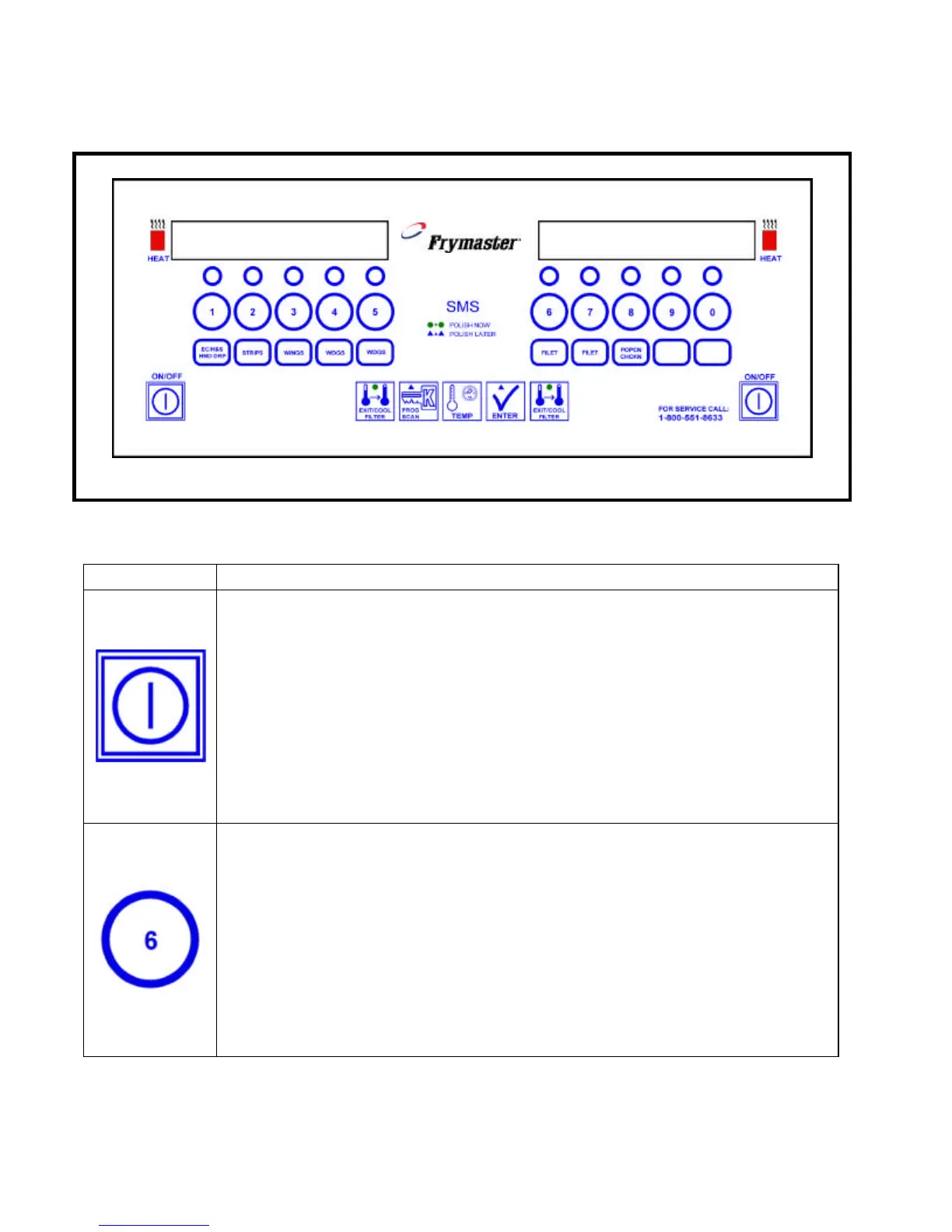
1.3 KFC-1 SMS Computer Controls
KFC-1 SMS Computer
Button Function
On/Off
Turns the fryer ON and OFF.
For a full-pot fryer, press either ON/OFF switch to turn the computer on.
For a split-pot fryer, press the left ON/OFF switch to operate the left pot and
press the right ON/OFF switch to operate the right pot.
Product Buttons
Each of the 10 product buttons selects a cook cycle, starts the cycle, cancels the
cycle, and stops the end-of-cycle alarm. A flashing LED above the product
number indicates that product has been selected.
In programming mode, these buttons are used to select the head count, cook
time, setpoint, flex, and alarm settings.


 To Next Page