2-17
2.2.5 Programming for Sandwiches/Filets
Enter Programming Mode as outlined in Section 2.2
1
2
3
4
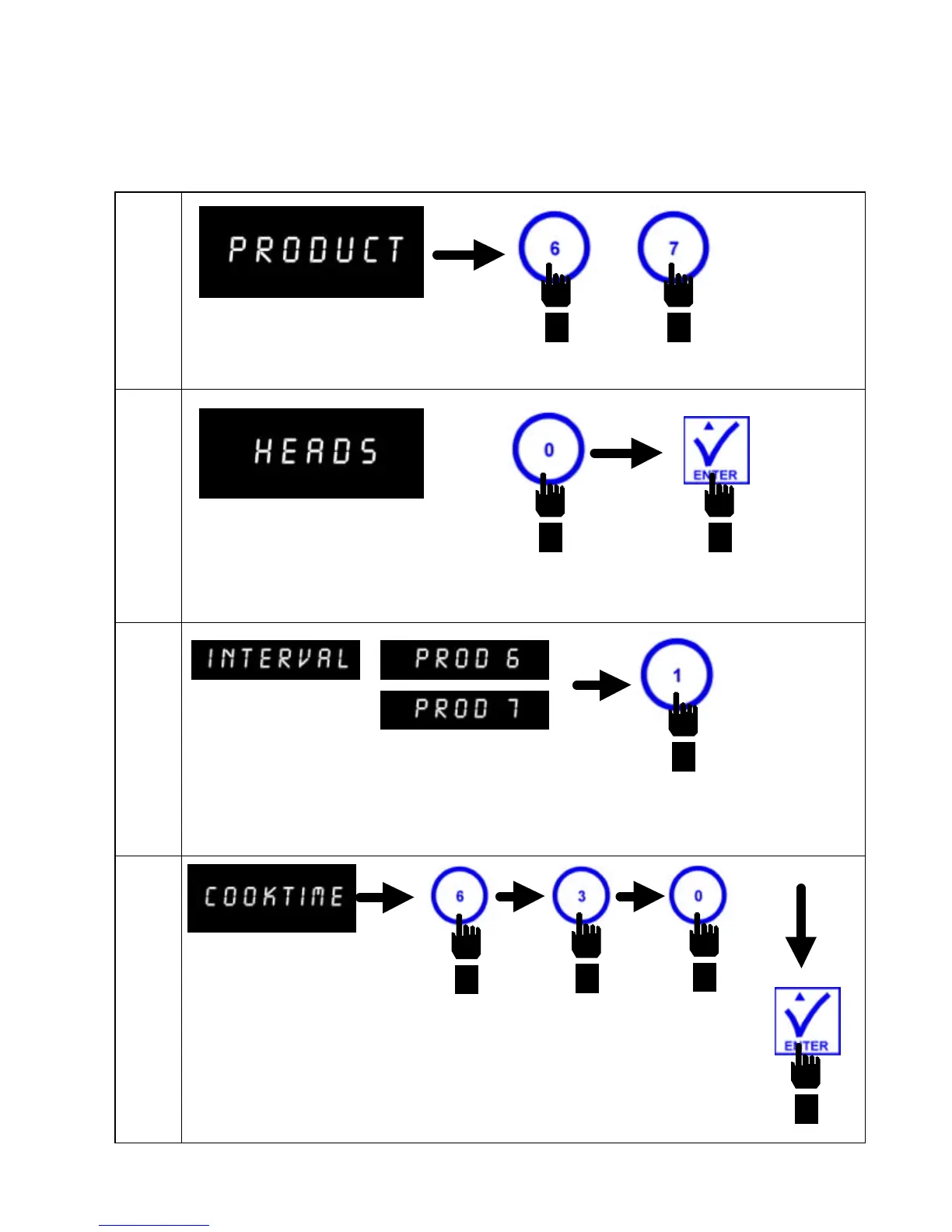
Computer displays PRODUCT.
Press
button #6
or #7 for
product.
Computer displays HEADS.
Press button #0 to set head count to "0".
Press ENTER for next step.
Computer displays INTERVAL in the left display
and PROD 6 or 7 in the right display.
Press button #1 to set Product 6 or 7,
Interval #1.
Computer displays
COOKTIME.
Enter 6 3 0, in that sequence. Press
ENTER to program cook time of 6
minutes, 30 seconds for interval #1.
OR


 To Next Page