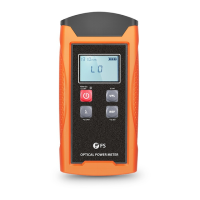
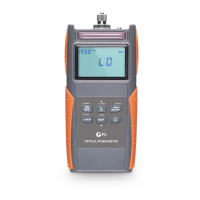
Operation Instructions
1. Power On/Off and Auto-off Function
Press button briefly. The instrument powers on, and backlight switches on.
Press button briefly again. The instrument powers off, and backlight switches off.
2. Set Wavelength and Activate Auto-wavelength Recognition (TWIN)
Press button repeatedly until the desired wavelength is displayed. You can select
from six possible wavelengths: 850nm, 1300nm, 1310nm, 1490nm, 1550nm, 1625nm.
>2s PERM
ON
OFF
ON
OFF
ON
OFF
>2s SAVE
LOAD
Button Description
Power Button
Wavelength Shift Button
Unit Shift Button
Value Storage Button
REF Setting Button
Backlight Control Button
λ
λ
>2s SET
REF
NOTE: Auto-off function
(1) The instrument will power off automatically if 10 minutes without any
operation.
(2) While in the power-on state, press button for about 2 seconds to turn
off the “Auto-off” function.
ON
OFF
dBm/
dB/mw


 To Next Page
 Loading...