
 Need help?
Do you have a question about the FSK RHINO 816 and is the answer not in the manual?
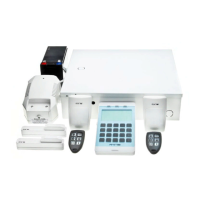
Diagram showing the Rhino 816 control panel and connected devices.
Step-by-step guide to installing the alarm system.
Details on mounting the control panel unit itself.
Safety warnings and instructions for wiring the control panel.
Diagram and labels for the control panel PCB and components.
Detailed explanation of the control panel's Printed Circuit Board (PCB).
How to wire detection devices using NC or NO configurations.
PCB layouts and connection details for keypads.
Wiring method for devices with single End-of-Line resistor.
Wiring method for devices with double End-of-Line resistors.
Wiring method for devices supporting triple EOL.
How to connect loudspeakers to the Rhino 816.
Wiring for external sounders and strobes.
Wiring examples for programmable control panel outputs.
Overview of the integrated wireless transceiver.
Installation and layout of the wireless door contact sensor.
Installation and layout of the wireless PIR interface module.
Installation and layout of the wireless motion sensor.
Installation and layout of the wireless gate module.
Layout and function of the wireless key fob.
Steps to commission the system after installation.
Overview of system programming and access codes.
Access to common programmable features via a simplified menu.
Access to all programmable features using location numbers.
Flowchart for configuring zone types, wiring, and attributes.
Flowchart for configuring area settings like exit/entry delays.
Flowchart for configuring keypad options and functions.
Flowchart for configuring control panel outputs.
Flowchart for configuring user access levels and details.
Guide to navigating the Expert Mode programming menu.
Details on programming different types for each zone.
Options for wiring detection devices to zones.
Optional attributes to further define zone functionality.
Assigning zones to different areas for independent control.
Options for controlling zone bypassing.
Configuring chime tones for zones.
Performing soak tests on zones.
Assigning text labels to zones for LCD keypads.
Setting delays and timers for area arming and disarming.
Configuring Away and Stay arming modes for areas.
First set of options controlling area operations.
Second set of options controlling area operations.
Third set of options controlling area operations.
Using control timers for automatic area arming/disarming.
Counters used to limit function usage.
Setting volume levels for system tones.
Enabling/disabling fault monitoring for outputs.
Controlling sounds generated from the control panel loudspeaker.
System operation and feature alteration options.
Further system operation and feature alteration options.
Customizing text displayed on LCD keypads.
Customizing text labels for remote control outputs.
Assigning text labels to areas.
Programming timers for automatic system functions.
Assigning link numbers to control output types for logic functions.
Configuring on-board keys and tamper functions.
Configuring keypad functions for invalid key presses.
Controlling sounds generated by the keypad sounder.
Assigning keypads to areas for specific operation.
Assigning expanders to areas for correct operation.
Controlling expander tamper and piezo sounder functions.
Controlling sounds generated by the expander.
Assigning output types to expander outputs.
Assigning attributes to expander outputs.
Assigning output types to wireless expander outputs.
Assigning attributes to wireless expander outputs.
Assigning link numbers to expander outputs.
Assigning link numbers to wireless expander outputs.
Assigning output types (functions) to high current outputs.
Assigning attributes to high current outputs.
Table listing available output functions grouped by type.
Continuation of output type descriptions and functions.
Assigning link numbers to control output types for logic functions.
Assigning zone conditions to outputs.
Configuring the on-board communication port (COM1).
Configuration options for the IP Module.
Programming telephone and account numbers for ARCs.
Selecting communication protocols for ARC.
Options for selected ARC protocols.
Programming call sequence and attempts for ARC.
Controlling which event groups are reported for each ARC.
Managing communication attempts after success.
Controlling which areas report events to the ARC.
Programming IP address and port number for each ARC.
Setting the period for automatic test calls to ARC.
Controlling UDL options, passwords, and IP settings.
Assigning access codes to users.
Defining user access levels and permissions.
Details on user roles like Arm Only, Duress, Access Control.
Disabling user access via Link Controlled output.
Assigning names and link numbers to users.
Assigning users to areas for access control.
Allows users to change their own access code.
Performing zone testing without triggering alarms.
Returns the system to the normal disarmed state.
Further descriptions of LCD log event messages.
Electrical, environmental, and physical specifications.
Electrical, environmental, and physical specifications.
Electrical, environmental, and physical specifications.
Compliance with EU directives for safety, EMC, and security.
Information regarding product warranty and limitations.
 General
| Brand | FSK |
|---|---|
| Model | RHINO 816 |
| Category | Control Panel |
| Language | English |

 To Next Page