User’s manual · TSQ 310
- 9 - TSQ 310 version_en_1.1 FTE maximal
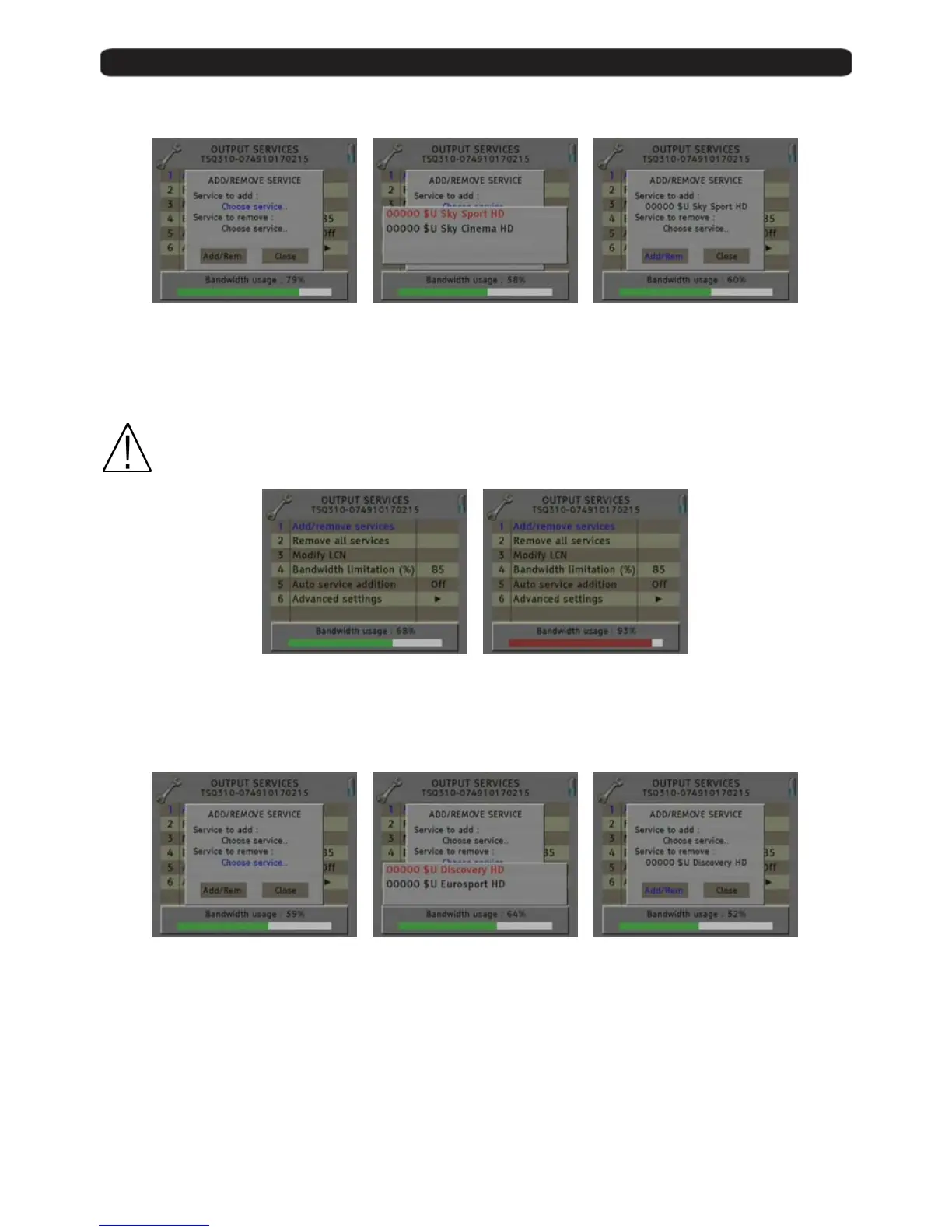
Adding services:
1. Select “Service to add” option 2. Select one of the transponder
services you want to add.
3. Once you have chosen the
service, select the “Add/Remove”
button to include the service in
the multiplex.
Note: It is not recommended to exceed the 85% of the maximum capacity of the multiplex due to the possible
variability of the bits rate of the inputs services.
Recomendad capacity
(lower to 85%)
Excessive capacity
It is recommended to remove
services
Removing services:
1. Select the “Service to remove”
option.
2. Select one of the transponder
services you want to remove.
3. Once you have chosen the
service, select the “Add/Remove”
button to remove the service in
the multiplex.



 To Next Page