Need help?
Do you have a question about the Fuba ODE8500 T2HEVC and is the answer not in the manual?
Covers essential safety measures for power, liquids, small items, cleaning, ventilation, and proper disposal.
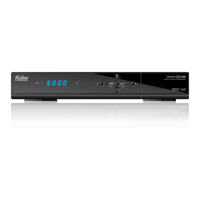
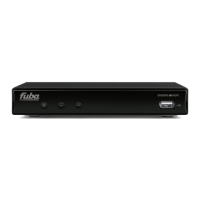
Details the buttons, indicators, and USB connector on the front of the receiver.
Explains the various input and output ports on the rear of the receiver.
Instructions for inserting and handling remote control batteries, including warnings.
Detailed description of each button on the remote control and its function.
Configuring display language and geographical region for optimal channel reception.
Setting video output resolution and screen aspect ratio for display compatibility.
Performing automatic channel scans and defining initial security passwords.
Methods for changing channels, including direct input, sequential, and channel list navigation.
Explanation of the information displayed on the channel banner upon channel change.
How to access and use the EPG for program schedules and information.
Using Teletext and selecting preferred audio tracks or subtitles.
Guidelines for connecting, formatting, and safely removing USB storage devices.
Configuration and operation of PVR features like Time Shift and recording programs.
Dedicated menu for personal media playback via USB, referencing earlier sections.
Options for managing the channel list, including favorites, blocking, skipping, renaming, and deleting.
Manual frequency scanning and automatic channel search across all frequencies.
Configuring automatic channel list updates while the receiver is in standby mode.
Configuring OSD, audio, and subtitle languages for user preference.
Adjusting video resolution and aspect ratio for optimal display on connected TVs.
Viewing system details and restoring the receiver to factory default settings.
Updating receiver software via USB and safely removing USB devices.
Setting up network connections and accessing internet radio services.
Lists common problems with their possible causes and recommended remedies.
Detailed specifications of the receiver's hardware, decoding capabilities, and connectivity.
 General
| Category | Receiver |
|---|---|
| Tuner Type | DVB-T2 |
| DVB Standard | DVB-T2 |
| Video Codec | HEVC (H.265) |
| HEVC (H.265) | Yes |
| Resolution | 1920x1080 |
| USB | Yes |
| HDMI | Yes |
| SCART | Yes |
| CI Slot | Yes |
| EPG | Yes |
| Teletext | Yes |
| Subtitles | Yes |
| Weight | 0.5 kg |
| Video Resolution | Full HD (1080p) |
| Audio Codec | AAC |
| Audio Output | Digital Coaxial |
| Connectivity | HDMI, USB, SCART |
| Power Supply | External |

 To Next Page