3.
HDMI
connection
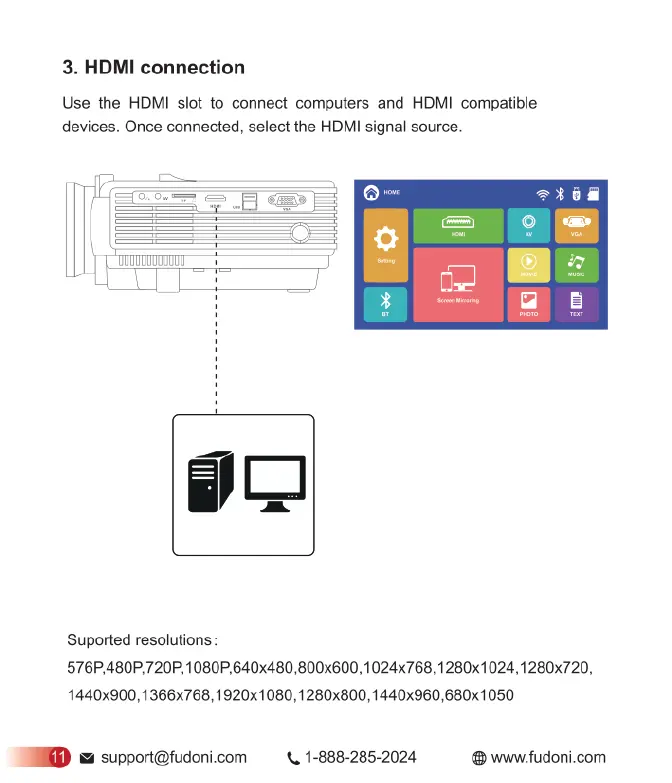
Use
the
HDMI
slot
to
connect
computers
and
HDMI
compatible
devices.
Once
connected,
select
the
HDMI
signal
source.
Suported
resolutions:
576P,480P,720P,1080P,640x480,800x600,1024x768,1280x1024,1280x720,
1440x900,1366x768,1920x1080,1280x800,1440x960,680x1050
D
=
support@fudoni.com
<,
1-888-285-2024
®
www.fudoni.com


 To Next Page