Need help?
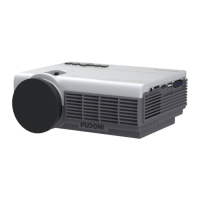
Do you have a question about the FUDONI P3 and is the answer not in the manual?
Connect and play files (video, audio, photo, document) from a USB drive.
Connect your device to the projector using an HDMI cable for display.
Connect your device to the projector using an AV cable for audio-visual input.
Connect iOS devices via cellular data or router WiFi for screen mirroring.
Connect Android phones wirelessly using the "Screen Casting" function.
 General
| Display Technology | LCD |
|---|---|
| Supported Resolutions | 720p, 1080p |
| Keystone Correction | ±15 degrees |
| Input Ports | HDMI, USB, AV |
| Output Ports | 3.5mm audio |
| Built-in Speaker | Yes |
| Wi-Fi | Yes |
| Bluetooth | Yes |
| Power Supply | AC90-260V/50-60HZ |
| Throw Distance | 1.5-8.5m |

 To Next Page