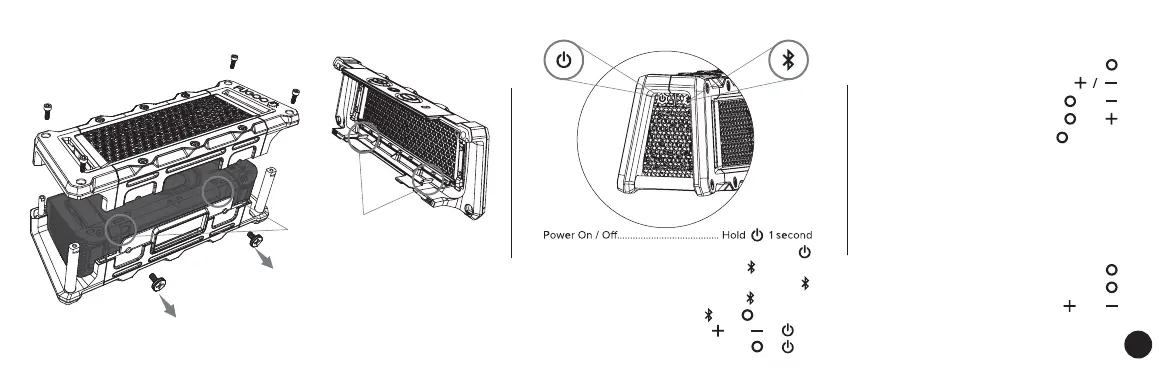
CHANGING THE +TOUGH JACKET
POWERING UP & CONNECTING
2.) Remove the thumbscrews.
3.) Make sure the alignment notches
are properly aligned.
1.) Remove 4 side retaining screws
POWER
BLUETOOTH
Battery status........................................................... Click
Pair a new device................................ Hold 3 seconds
Disconnect / Connect a paired device .............. Click
Clear all paired devices..................... Hold 10 seconds
Reset...................................... Hold and 10 seconds
Voice prompt level................. Hold and at On
Normal / Loudness Mode.................... Hold at On
Answer / end Calls..................................... Click
Reject a call................................... Double-click
Mute microphone in a call......... Click and
Play / Pause.................................................. Click
Volume up / down........................... Click
Previous track............................... Click and
Next Track..................................... Click and
Voice Control............................. Hold 1 second
PLAY CONTROL
SPEAKERPHONE
EN


 To Next Page