7 Problem Solving
154
z
If the paper is torn, make sure no piece of paper remains inside the device.
3 Push the Tray 3 in gently until it stops.
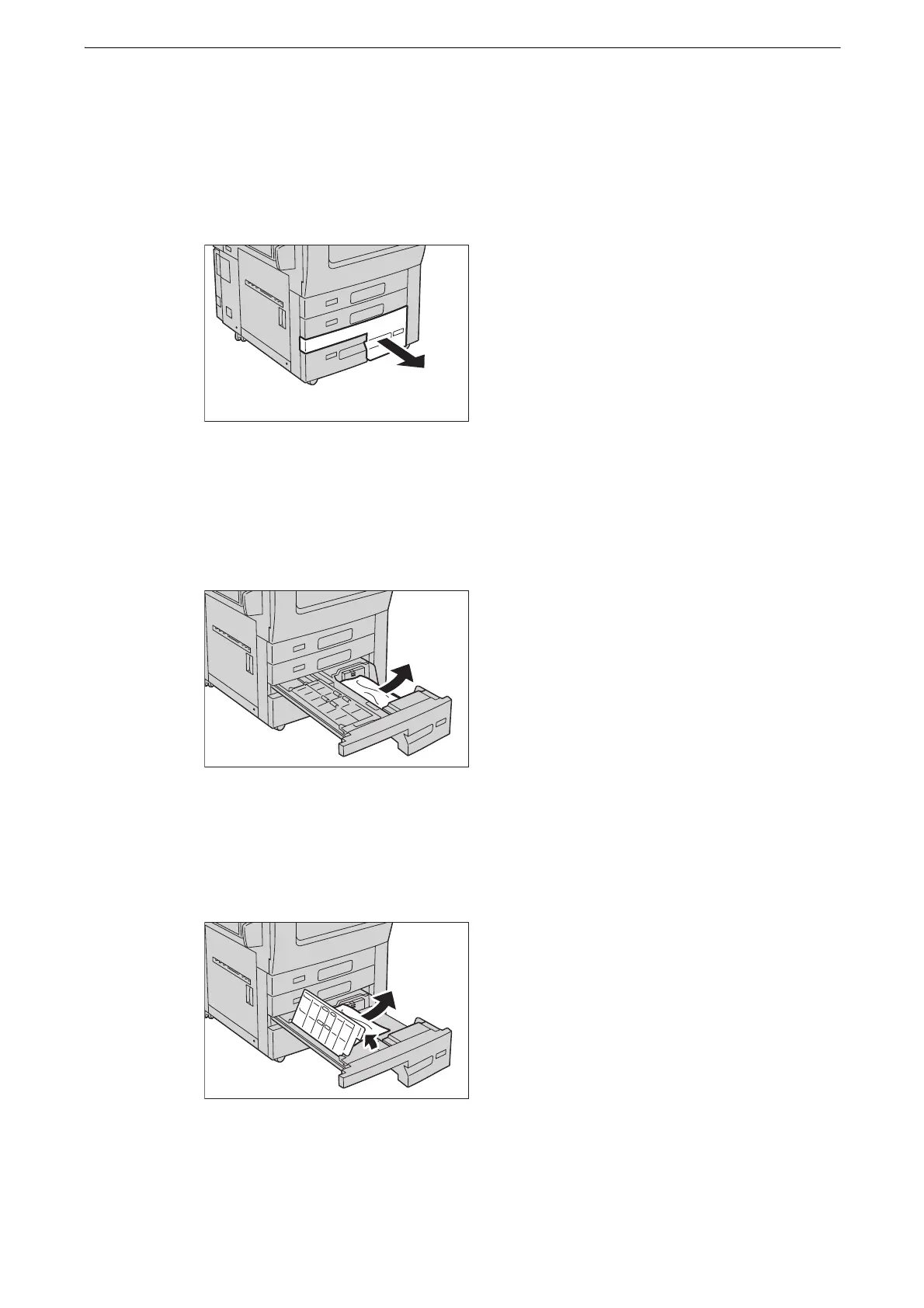
4 If paper is jammed in the Tray 4, pull out the Tray 4.
z
If you pull out a paper tray without checking the paper jam location, the jammed paper may be torn and the
pieces may remain inside the device. This may cause device malfunctions; therefore, always check where the
paper jam occurred first.
5 Remove the jammed paper.
z
If the paper is torn, make sure no piece of paper remains inside the device.
6 If paper is jammed in the paper feed section, open the inner cover and gently remove the
paper.
z
If the paper is torn, make sure no piece of paper remains inside the device.
7 Close the inner cover and push the Tray 4 in gently until it stops.



 To Next Page
 Loading...

