7 Problem Solving
192
Paper Jams at the Knob [2c], the Handle [2e]/[2f], and the Tri-fold Output Tray [2d]
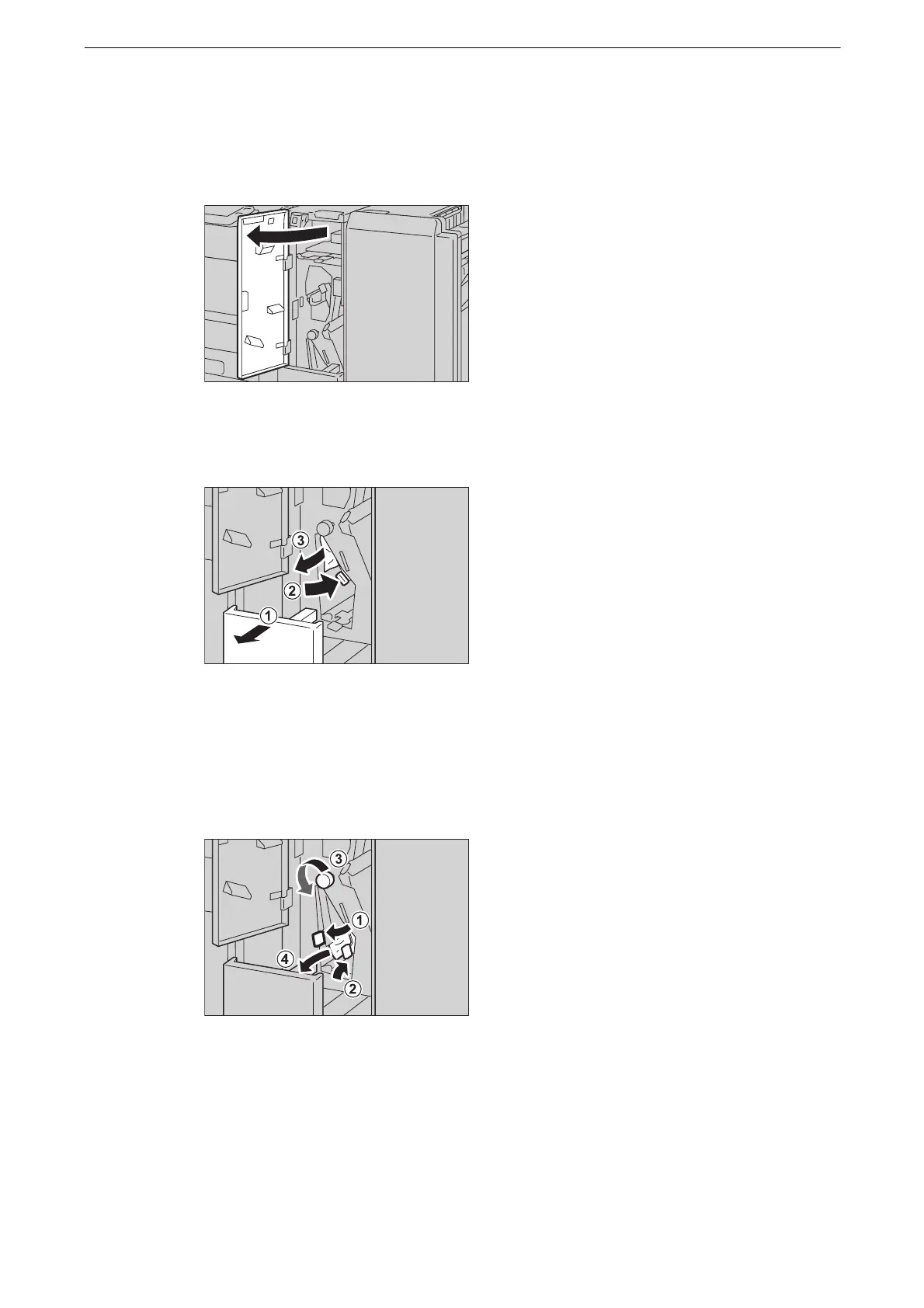
1 Make sure that the device has stopped, and open the folder unit cover of the Folder Unit
CD1.
2 Pull out the Tri-fold output tray [2d] (1), and move the handle [2e] to the right (2). Remove
the jammed paper (3).
z
If paper is torn, check for any torn pieces of paper inside the device.
3 If you cannot remove the paper in step 2, return the handle [2e] to its original position (1),
and move the handle [2f] (2). Turn the knob [2c] to the left (3), and then remove the
jammed paper (4).
z
If paper is torn, check for any torn pieces of paper inside the device.



 To Next Page
 Loading...

