C1: Making SIMPLE COPY
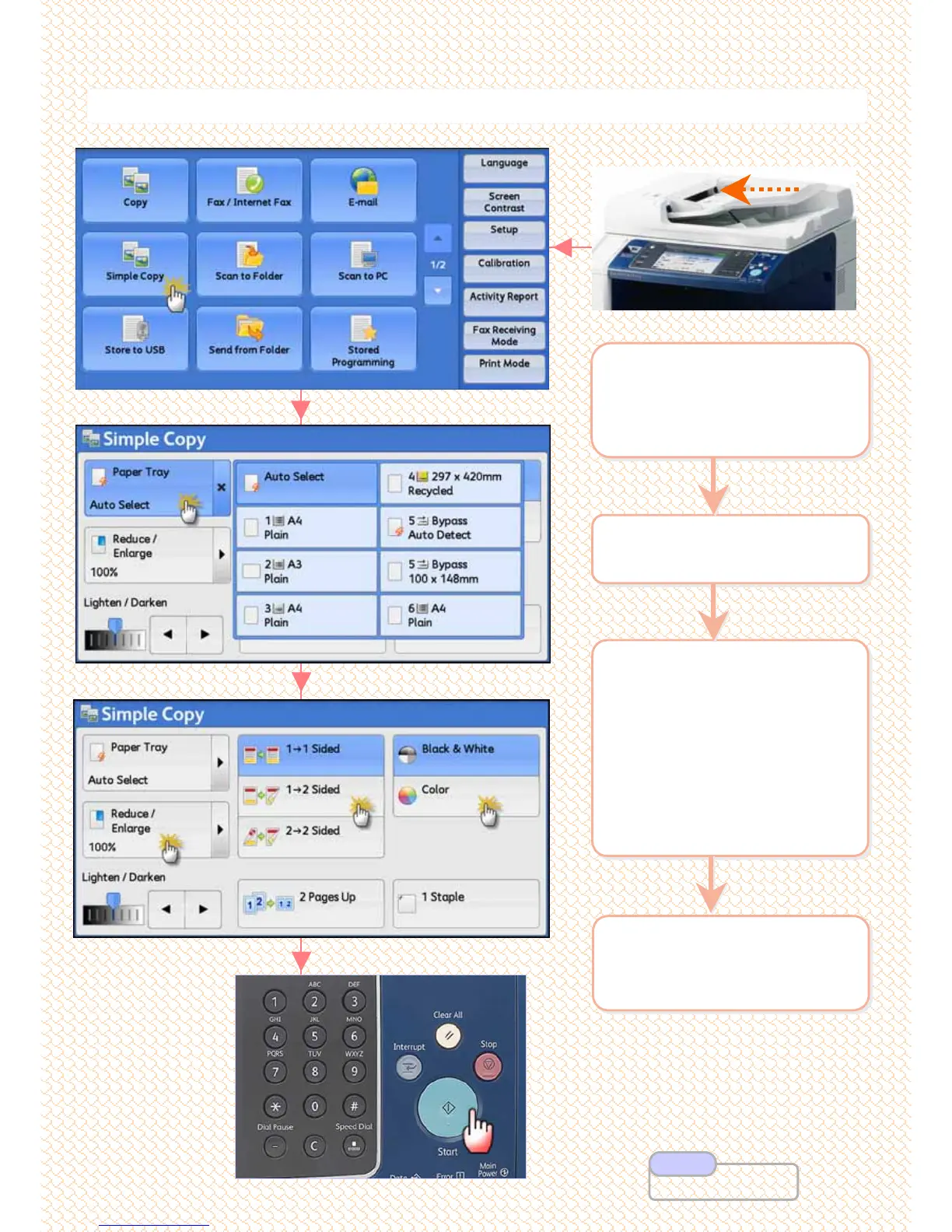
Make simple copy jobs
Make simple copy jobs
3 Select an option:
a: [Paper Tray] for other tray
selection
- If required, Select other
features:
b: [Reduce/Enlarge]
c: [2-Sided]
d: [Output Color]
3 Select an option:
a: [Paper Tray] for other tray
selection
- If required, Select other
features:
b: [Reduce/Enlarge]
c: [2-Sided]
d: [Output Color]
2 On the [Services Home]
select [Simple Copy]
2 On the [Services Home]
select [Simple Copy]
1 Load documents onto the
Document Feeder face
up or Document Glass
face down
1 Load documents onto the
Document Feeder face
up or Document Glass
face down
4 Enter number of copies
using numeric keypad.
Press <Start> button
4 Enter number of copies
using numeric keypad.
Press <Start> button
8
8
User Guide P.81
Note



 To Next Page
 Loading...

