Authentication/Security Settings
295
Tools
5
5
Repeat steps 3 and 4 to re-enter the same system administrator’s ID in [Re-enter System
Administrator's Login ID].
6
Select [Save].
7
A confirmation window appears. Select [Yes] to confirm your entry.
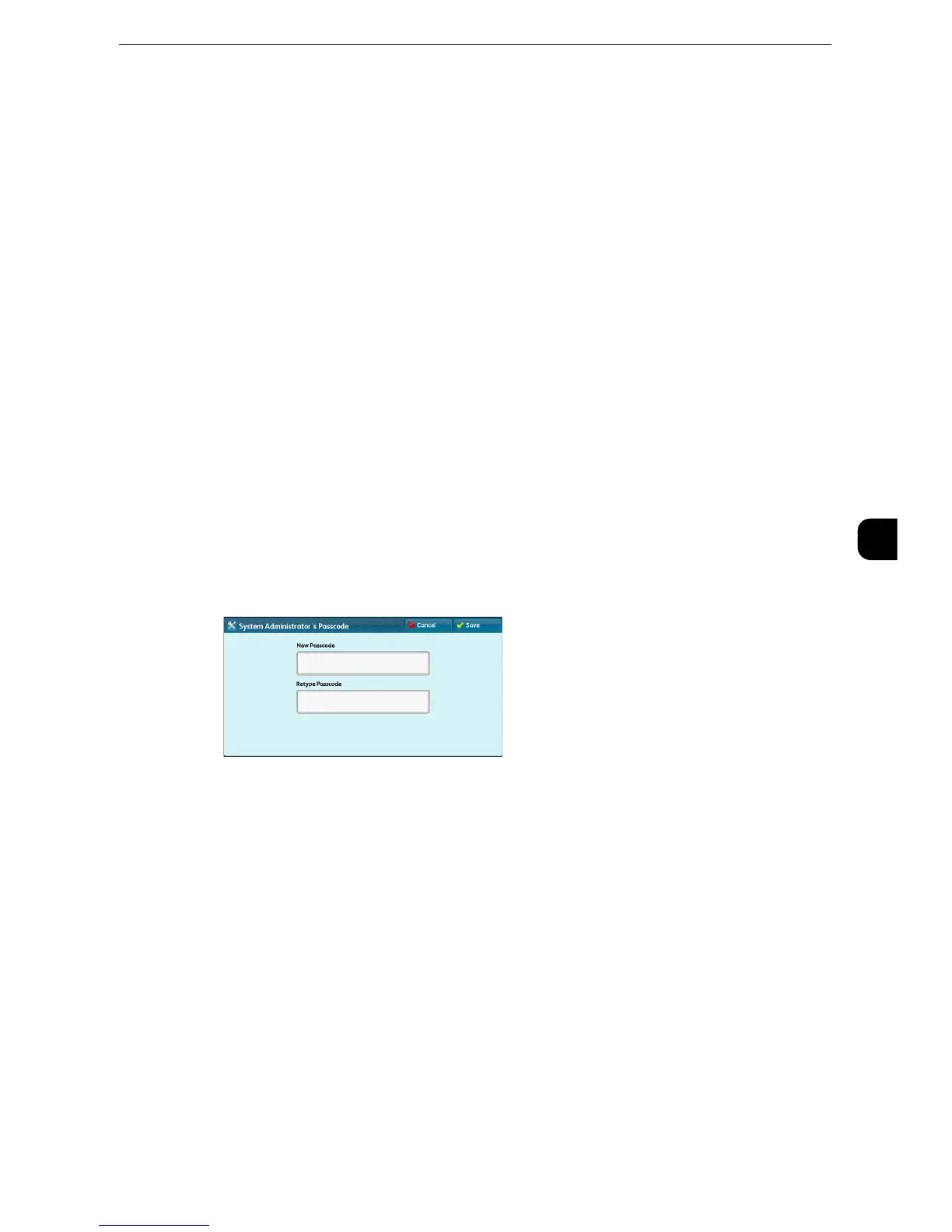
System Administrator's Passcode
Set the passcode for the System Administrator.
Setting a passcode is strongly recommended to enhance security.
z
The default of the system administrator's passcode is “x-admin”.
The system administrator's passcode set here is used when [Passcode Entry for Control
Panel Login] is set to [On] under [Authentication/Security Settings] > [Authentication] >
[Passcode Policy].
Set the passcode after setting the system administrator's user ID. You can set the passcode
from 4 to 12 characters.
z
For more information about [Passcode Entry for Control Panel Login], refer to "Passcode Policy" (P.302).
1
Select [System Administrator's Passcode].
2
Select [New Passcode].
3
Enter a new passcode (4 to 12 digits) using the keyboard displayed, and then select [Save].
z
If no passcode is set, leave the text boxes blank and select [Save].
4
Select [Retype Passcode], enter the same passcode, and then select [Save].
5
Select [Save].
6
A confirmation window appears. Select [Yes] to confirm your entry.



 To Next Page
 Loading...
