COPY FEATURES
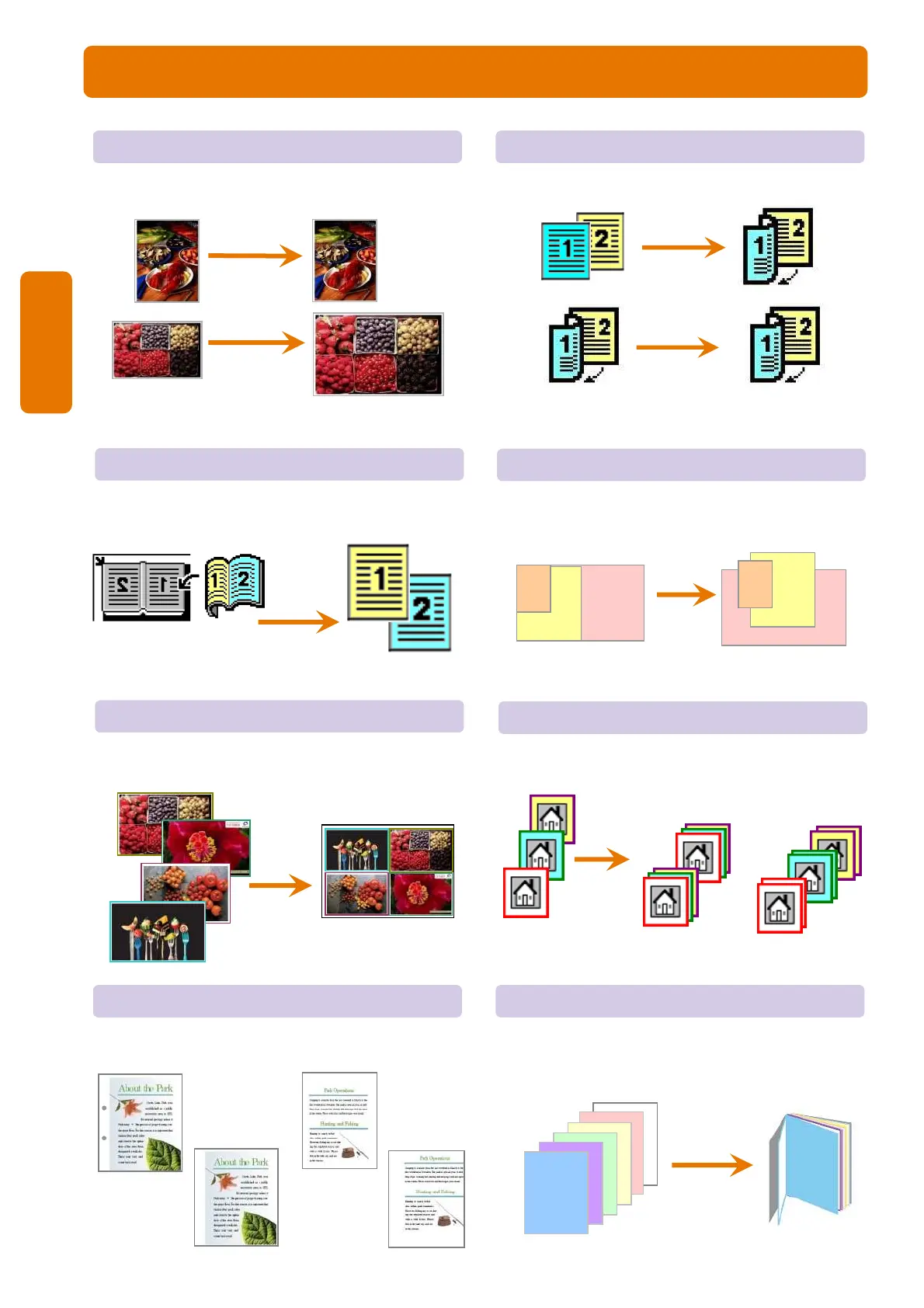
Reduce/Enlarge Page 05
To make a reduced or an enlarge output size.
2-Sided Copying Page 06
To make copies single or double sided output.
Book Copying Page 07
To copy bound documents using platen glass on
to 2 separate sheets
Mixed Sized Originals Page 08
To scan different size documents simultaneously
and copies onto matching paper size.
A
3
A
4
A
5
A
3
A
4
A
5
Finishing Page 10
To make copies collated (stapled & punched)
Pages per side Page 09
To copy multiple documents onto a single sheet of
paper
Edge Erase / Image Shift Page 11
To erase unwanted marks along the edges / To shift
image copy position
4
6
5
4
3
2
1
Booklet Creation Page 12
To copy multiple sheets of documents in page
order to make a booklet
[Before]
[After]
[Uncollated]
1,1...2,2...3,3...
[Collated]
1,2,3…1,2.3…
Copy



 To Next Page