EasyManua.ls Logo

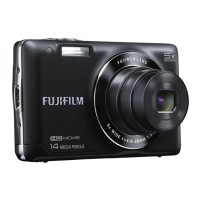
FujiFilm FINEPIX JX280 series - User Manual

FujiFilm FINEPIX JX280 series
116 pages
Print Icon
To Next Page IconTo Next Page
Loading...
Before You Begin
First Steps
Basic Photography and Playback
More on Photography
More on Playback
Movies
Connections
Menus
Technical Notes
Troubleshooting
Appendix
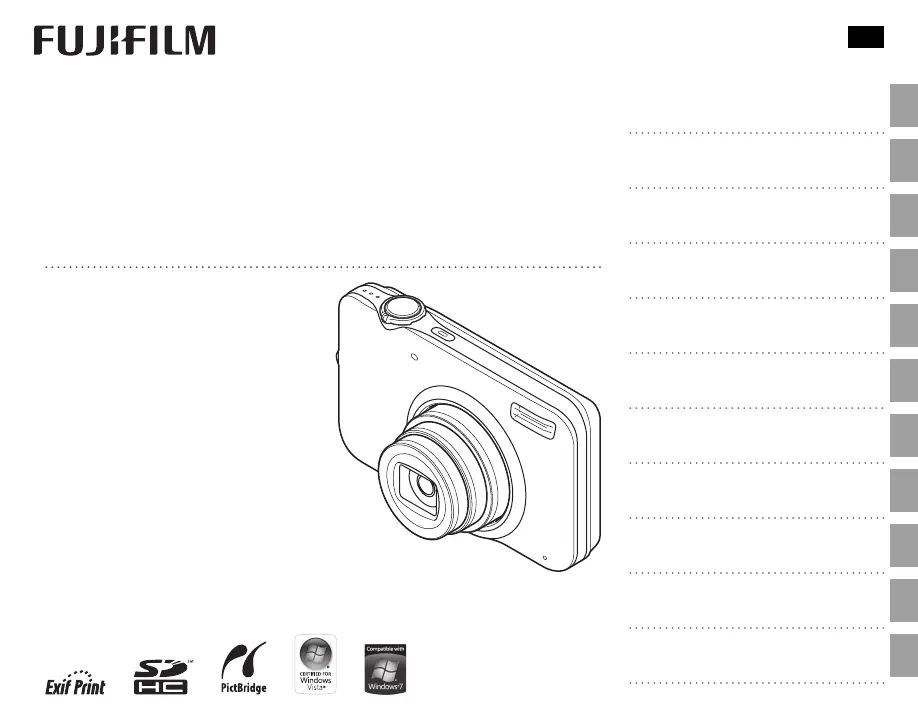
DIGITAL CAMERA
FINEPIX JX280 Series
FINEPIX JX180 Series
For information on related products, visit our
website at
http://www.fujifilm.com/products/digital_cameras/index.html
Owner’s Manual
Thank you for your purchase
of this product. This manual
describes how to use your
FUJIFILM FinePix JX280 Series,
FinePix JX180 Series digital camera
and the supplied software. Be
sure that you have read and
understood its contents before
using the camera.
BL01066-200
EN

Table of Contents

Questions and Answers

  • B
    Brian GardnerAug 14, 2025
    How to fix a FujiFilm FINEPIX JX280 Digital Camera that won't turn on?
    • T
      turnerjoseAug 14, 2025
      If your FujiFilm Digital Camera isn't turning on, first ensure the battery isn't exhausted by inserting a fresh or fully-charged spare battery. Also, check that the battery is correctly oriented in the chamber. Finally, make sure the battery-chamber cover is properly latched.
  • L
    Lisa GarciaAug 17, 2025
    What to do if my FujiFilm FINEPIX JX280 Digital Camera turns off suddenly?
    • E
      Edward ReynoldsAug 18, 2025
      If your FujiFilm Digital Camera turns off suddenly, it's likely due to an exhausted battery. Try inserting a fresh or fully-charged spare battery to resolve this issue.
  • M
    Matthew FlowersAug 21, 2025
    Why doesn't the flash fire on my FujiFilm Digital Camera?
    • N
      Nicole RoseAug 21, 2025
      If the flash on your FujiFilm Digital Camera isn't firing, it could be due to several reasons. First, wait for the flash to charge, as it may simply be in the process of charging. If that doesn't work, the current shooting mode may not support flash, so try choosing a different shooting mode. Lastly, ensure that the battery isn't exhausted by inserting a fresh or fully-charged spare battery.
  • A
    aguilarjillianAug 25, 2025
    How to fix FujiFilm FINEPIX JX280 when it does not focus?
    • J
      Jeremy MichaelAug 26, 2025
      If your FujiFilm Digital Camera does not focus, and the subject is too close, select macro mode. If the subject isn't suited to autofocus, use focus lock.
  • P
    Paul CantrellAug 27, 2025
    What to do if nothing happens when pressing shutter on FujiFilm Digital Camera?
    • J
      Jared OsborneAug 28, 2025
      If nothing happens when you press the shutter button on your FujiFilm Digital Camera, it could be due to a temporary camera malfunction. To resolve this, remove and reinsert the battery. Another possibility is that the battery is exhausted, so try inserting a fresh or fully-charged spare battery.
  • M
    morrowcarolAug 31, 2025
    Why isn't my FujiFilm FINEPIX JX280 Digital Camera charging?
    • K
      Kyle ReynoldsAug 31, 2025
      If charging does not start for your FujiFilm Digital Camera, ensure that the battery is correctly inserted into the charger. Also, check that the battery is in the correct orientation.
  • C
    Chad MedinaSep 3, 2025
    Why is there no sound in movie playback on my FujiFilm FINEPIX JX280?
    • S
      suzannehallSep 3, 2025
      If there's no sound during movie playback on your FujiFilm Digital Camera, it's likely because the camera is in silent mode. Turn silent mode off to restore the sound.
  • A
    Allen SmithSep 7, 2025
    Why is face detection not available on my FujiFilm FINEPIX JX280?
    • J
      Jennifer McdowellSep 7, 2025
      If face detection is not available on your FujiFilm Digital Camera, it may be because Intelligent Face Detection is not available in the current shooting mode. Try choosing a different shooting mode.
  • A
    Austin ThompsonSep 10, 2025
    Why are selected pictures not deleting on my FujiFilm Digital Camera?
    • M
      michele96Sep 12, 2025
      If selected pictures are not being deleted from your FujiFilm Digital Camera, it's possible that some of the pictures selected for deletion are protected. Remove protection using the device with which it was originally applied.

Summary

First Steps

Charging the Battery

Instructions for charging the camera's rechargeable battery before first use.

Inserting the Battery

Step-by-step guide for correctly inserting the charged battery into the camera.

Inserting a Memory Card

Procedures for inserting and removing SD/SDHC memory cards.

Turning the Camera On and Off

Procedures for powering the camera on and off for shooting and playback.

Basic Photography and Playback

More on Photography

Intelligent Face Detection

How to use Intelligent Face Detection for portrait focus and red-eye removal.

More on Playback

Deleting Pictures

How to delete individual or multiple pictures from memory.

Movies

Connections

Menus

Technical Notes

Caring for the Camera

Precautions for storage, use, cleaning, and travel to ensure camera longevity.

Troubleshooting

Power and Battery Issues

Solutions for common problems related to camera power and battery performance.

Warning Messages and Displays

Explanations of camera warning messages and how to resolve them.

Shooting and Playback Problems

Troubleshooting guide for issues encountered during picture taking and playback.

FujiFilm FINEPIX JX280 series Specifications

General IconGeneral
Image Sensor1/2.3-inch CCD
Optical Zoom5x
Effective Pixels14 megapixels
Screen Size2.7-inch
Video Resolution720p HD
Storage MediaSD / SDHC memory card
Battery TypeNP-45A Li-ion battery

Related product manuals