EasyManua.ls Logo

FujiFilm FNDX 5 - User Manual

FujiFilm FNDX 5
37 pages
Print Icon
To Next Page IconTo Next Page
Loading...
SERVICE MANUAL
08/2009 FR
MF800 V2.8r09a
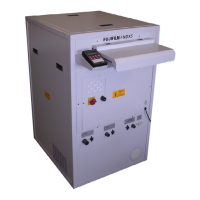
NDT FILM PROCESSOR
FNDX 5
Produziert für FUJIFILM durch COLENTA Labortechnik GmbH & Co. KG, Austria.
Produced for FUJIFILM by COLENTA Labortechnik GmbH & Co. KG, Austria
Question and Answer IconNeed help?

Do you have a question about the FujiFilm FNDX 5 and is the answer not in the manual?

Summary

Important Information and Usage Guidelines

Safety Instructions and Attention

Follow safety instructions in the Instruction Manual and pay close attention to warnings.

Installation and Setup Procedures

Chemical Replenishment System

Fix Rack and Spraybar Assembly

Spraybar and Roller Adjustments

Initial Startup and Chemistry Handling

First Steps and Safety Precautions

Initial startup steps, including powering off, safety gear, and water testing.

Processor Operation and Safety Features

Developer Filter System Maintenance

Replacing the Filter Insert

Step-by-step guide on how to safely change or replace the filter insert.

Chiller System Operations

Filling the Cooling Liquid

Procedure for filling the cooling liquid into the chiller system.

System Configuration

Setup Jumper Configuration

Procedure for inserting a jumper on the main board to save SETUP menu data.

Processor Setup Parameters

Setup of Processor Parameters

Details on various parameters to configure, such as gear, pump, and sensor distance.

I2 C Bus System Overview

I2 C Bus System Overview

Explanation of the I2C bus system for monitoring solution tank temperatures.

I2 C Bus System Testing

I2 C Bus System Test Instructions

General steps and instructions for testing the I2C bus system.

I2 C Sensor Connections

Dryer Sensor Connection

Procedure for connecting the dryer temperature sensor to the I2C board.

Fix Sensor Connection

Procedure for connecting the fixer temperature sensor to the I2C board.

I2 C Sensor and Sensorbar Installation

Developer Sensor Connection

Procedure for connecting the developer temperature sensor to the I2C board.

Troubleshooting Common Issues

Troubleshooting Guide

Lists common problems, possible causes, and suggested corrections for the processor.

Service Report and Electrical Safety

Grounding Conductor Testing

Testing the voltage resistor value between grounded components and the power plug.

Electrical Safety Testing

Electrical and Visual Inspections

Processor Acceptance Testing

Acceptance Test Run

Performing a test run to check the full function of the processor.

Summary

Important Information and Usage Guidelines

Safety Instructions and Attention

Follow safety instructions in the Instruction Manual and pay close attention to warnings.

Installation and Setup Procedures

Chemical Replenishment System

Fix Rack and Spraybar Assembly

Spraybar and Roller Adjustments

Initial Startup and Chemistry Handling

First Steps and Safety Precautions

Initial startup steps, including powering off, safety gear, and water testing.

Processor Operation and Safety Features

Developer Filter System Maintenance

Replacing the Filter Insert

Step-by-step guide on how to safely change or replace the filter insert.

Chiller System Operations

Filling the Cooling Liquid

Procedure for filling the cooling liquid into the chiller system.

System Configuration

Setup Jumper Configuration

Procedure for inserting a jumper on the main board to save SETUP menu data.

Processor Setup Parameters

Setup of Processor Parameters

Details on various parameters to configure, such as gear, pump, and sensor distance.

I2 C Bus System Overview

I2 C Bus System Overview

Explanation of the I2C bus system for monitoring solution tank temperatures.

I2 C Bus System Testing

I2 C Bus System Test Instructions

General steps and instructions for testing the I2C bus system.

I2 C Sensor Connections

Dryer Sensor Connection

Procedure for connecting the dryer temperature sensor to the I2C board.

Fix Sensor Connection

Procedure for connecting the fixer temperature sensor to the I2C board.

I2 C Sensor and Sensorbar Installation

Developer Sensor Connection

Procedure for connecting the developer temperature sensor to the I2C board.

Troubleshooting Common Issues

Troubleshooting Guide

Lists common problems, possible causes, and suggested corrections for the processor.

Service Report and Electrical Safety

Grounding Conductor Testing

Testing the voltage resistor value between grounded components and the power plug.

Electrical Safety Testing

Electrical and Visual Inspections

Processor Acceptance Testing

Acceptance Test Run

Performing a test run to check the full function of the processor.

FujiFilm FNDX 5 Specifications

General IconGeneral
BrandFujiFilm
ModelFNDX 5
CategoryComputer Hardware
LanguageEnglish

Related product manuals