57
More on Photography
Choosing the Role of the Fn Button
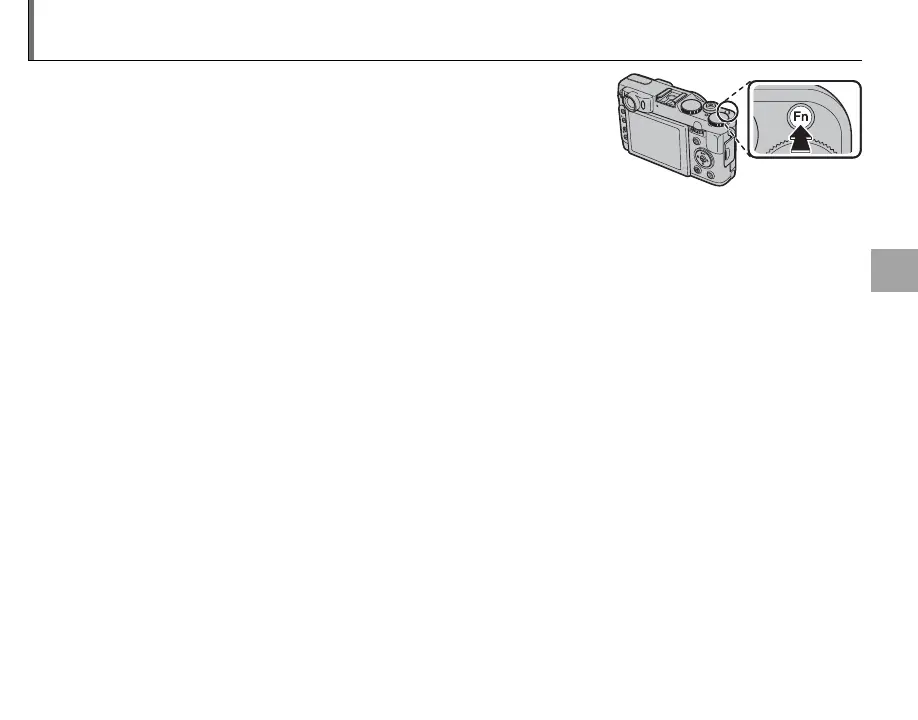
The role played by the Fn button can be selected using the F Fn
BUTTON option in the setup menu (P 94). The following options are
available:
ISO (P 89)/IMAGE SIZE (P 90)/IMAGE QUALITY (P 91)/
DYNAMIC RANGE (P 91)/FILM SIMULATION (P 92)/AF MODE (P 94)/
FACE DETECTION (P 93)/INTELLIGENT DIGITAL ZOOM (P 93)/
OVF/LCD SETTING (P 115 )/ RAW (P 59).
1
Press the Fn button for about a second, F Fn BUTTON option can be displayed.


 To Next Page