Setting
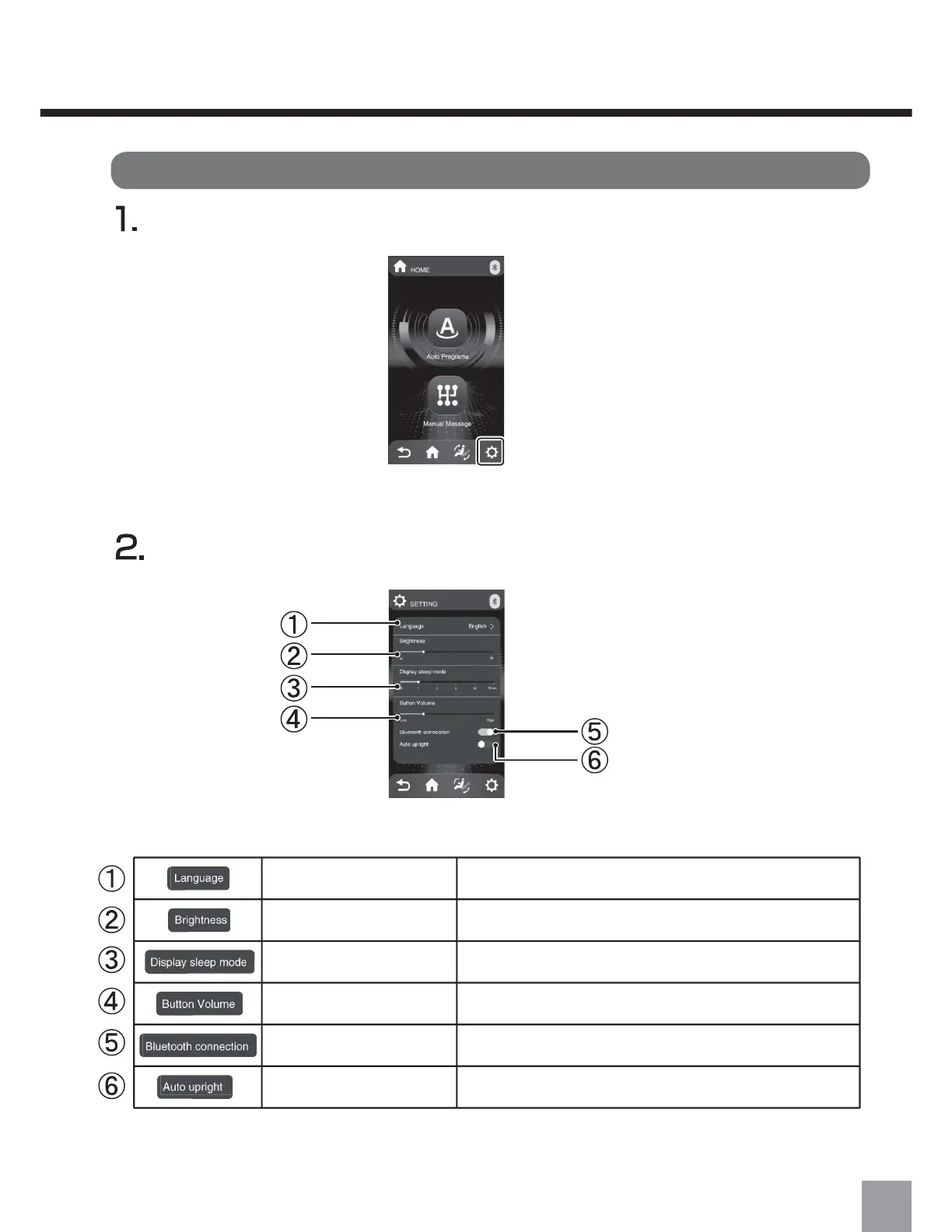
Press the setting button.
Adjust settings according to your preference.
Change the display languageLanguage Setting
Adjust the brightness of the remote control display
You can adjust the time for the screen to turn off when
there's no activity on the remote control
Brightness
Adjust the volume of the remote control's operation
sounds
Volume Control
Screen Off Time
Turn the Bluetooth function ON/OFF
Enable/disable the automatic rising function after
the massage ends
Automatic chair restoring
Bluetooth Connection
23


 To Next Page