
 Need help?
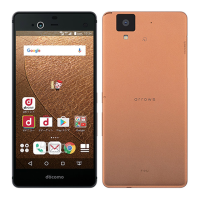
Do you have a question about the Fujitsu Arrows NX F-01J and is the answer not in the manual?
Instructions for initiating voice and video calls.
How to answer incoming calls.
Browse the web using the Chrome browser.
Search, download, and install applications and games.
Take photos and record videos.
Check battery status and manage power consumption.
Connect to Wi-Fi networks for internet access.
Set up screen lock and security preferences.
Configure settings for international roaming service.
Solutions for common problems and inquiries.
How to update the terminal's software.
 General
| Model | Fujitsu Arrows NX F-01J |
|---|---|
| Category | Handhelds |
| Operating System | Android 7.0 Nougat |
| Display Resolution | 1440 x 2560 pixels |
| Chipset | Qualcomm Snapdragon 820 |
| GPU | Adreno 530 |
| RAM | 3 GB |
| Internal Storage | 32 GB |
| Front Camera | 5 MP |
| SIM Card | Nano-SIM |
| Fingerprint Sensor | Yes |
| Battery | 3000 mAh |
| Water Resistance | Yes, IPX5/IPX8 |
| Dustproof | IP6X |
| Colors | Black, White |

 To Next Page
