F-07C_EN_ninshou
5
Introduction
To use the function with *, press the key for 1
second or more.
a
Display (touch panel)
b
Light sensor for sensing the ambient
lightness to adjust the brightness of the
display
c
Indicator light for notifying the state of the
FOMA terminal
d
Earpiece
e
In-camera
f
Indicator light for notifying the state of
Windows 7 mode
g
Microphone for calling and recording
h
FOMA antenna (built into FOMA terminal)
i
Back cover
j
Out-camera
k
Infrared data port
l
Shooting indication light
m
Camera light
n
Speaker
o
mark for placing over IC card reader for
Osaifu-Keitai and iC transmission
p
microUSB connection jack for USB Cable
F01 and Earphone Plug Adapter F01
q
Strap opening
r
Cradle connection jack
⇒
P21
af
Exit a running function, or turn ON/OFF
the FOMA terminal by pressing for 2 seconds
or more
b c
Receive a voice call, delete a character,
return to the previous screen, or display i-Channel
list
c
QWERTY keypad
⇒
P6
d
Track ball for moving the cursor by rotating/for
performing the operations by pressing, or the same
operation as right-click of mouse pad by pressing in
Windows 7 mode
e N
Multitask key for starting another function
during a call or operation
f z
Turn ON/OFF the display or start/cancel
Silent mode
*
g w
Switch Windows 7 mode/Keitai mode or
force-quite Windows 7
*
h C
Perform operations while starting Camera or
start the still camera shooting
*
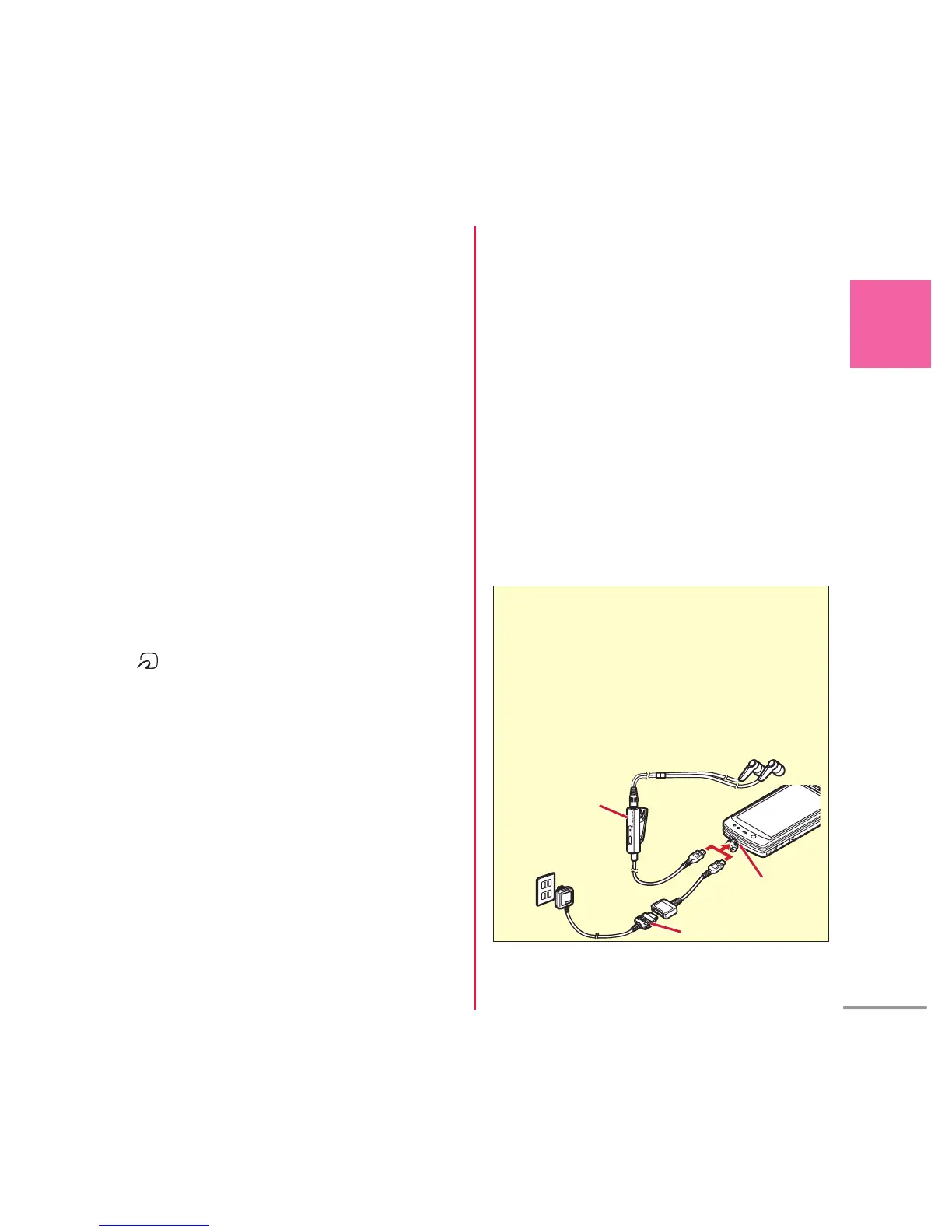
External
connection jack
Earphone plug
adapter
* AC adapter (charger) and Stereo Earphone Set 01
(earphone/microphone jack) use a common jack.
Use optional earphone compatible with external connection
jack. When using earphone imcompatible with external
connection jack, use optional plug adapter.
<Using earphone>
Example of connecting Earphone Plug Adapter for
External connector terminal 01 (optional)
AC adapter
仮



 To Next Page