F-07C_EN_ninshou
6
Introduction
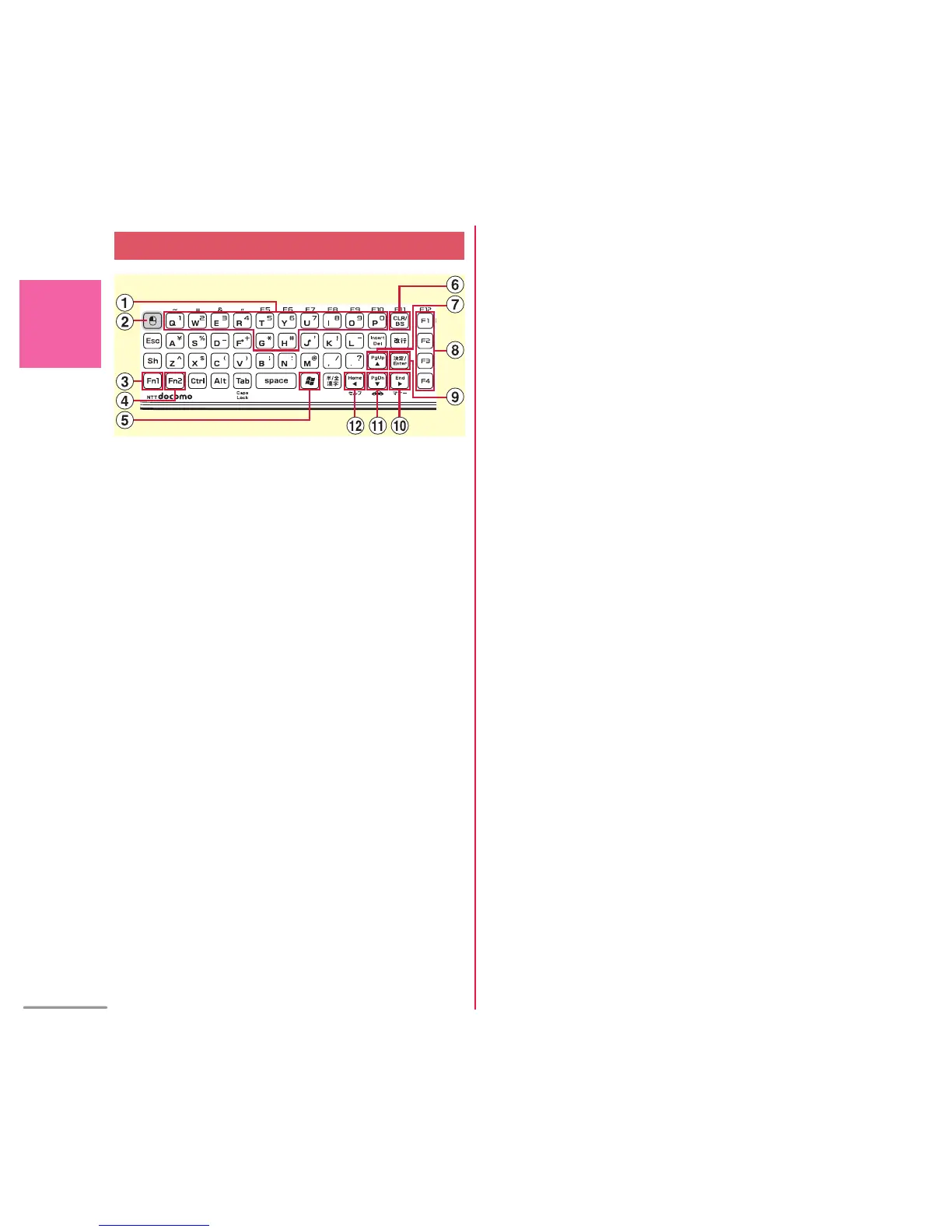
a
q
-
o
,
p
,
g
,
h
Enter phone number
or symbols, select menu or item, or
perform each shortcut operation
b
!
Only in Windows 7 mode, select an item
or the same operation as left-click of
mouse pad
c
Z
Press with the other key to enter
symbols/numbers or to use the functions
marked on the key in blue
d
C
Press with the other key to enter
symbols or to use the functions marked
on the key in yellow-green
e
M
Display Start menu of Windows 7 (in
Windows 7 mode only)
f
8
Receive a voice call, delete a character,
return to the previous screen, or display
i-Channel list
g
U
Display Scheduler, move the cursor, or
display Alarm clock list
*
h
Guide keys
1
: Display the menu, or perform the
operation at upper-left of the guide area
2
: Display the outgoing call screen, or
perform the operation at upper-right of the
guide area
3
: Display the mail menu, perform the
operation at lower-left of the guide area, or
Check new message
*
4
: Display iMENU connecting to i-mode,
perform the operation at lower-right of the
guide area, or display i-
α
ppli folder list
*
i
[
Perform the operation or Focus mode
j
R
Display Redial, switch screens, move
the cursor, or start/cancel IC card lock
*
k
D
Display Phonebook, move the cursor, or
add phonebook entry
*
l
L
Display Received calls, switch screens,
move the cursor
QWERTY keypad



 To Next Page