EasyManua.ls Logo

Fujitsu FJ-RC-WIFI-1NA - User Manual

Fujitsu FJ-RC-WIFI-1NA
8 pages
Print Icon
To Next Page IconTo Next Page
Loading...
Wi-Fi Wired Device
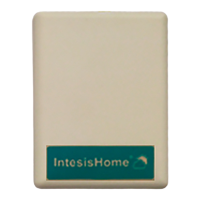
FJ-RC-WIFI-1NA
Quick Installation Guide
Contractorinstallation
FJ-RC-WIFI-1NA
WARNING:
Refer to this Quick Installation Guide to install Fujitsu Wi-Fi Wireless Device IS-IR-WIFI-1 only. This guide does NOT replace
any installation manual(s).
Make sure the work is done by a license qualify contractor
Have contractors refer to the installation manuals that accompany this unit for complete and specific installation details and
requirements.
The manufacturer shall in no way be responsible for improper installation, start-up, maintenance or service, including issues
caused by failure to follow all appropriate instructions in the installation manuals.
Carefully read the installation and owner manual(s) before beginning.
NOTE to Contractors: For technical support, contact your Fujitsu Distributor.
Compatibility& Requirement
Recommended for the following indoor types:
Slim Duct / Cassette / Ceiling / Universal type
Device does not include connecting wire.
Please use Thermostat wire .
Question and Answer IconNeed help?

Do you have a question about the Fujitsu FJ-RC-WIFI-1NA and is the answer not in the manual?

Summary

Wi-Fi Module Compatibility

Wired Wi-Fi Module Compatibility Chart

Lists compatible indoor unit models and module models for wired Wi-Fi connectivity.

Wired Device Installation Guide

Master;Slave Configuration

Explains how to set the Intesis device as Master or Slave for proper communication.

Installation Wiring Examples

Demonstrates wiring connections for Wall Mounted Type indoor units.

Wireless Device Setup

Pre-Setup Checks

Guides on checking Wi-Fi signal strength and device proximity before configuration.

Connecting to IntesisHome Wi-Fi

Instructions for connecting your smartphone or laptop to the "INTESISHOME" network.

Wi-Fi Network Configuration

Accessing Configuration Portal

Directs users to ihconfig.com via a web browser for initial device setup.

Wi-Fi Network Selection and Credentials

Details on selecting your home Wi-Fi network and entering the password.

Device Status and Account Registration

LED Status and Error Indicators

Explains the meaning of various LED blinking sequences during setup and operation.

IntesisHome Account Setup

Guides users through creating an IntesisHome account and registering the device.

Ambient Temperature Sensing

Default Ambient Temperature Reporting

How the Intesis device reports ambient temperature to the Intesis Home App by default.

Remote Controller Temperature Sensing

Instructions for using the Fujitsu wired remote controller for ambient temperature sensing.

Multi-Zone Application Setup

Independent Zone Management

Explains the need for individual Wi-Fi modules for each indoor unit in multi-zone systems.

Registering Additional Devices

Guides on adding more modules to the IntesisHome account for multi-unit installations.

LED Error Code Definitions

LED Error Behavior and Meaning

Explains LED behaviors and their corresponding error or status meanings for troubleshooting.

Fujitsu FJ-RC-WIFI-1NA Specifications

General IconGeneral
BrandFujitsu
ModelFJ-RC-WIFI-1NA
CategoryWireless Router
LanguageEnglish