EasyManua.ls Logo

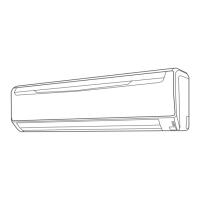
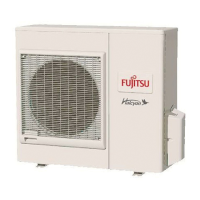
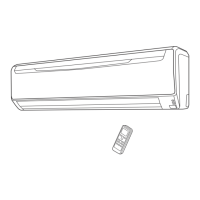
Fujitsu Inverter Halcyon ASU9RLS - User Manual

Fujitsu Inverter Halcyon ASU9RLS
20 pages
Print Icon
To Next Page IconTo Next Page
Loading...
Français
MODE D’EMPLOI
MANUAL
ASU9RLS
ASU12RLS
AOU9RLS
AOU12RLS
CONSERVEZ CE MODE D'EMPLOI
POUR RÉFÉRENCE ULTÉRIEUR
9314969034

Questions and Answers

  • D
    Devin HolmesAug 15, 2025
    Why is my Fujitsu Inverter Halcyon ASU9RLS not cooling well?
    • D
      dsilvaAug 15, 2025
      Poor cooling performance in your Fujitsu Air Conditioner can stem from several factors: * Check if the air filter is dirty. * Ensure that the air conditioner’s intake grille or outlet port isn't blocked. * Verify that the room temperature settings (thermostat) are correctly adjusted. * Make sure no windows or doors are open. * If cooling, close curtains to block bright sunlight. * Consider if there are too many heat-generating appliances or people in the room. * Check if the unit is set to SUPER QUIET operation.
  • S
    Sonia MataAug 18, 2025
    Why is water produced from the outdoor Fujitsu Air Conditioner unit?
    • J
      Jonathan DavisAug 18, 2025
      During heating operation, water may be produced from the outdoor unit of your Fujitsu Air Conditioner due to Automatic Defrosting operation.
  • T
    Tiffany ManningAug 22, 2025
    What to do if my Fujitsu Inverter Halcyon ASU9RLS Air Conditioner doesn't operate at all?
    • K
      Kelly SantosAug 22, 2025
      If your Fujitsu Air Conditioner isn't operating, check the following: 1. Ensure the Power Supply Plug is properly connected to the outlet. 2. Verify there hasn't been a power failure. 3. Check for blown fuses or tripped circuit breakers. 4. Confirm that the timer isn't interfering with operation.
  • A
    Anne ScottAug 28, 2025
    Why is my Fujitsu Inverter Halcyon ASU9RLS not operating immediately after turning it on?
    • T
      Thomas GreenAug 28, 2025
      Your Fujitsu Air Conditioner might not operate immediately for these reasons: * If stopped and restarted quickly, the compressor won't operate for about 3 minutes to prevent fuse issues. * If the Power Supply Plug is disconnected and reconnected, the protection circuit will prevent operation for about 3 minutes.
  • D
    donaldcoleAug 31, 2025
    Why does my Fujitsu Inverter Halcyon ASU9RLS unit operate differently from the Remote Control Unit’s setting?
    • M
      Michael LeeAug 31, 2025
      If your Fujitsu Air Conditioner isn't responding to the remote control, check if the Remote Control Unit’s batteries are dead or loaded properly.
  • S
    Sarah RothSep 4, 2025
    Why does my Fujitsu Inverter Halcyon ASU9RLS smell?
    • N
      newtonmichaelSep 4, 2025
      A smell emitted from your Fujitsu Air Conditioner's indoor unit may be due to room odors (furniture, tobacco, etc.) that have been drawn into the unit.
  • S
    Samantha MurphySep 7, 2025
    Why is my Fujitsu Inverter Halcyon ASU9RLS emitting mist or steam?
    • A
      Amy BrooksSep 7, 2025
      Mist or steam emitted from your Fujitsu Air Conditioner can be normal: * During Cooling or Dry operation, a thin mist may appear due to the sudden cooling of room air, causing condensation. * During Heating, the outdoor unit's fan may stop, and steam may rise from the unit during Automatic Defrosting.
  • P
    Penny McconnellSep 12, 2025
    Why is my Fujitsu Inverter Halcyon ASU9RLS Air Conditioner making noise?
    • L
      Lauren MosesSep 12, 2025
      The noise you hear from your Fujitsu Air Conditioner can be attributed to a few things: * During and after operation, the sound of water flowing in the piping may be audible. * A slight squeaking sound during operation can result from minute expansion and contraction of the front cover due to temperature changes. * During heating, a sizzling sound may occur occasionally due to Automatic Defrosting.
  • K
    kevinmorenoNov 24, 2025
    Why does my Fujitsu Inverter Halcyon ASU9RLS airflow become weak or stop?
    • D
      Deanna RoweNov 24, 2025
      Weak or stopped airflow in your Fujitsu Air Conditioner can occur due to several reasons: * When heating starts, fan speed is temporarily low for internal parts to warm up. * During heating, if the room temperature exceeds the thermostat setting, the outdoor unit stops, and the indoor unit operates at very low fan speed. Adjust the thermostat to a higher setting if you want to increase the room temperature. * The unit will temporarily stop during heating (for 7-15 minutes) for Automatic Defrosting. The DEFROST Indicator Lamp (yellow) will flash during this operation. * The fan may operate at very low speed during Dry operation or when monitoring the room’s temperature. * The fan will operate at very low speed during SUPER QUIET operation. * In monitor AUTO operation, the fan w...

Summary

Safety Precautions

Features and Functions

Inverter Technology

Utilizes inverter technology for efficient temperature control and energy saving.

Operation Modes

Covers various modes like Coil Dry, Auto Changeover, Minimum Heat, Program and Sleep Timers.

Airflow Control

Adjusts airflow direction vertically and horizontally for optimal comfort.

Air Filters and Cleanliness

Features for maintaining air quality and unit cleanliness.

Remote Control Options

Details on wireless and optional wired remote control units.

Name of Parts

Indoor Unit Components

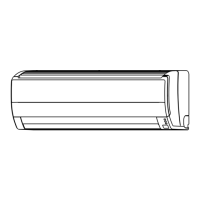
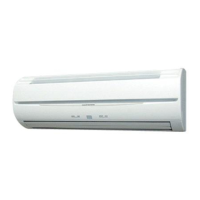
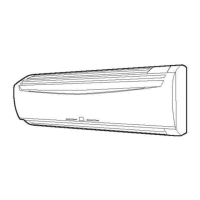
Identifies parts of the indoor unit, including control panel and filters.

Outdoor Unit Components

Identifies parts of the outdoor unit, such as intake and outlet ports.

Remote Control Unit Components

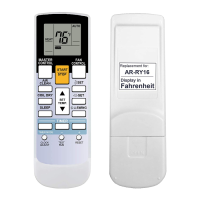
Details buttons and display elements of the remote control.

Preparation

Loading Batteries

Instructions for inserting batteries into the remote control unit.

Setting the Current Time

Steps to set the clock on the remote control unit.

Using the Remote Control Unit

Guidance on operating the remote control and its holder.

Operation

Selecting Mode Operation

How to choose between AUTO, COOL, DRY, HEAT, and FAN modes.

Setting the Thermostat

Adjusting the desired temperature for heating or cooling.

Setting the Fan Speed

Selecting fan speed from AUTO, HIGH, MED, LOW, or QUIET.

Super Quiet Operation

Enables reduced airflow for quieter operation.

Operation

Stopping Operation

Procedure to turn off the air conditioner using the START/STOP button.

Auto Changeover Operation

How the unit automatically selects the operating mode based on room conditions.

Mode Operation Details

Specifics on Heating, Cooling, Dry, and Fan modes.

Timer Operation

Using the ON;OFF Timer

Setting single ON or OFF timers for automated operation.

Using the Program Timer

Integrating ON and OFF timers for a sequence of operations.

Canceling Timer Operation

How to cancel set timer operations.

Sleep Timer Operation

Using the Sleep Timer

Setting the timer to automatically adjust temperature and stop the unit.

Changing Sleep Timer Settings

Modifying the duration or temperature adjustments for the SLEEP timer.

Canceling Sleep Timer

How to disable the SLEEP timer function.

Adjusting the Direction of Air Circulation

Vertical Air Direction Adjustment

Controlling the up/down airflow direction using the remote.

Horizontal Air Direction Adjustment

Controlling the left/right airflow direction using the remote.

Swing Operation

Coil Dry Operation

Minimum Heat Operation

Manual Auto Operation

Cleaning and Care

Cleaning the Open Panel

Instructions for removing and cleaning the indoor unit's front panel.

Cleaning the Air Filter

Steps for removing, cleaning, and drying the air filters.

Cleaning and Care

Air Cleaning Filter Installation

How to install optional air cleaning and deodorizing filters.

Maintenance of Deodorizing Filters

Procedure for cleaning and maintaining deodorizing filters.

Troubleshooting

Normal Function Issues

Checks for common problems like non-operation, noise, and smells.

Airflow and Water Issues

Troubleshooting weak airflow, stops, and water production.

Troubleshooting

General Performance Checks

Checks for overall unit operation and cooling performance issues.

Operating Tips

Operating Tips

Temperature and Humidity Range

Recommended operating ranges for different modes to prevent damage.

Specification

Fujitsu Inverter Halcyon ASU9RLS Specifications

General IconGeneral
RefrigerantR410A
COP (Heating)4.1
Cooling Capacity9, 000 BTU/h
Heating Capacity12, 000 BTU/h
Weight (Outdoor Unit)30 kg
Sound Level (Indoor)21 dB(A)

Related product manuals