
 Need help?
Do you have a question about the Fujitsu LIFEBOOK U7310 and is the answer not in the manual?
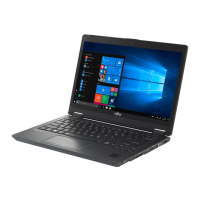
This document is an operating manual for the Fujitsu LIFEBOOK U7310, a notebook computer designed for system use.
The Fujitsu LIFEBOOK U7310 is a notebook computer that offers innovative technology and a range of features for efficient operation. It is designed for various uses, including business and personal computing. The device supports external connections for monitors, USB devices, and network connections, making it versatile for different work environments. Security functions such as fingerprint and palm vein sensors, as well as password protection for BIOS Setup Utility and hard disk, ensure data safety. The notebook also includes features for power management to optimize battery life and reduce energy consumption.
The LIFEBOOK U7310 features a 13.3-inch display and is powered by an Intel Core i5 or i7 processor. It supports up to 32 GB of DDR4 RAM and offers various storage options, including SSDs. The device includes multiple ports for connectivity, such as USB 3.2 Gen1 (USB Type-A), USB 3.2 Gen1 with charging function (USB Type-A, Anytime USB charge), HDMI, and a headset jack. It also supports Intel Thunderbolt™ 3 with charging function and display port (USB Type-C). For network connectivity, it has an Ethernet LAN port and supports wireless LAN, Bluetooth, and LTE via a Micro-SIM card. The notebook is equipped with a 4-cell battery with a capacity of 60 Wh, providing a rated voltage of 14.4 V and a rated capacity of 4170 mAh. The mains adapter for the notebook computer has a nominal power of 65 W, a rated voltage of 19 V, and a maximum rated current of 3.42 A. The port replicator mains adapter has a nominal power of 80 W / 90 W, a nominal voltage of 19 V, and a maximum rated current of 4.22 A / 4.74 A.
The LIFEBOOK U7310 is designed for user-friendly operation. It includes a keyboard with optional background lighting and a touchpad with multi-finger gesture support for intuitive navigation. The virtual numeric keypad allows for easy input of numerical data. Function keys provide quick access to various settings, such as volume control, display brightness, wireless components, and external display toggling. The device supports power-management features to extend battery life, including power-saving modes and fan control. Users can configure security settings through the BIOS Setup Utility, including setting passwords for the supervisor, user, and hard disk, as well as enabling or disabling the Trusted Platform Module (TPM). The notebook also supports SmartCards for enhanced security and authentication.
The manual provides detailed instructions for maintaining the LIFEBOOK U7310. This includes cleaning the notebook, especially the LCD screen and keyboard, using appropriate cleaning products. It also covers procedures for removing and installing components such as the battery, memory modules (M.2 module and memory service compartment), and SIM card. Users are advised to observe safety precautions when performing maintenance tasks, such as disconnecting the power supply and removing the battery. The manual also includes troubleshooting tips for common issues like incorrect date/time, keyboard input errors, blank LCD screens, and problems with external monitors. Error messages displayed on the screen are explained with corresponding resolutions. The BIOS Setup Utility offers an "Erase Disk" function for securely deleting data from internal or external hard disks or SSDs, which is useful before discarding the device or reinstalling an operating system. This function provides multiple deletion options, from a single pass to 35 passes, ensuring data privacy.


 To Next Page
 General