6
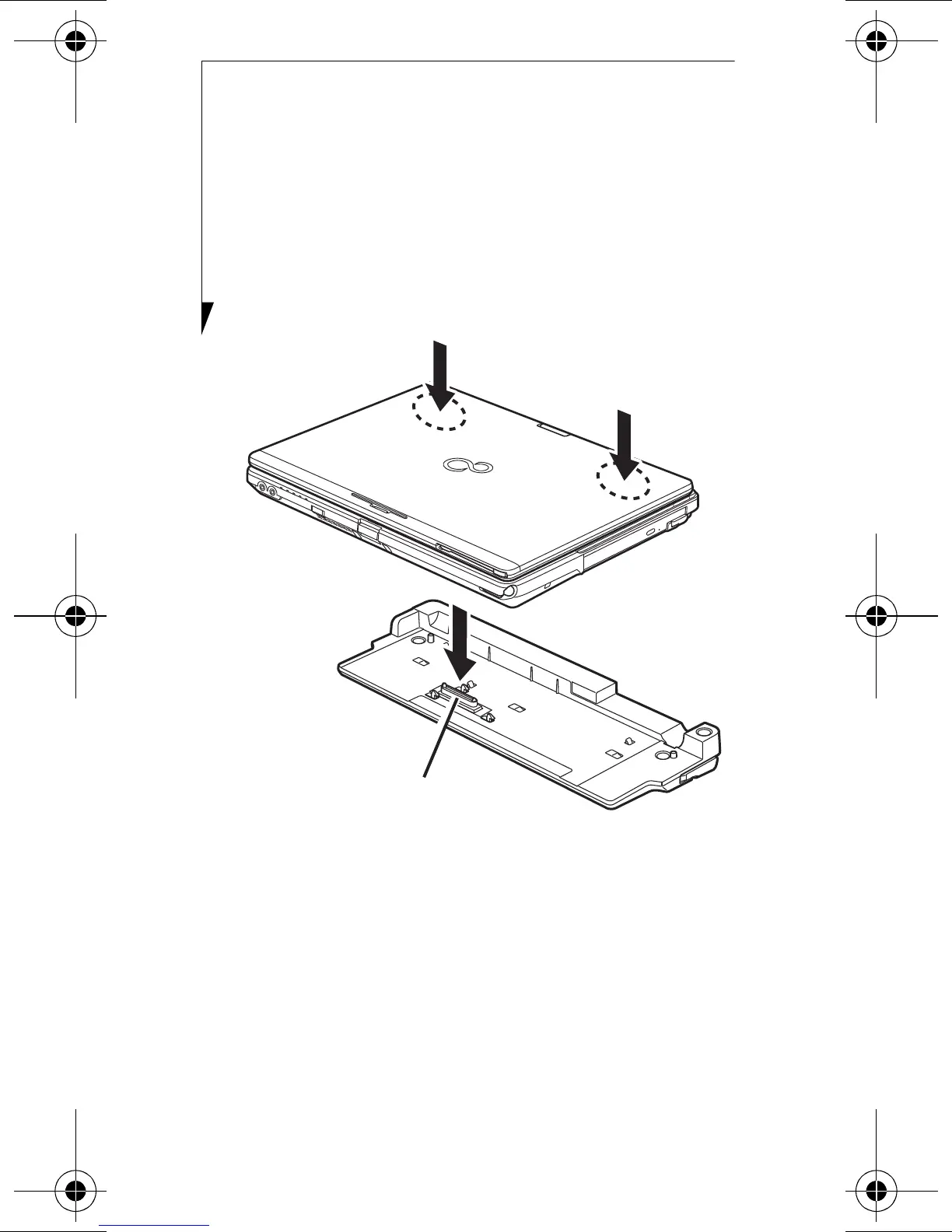
ATTACHING PORT REPLICATOR
To attach the Port Replicator, align the Port
Replicator connector on the bottom of your
Tablet PC with the connector on the Port
Replicator and push the corners down simul-
taneously.
(Figure 2)
Figure 2. Attaching Port Replicator
DETACHING PORT REPLICATOR
To detach the Port Replicator:
1 Pull the Port Replicator’s release latch
away from the Port Replicator to release
it from your Tablet PC.
(Figure 3)
2 Lift the Tablet PC away from the Port
Replicator to detach it.
(Figure 4)
B6FY-0571-01EN-00.fm Page 6 Friday, January 28, 2011 3:28 PM


 To Next Page