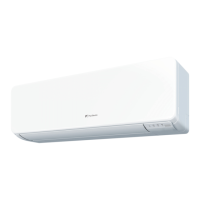
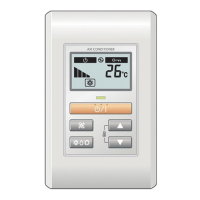
This document is an operating manual for a Fujitsu Room Air Conditioner, specifically a wall-mounted type. It provides comprehensive information on the unit's features, operation, maintenance, and troubleshooting.
Function Description:
The Fujitsu Room Air Conditioner is designed to provide comfortable indoor climate control through various operating modes:
- INVERTER: This feature allows the unit to quickly reach the desired room temperature using high power initially, then automatically switch to a low power setting for economic and comfortable operation.
- SWING OPERATION: The air flow direction louvers automatically swing up and down, ensuring that air is distributed to every corner of the room.
- AUTO CHANGEOVER: The air conditioner automatically switches between cooling, dry, and heating modes to maintain a constant set temperature.
- PROGRAM TIMER: This allows users to integrate OFF timer and ON timer operations in a single sequence, enabling transitions from OFF to ON or ON to OFF within a twenty-four hour period.
- SLEEP TIMER: In Heating mode, the thermostat setting is gradually lowered during operation, while in Cooling mode, it's gradually raised. The unit automatically turns off when the set time is reached, preventing excessive warming or cooling during sleep.
- COIL DRY OPERATION: This function dries the indoor unit's coil to prevent mold growth and inhibit bacterial breeding. It operates for 20 minutes and then stops automatically.
- MANUAL AUTO OPERATION: In cases where the remote control unit is lost or unavailable, the unit can be operated manually from the main unit control panel. It will operate in AUTO mode with a fan speed of "AUTO" and a standard thermostat setting of 24°C.
- SUPER QUIET OPERATION: When selected via the FAN CONTROL button, the unit operates at a reduced airflow for quieter performance.
- AUTO RESTART: In the event of a power interruption, the air conditioner automatically restarts in its previous mode once power is restored. If a power failure occurs during TIMER operation, the timer is reset, and the unit will begin (or stop) operation at the new time setting.
Important Technical Specifications:
While specific power ratings are not detailed, the manual outlines several operational parameters:
- Thermostat Setting Range:
- AUTO: 18-30 °C
- Heating: 16-30 °C
- Cooling/Dry: 18-30 °C
- Operating Temperature and Humidity Range:
- Cooling/Dry Operation:
- Outdoor temperature: About 0 °C to 46 °C
- Indoor temperature: About 18 °C to 32 °C
- Indoor humidity: Below approximately 80%. Continuous use for many hours may cause water condensation and dripping.
- Heating Operation:
- Outdoor temperature: About -10 °C to 24 °C
- Indoor temperature: About below 30 °C
- Refrigerant: The unit uses R410A refrigerant.
- Remote Control Unit Range: Approximately 7 meters.
- Batteries: R03/LR03 × 2 for the remote control unit, typically lasting about one year under normal use.
Usage Features:
- Wireless Remote Control Unit: Provides convenient control over all air conditioner operations.
- Mode Selection: Users can select AUTO, COOL, DRY, HEAT, or FAN modes.
- Temperature Adjustment: Set desired room temperature using the SET TEMP. buttons.
- Fan Speed Control: Choose between AUTO, HIGH, MED, LOW, and QUIET fan speeds.
- Airflow Direction Adjustment:
- Vertical: Adjusted electronically via the SET button on the remote control unit, with different ranges for cooling/dry and heating modes.
- Horizontal: Adjusted manually by moving the Right-Left louvers.
- Program Timer Integration: Allows for combined OFF and ON timer settings within a 24-hour cycle.
- Sleep Timer Functionality: Automatically adjusts thermostat settings during sleep for optimal comfort and turns off the unit after the set time.
- COIL DRY Operation: Initiated by a dedicated button on the remote control, it helps maintain a clean indoor unit.
- Manual Operation: A MANUAL AUTO button on the indoor unit allows basic operation if the remote control is unavailable.
Maintenance Features:
- REMOVABLE OPEN PANEL: The indoor unit's open panel can be easily removed for cleaning and maintenance.
- MILDEW-RESISTANT FILTER: The air filter is treated to resist mildew growth, simplifying cleaning and care.
- POLYPHENOL CATECHIN AIR CLEANING FILTER (UTR-FA03-2): These are disposable filters that use static electricity to clean fine particles, dust, tobacco smoke, and plant pollen. They contain catechin, effective against bacteria. These filters should be exchanged approximately every three months.
- NEGATIVE AIR IONS DEODORIZING FILTER (UTR-FA03-3): Comprises pottery super micro particles that produce negative air ions for deodorizing effects. These filters should be exchanged approximately every three years.
- Filter Cleaning:
- Air Filter: Can be cleaned with a vacuum cleaner or by washing with mild detergent and warm water. It should be cleaned every two weeks under normal use.
- Deodorizing Filter: Can be cleaned with water and dried in the shade every three months to maintain its deodorizing effect. High-pressure hot water and neutral detergent are recommended for cleaning.
- Intake Grille Cleaning: The intake grille can be removed and cleaned with warm water and a soft cloth.
- Seasonal Maintenance: If the unit is shut down for a month or more, the fan mode should operate continuously for about half a day to thoroughly dry internal parts.
- Professional Inspection: For extended periods of use, regular professional inspection is recommended to prevent dirt accumulation from reducing performance.
Safety Precautions:
The manual emphasizes several safety precautions:
- Installation and repairs should only be performed by authorized service personnel.
- Do not insert fingers or objects into the outlet port or intake grilles.
- Do not damage the power supply cord.
- In case of malfunction (e.g., burning smell), stop operation, disconnect power, and consult authorized personnel.
- Provide occasional ventilation during use.
- Do not direct airflow at fireplaces or heating apparatus.
- Do not climb on or place objects on the air conditioner.
- Do not expose the unit directly to water or operate with wet hands.
- Turn off the power source when not using the unit for extended periods.
- Ensure the installation stand is in good condition.
- Do not place animals or plants in the direct path of airflow.
- Do not drink drained water from the unit.
- Do not use the unit for storing food, plants, animals, precision equipment, or artwork.
- Handle connection valves with care during heating as they become hot.
- Do not apply heavy pressure to radiator fins.
- Operate only with air filters installed.
- Do not block intake grille or outlet port.
- Keep electronic equipment at least one meter away from the units.
- Avoid installing near fireplaces or heating apparatus.
- Take precautions to prevent infant access during installation.
- Do not use inflammable gases near the unit.
- When cleaning, disconnect power and avoid touching the heat exchanger.
- Do not use water hotter than 40°C, harsh abrasive cleansers, benzene, or thinner on the unit body.
- Do not expose the unit body to liquid insecticides or hairsprays.
- Batteries should be handled carefully, removed if the unit is not used for extended periods, and disposed of properly. Do not recharge dry batteries or mix new and used batteries.


 To Next Page


 General