APPENDIX A 1
NI / 5E Custom Appendix - Terminal Testing
A
ENTERING
TEST MODE
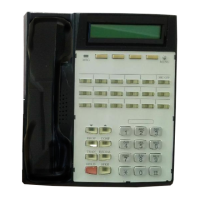
The terminal has a self-test mode that performs tests,
which include the following:
• LED test
• Key test
• Tone test
• LCD test
• Memory tests
• NT1 line test
To enter test mode, follow these steps:
1. Unplug the ISDN line from the LINE jack or the
power plug from the 48 V DC jack if you are
using the DC power supply.
2. Press and hold down both 1 and 4 on the
numeric keypad as you reapply power. Keep
them down until the automatic LED test begins.
The LED test is described in the next section. While
the test is running, this screen is displayed:
SELF TEST (LED)
. . . . . . . . . . . . . . . . . . . . . . . . . . . . . . . . . . . .
When the LED test is complete, this screen appears:
SELF TEST (KEY TEST)
. . . . . . . . . . . . . . . . . . . . . . . . . . . . . . . . . . . . . . . .
The set cannot originate or receive a call during
the self-test.
You exit test mode by removing power and then
reapplying it.
APPENDIX A
TESTING


 To Next Page
 Loading...