7.2 Quick access keys map
When the controller is on temperature display mode, the following keys can be used as a shortcut for the
following functions:
8. ACCESS MENU
Access the main menu by pressing the>and<keys simultaneously. The menus will be displayed
upon releasing the keys. It is also possible to access the main menu through the easy menu (see item
8.1).
[Code] Entry with the access code
[func] Functions of the controller’s parameter table (related to the current instrument)
[Cnfg] VX-950 HMI configurations
10. VX-950 HMI CONFIGURATIONS TABLE
Eanble buzzer
Time for functions lock
[,C01]
[,C02]
DescriptionFun
Min
Max
Unit
On
60
-
sec.
Default
No
No - 14
On
No
7. OPERATIONS
7.1 Quick access Menu map
To access or browse the Quick Access Menu, use the ;key (quick touch) while the temperature is
being displayed by the controller. Each touch displays the next function in the list; to confirm, use the
/key (quick touch).
FUNCTIONS LOCK
CONTROL FUNCTIONS
(ON/OFF)
;
;
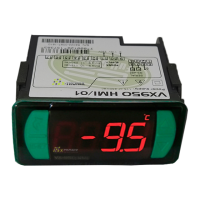
VX-950 HMI
CONFIGURATIONS
EXIT THE FUNCTION
;
FUNCTION SELECTION
;
CURRENT PROCESS
VIEWER
;
CLEAN MIN. E MAX.
RECORD VALUES
;
MIN. AND MAX. TEMPERATURE
RECORD
;
VX-950 HMI
VX-950 HMI
VX-950 HMI
VX-950 HMI
VX-950 HMI
VX-950 HMI
VX-950 HMI
;
VX-950 HMI
DEFROST (ON/OFF)
ECONOMIC SETPOINT (ON/OFF)
;
VX-950 HMI
;
VX-950 HMI
/
<
<
Hold down for 2 seconds: Setpoint adjustment.
Quick touch: Displays the current process, process time and sensor data.
Quick touch: Display of the maximum and minimum records.
<
Hold down for 2 seconds: Clear the maximum and minimum records.
<
Hold down for 2 seconds: When the buzzer is active, disables the
audible alarm.
<
Hold down for 4 seconds: Performs manual defrost.
<
<
Quick touch: Enters function selection.
and
10.1 Function description
C01- Enable buzzer:
Allows enabling or disabling the internal buzzer for alarm signaling and sensor error conditions.
C02 - Time for functions lock:
For safety reasons the controller has a feature to allow locking functions. When this configuration is
active, the setpoint and other parameters are protected from undue changes. However, these
parameters can be viewed.
In this state, when trying to change these values, a[LOC,]message will be displayed.
9. AJUSTING THE DESIRED TEMPERATURE
Hold down the / key for 2 seconds to enter the setpoint adjustment menu. The message [SP,,]
will be shown in the display, followed by the value to adjust the normal setpoint. Use the >or< keys to
change the value and press the/key to confirm. The message [SP-e] will be displayed to indicate
the economy setpoint adjustment. Again, use the >or< keys to change the value and press
the/key to confirm. Finally the indication [----] is signaled to conclude the configuration. The
setpoints may also be adjusted individually in the quick access menu.
To lock the functions you need first to adjust the parameter “[,C02]- Time for function lock" with a value
greater than 14 (any value below 15 will cause [no,,]to be displayed and it means that function lock is not
allowed). Using the ;key (short touch), select the function lock function and then press/(short touch). After
that, keep the>key pressed until [LOC,][On,,]is displayed.
To unlock, turn the controller off and then turn it on again with the > key pressed. Keep the key pressed until the
[LOC,][OFF,] message indicates the unlocking (10 seconds).
VX-950 HMI
11. MENU [CODE]
12. SIGNALING
Open door alarm.
High pressure alarm.
Low pressure alarm.
High superheating alarm.
Low superheating alarm.
Critical superheanting alarm.
Inhibit audible alarm.
Alarm of compressor on without reaching the setpoint.
High room temperature alarm.
Low room temperature alarm.
[Aopn]
[APhi]
[APLo]
[ASHH]
[ASHL]
[ASHC]
[inib]
[alrc]
[athi]
[atlO]
ALARM
Open door.
Superheating temperature.
Electronic expansion valve opening percentage.
Temperature sensor 1.
Temperature sensor 2.
Temperature sensor 3.
[opEn]
[PRES]
[SH,,]
[VEE,]
[t-1,]
[t-2,]
[t-3,]
DISPLAYS AND INDICATIONS
Conection error.
Superheating calculation error.
Pressure reading error.
Reconfigure function values (not programmed).
VX-950 HMI not programmed.
FG-CAP enabled but not installed.
Error 1 - temperature sensor 1.
Error 2 - temperature sensor 2.
Error 3 - temperature sensor 3.
Please contact Full Gauge Controls.
[Ecnn]
[ESHC]
[PErr]
[PPPP]
[PPPC]
[ErUC]
[Err1]
[Err2]
[Err3]
[ECal]
ERROR
Pressure reading (the configured pressure unit is displayed
before the pressure value:[Psi,]or[bar,])
Allows changing the advanced parameters in menus [Func] e [Cnfg]
Allows choosing the using of pressure and temperature:
Temperature in degrees Celsius and pressure in bar
Temperature in degrees Celsius and pressure in psi
Temperature in degrees Fahrenheit and pressure in bar
Temperature in degrees Fahrenheit and pressure in psi
Allows enabling/disabling the FG-CAP.
Allows clearing of errors [erUC] .
[,123]
[,231]
[=C-b]
[=C-P]
[=F-b]
[=F-P]
[,222]
[,717]


 To Next Page
 Loading...