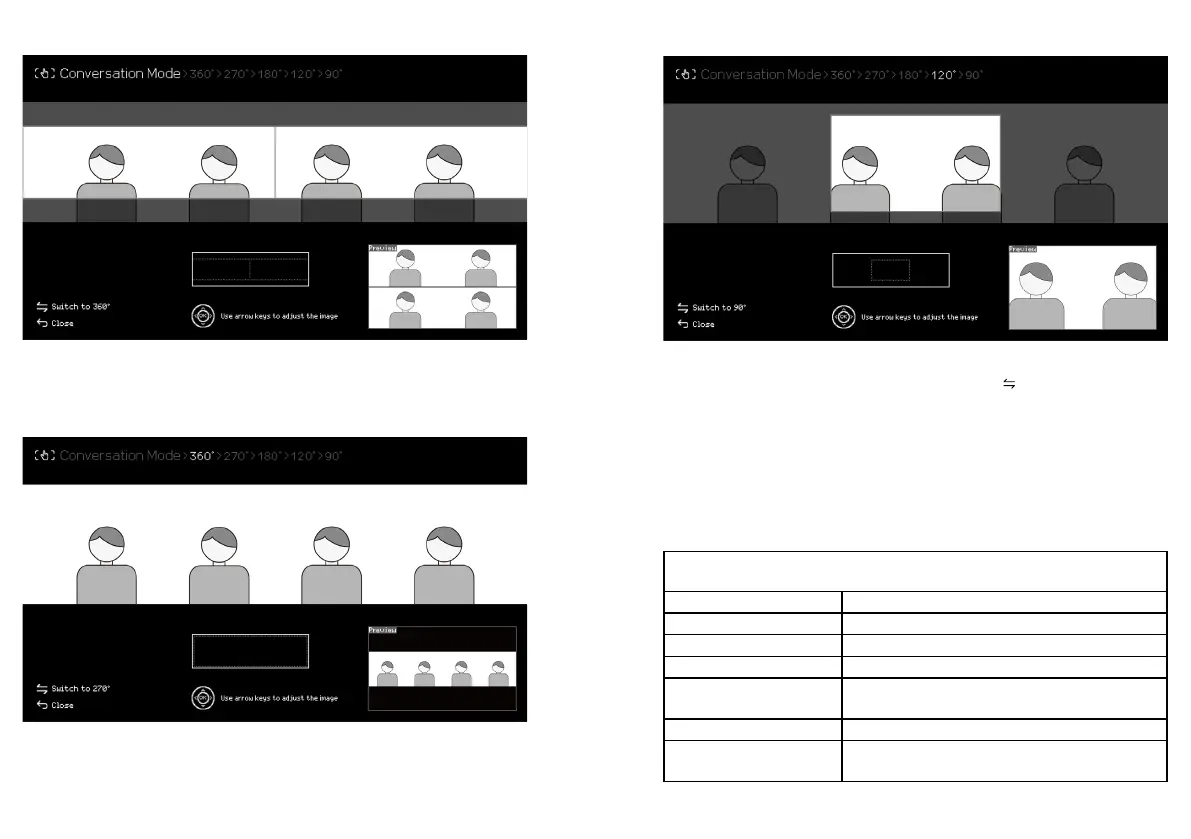
Conversation
Conversation splits participants from two sides into two equal 180° views. Use the up/down/
left/right arrow keys to adjust the center of the view. The preview of the output is shown at the
button right corner.
360° Panorama
360° Panorama shows a full 360-degree view. Use the left/right arrow key to adjust the center
of the view. The preview of the output is shown at the button right corner.
270°/ 180°/ 120°/ 90°
Customize the view angles from 270°/ 180°/ 120°/ 90°. Press " " to rotate through the view
angles and use up/down/left/right arrow key to adjust the center of the view. The preview of the
output is shown at the button right corner.
Specications
Camera
Lens Resolution 5 Megapixels
Lens Quantity 4
Sensor 1/2.7" CMOS
Stitching Technology Dynamic Real-Time Stitching Technology
Max. Resolution &
Frame Rate
4992x928 @30fps (360°Panorama)
Focus Distance 2.3ft / 70cm
Max. Output Field of
View
Horizontal 360° / Vertical 60°
24 25



 To Next Page