18
EN
Advanced Picture Adjustment
You can adjust the detailed picture settings according to your
personal preference.
1) Press [MENU] to display the menu.
2) Press [K / L] to select “Picture”, then press [OK].
3) Press [K / L] to select “Features”, then press [OK].
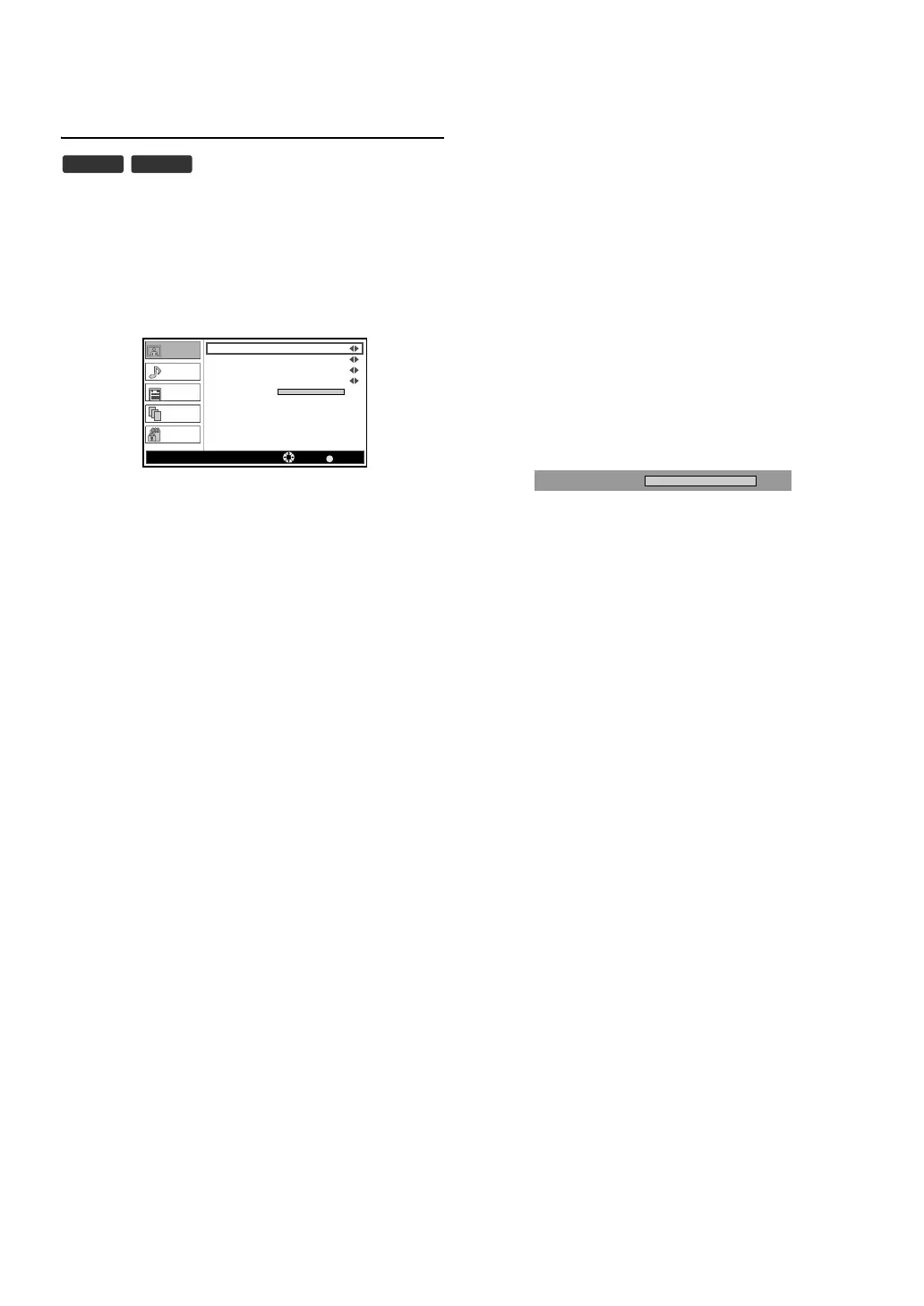
• “Features” menu will appear.
“DNR (Digital Noise Reduction)”
You can adjust to reduce the appearance of digitizing error caused
by the compression.
4) Press [K / L] to select “DNR”.
5) Press [s / B] to select the setting (“Low, Mid, High”) you
want.
“CTI (Colour Transient Intensity)”
You can adjust the picture for colour errors.
4) Press [K / L] to select “CTI”.
5) Press [s / B] to select the setting (“Low, Mid, High”) you
want.
“Flesh Tone”
You can set to activate the flesh colours or not.
4) Press [K / L] to select “Flesh Tone”.
5) Press [s / B] to select the setting (“On, Off ”) you want.
“Adaptive Luma Control”
You can adjust changes in the luminance of the picture.
4) Press [K / L] to select “Adaptive Luma Control”.
5) Press [s / B] to select the setting (“On, Off ”) you want.
“Backlight”
4) Press [K / L] to select “Backlight”, then press [OK].
5) Press [s / B] to adjust, then press [OK].
6) Press [MENU] to exit.
DTV ATV
BACK
100
Picture
Sound
TV
Setup
Parental
DNR Mid
CTI
Mid
Flesh Tone
On
On
Adaptive Luma Control
Backlight
Features
Select Back
100
Backlight


 To Next Page